Digital Templating FAQ
Quick Definition
This digital templating FAQ answers the most common questions from fabricators and homeowners.
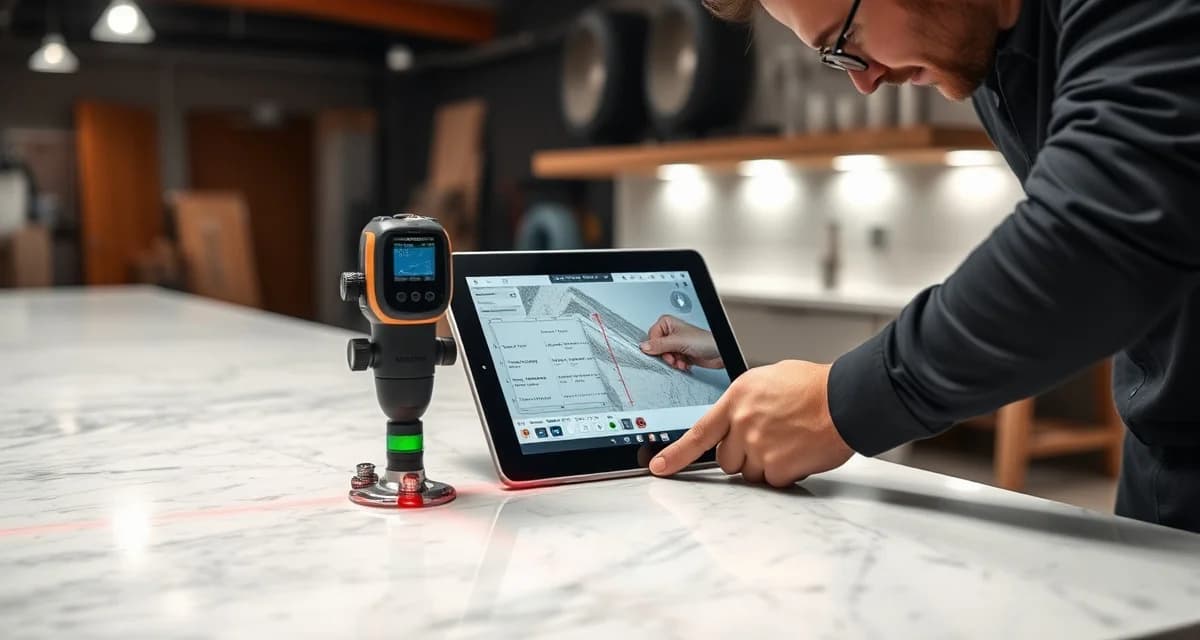
Digital templating is the process of capturing precise field measurements of countertop spaces using laser, infrared, or photogrammetric technology instead of physical cardboard or wood strip templates. The measurements are converted into digital files (typically DXF format) that CNC machines read directly. Digital templating has become the standard in professional fabrication shops, used by roughly 75% of US fabricators, because it's faster, more accurate, and produces machine-ready output.
TL;DR
- Digital templating achieves ±1mm accuracy (vs. ±3-6mm for manual templates)
- A typical kitchen template takes 15-30 minutes digitally vs. 45-90 minutes manually
- Proliner and LT-2D3D are the two dominant systems, each costing $15,000-$35,000
- Template-related remakes drop from 3-5% to under 1% with digital systems
- Output is a DXF file that feeds directly to CNC equipment - no manual interpretation
- ROI payback period: 3-12 months for most shops doing 15+ jobs/month
- AI template verification adds a second layer of error-catching after digital measurement
- Training time: 1-2 weeks for a new operator to reach proficiency
How Digital Templating Works
What is the step-by-step process for digital templating?
A standard digital templating job follows this workflow:
Calculate your material waste savings
See exactly how much slab material and money you could save with optimized cutting layouts.
Try the free Waste Calculator- Setup - Templater arrives at job site with laser system and tripod. Sets up in the kitchen/bathroom with line of sight to all surfaces.
- Reference points - Establishes reference markers on the wall or existing cabinets.
- Measurement capture - Uses the laser to capture wall lines, cabinet locations, appliance positions, sink locations, and any obstacles. Each point is captured with sub-millimeter precision.
- Edge and overhang details - Records edge overhang requirements, backsplash heights, and special features (waterfall returns, radius corners).
- Verification sweep - Good templaters re-measure critical dimensions (sink cutout, seam locations) to confirm accuracy.
- Photo documentation - Captures reference photos of the space, existing conditions, and any details that affect fabrication.
- DXF export - Software converts field measurements into a DXF file with precise cut dimensions, seam locations, and edge profiles.
- File transmission - DXF file is sent to the shop (cloud or direct transfer) for processing and CNC programming.
Total time for a standard kitchen: 15-30 minutes for the field work, plus 10-20 minutes for DXF processing.
How accurate is digital templating compared to manual?
Accuracy comparison across methods:
| Templating Method | Typical Accuracy | Worst-Case Error | Remake Rate |
|---|---|---|---|
| Digital laser (Proliner, LT-2D3D) | ±1mm (±1/25") | ±2-3mm | Under 1% |
| Digital measurement (Flexijet) | ±1mm (±1/25") | ±2-3mm | Under 1% |
| Photo-based apps | ±3-6mm (±1/8"-1/4") | ±10mm+ | 3-8% |
| Manual stick templates | ±3-6mm (±1/8"-1/4") | ±10mm+ | 3-5% |
| Manual cardboard templates | ±5-10mm (±1/4"-3/8") | ±15mm+ | 5-10% |
The ±1mm accuracy of digital systems is critical because stone countertops require tight tolerances. A 3mm error on a 10-foot countertop run might be manageable. But a 3mm error on a sink cutout means the sink doesn't fit - and that means a remake costing $1,500-$4,000.
What is a DXF file, and why does it matter?
DXF (Drawing Exchange Format) is the standard file format for CNC fabrication. When a templater captures field measurements, the templating software generates a DXF file that contains:
- Precise cut lines for every piece
- Sink and cooktop cutout locations
- Edge profile specifications
- Seam locations
- Overhang dimensions
- Reference notes for the fabricator
The DXF file goes directly to the CNC machine's control software. The saw reads the file and cuts the stone accordingly - no manual interpretation of physical templates needed. This eliminates an entire category of human error: the person who reads the template and programs the machine.
DXF quality matters. A poorly constructed DXF file - with unclosed polylines, incorrect layers, or missing dimensions - causes errors at the CNC. This is why template verification is valuable even with digital templating. AI-powered verification reviews the DXF file for structural problems, dimensional errors, and production feasibility before the file reaches the saw.
Equipment and Systems
What are the main digital templating systems?
The market is dominated by a few key players:
Proliner (Prodim):
- Price: $20,000-$35,000
- Technology: Infrared digital measuring
- Market position: Large installed base, especially in larger shops
- Strengths: Speed, portability, large measurement range
- Weaknesses: Higher price point, learning curve
LT-2D3D (Laser Templator):
- Price: $15,000-$28,000
- Technology: Laser measuring with 2D and 3D capability
- Market position: Popular with mid-size shops
- Strengths: Good accuracy, solid software, reasonable price
- Weaknesses: Line-of-sight limitations in tight spaces
Flexijet:
- Price: $20,000-$40,000
- Technology: 3D laser measurement with total station capability
- Market position: Strong in high-precision commercial work
- Strengths: Very high accuracy, 3D capability
- Weaknesses: Slower setup, higher learning curve, most expensive
Photo-based systems (CounterGo, others):
- Price: $0-$500/month (subscription)
- Technology: Photogrammetry and manual input
- Market position: Used mainly for quoting, not fabrication templates
- Strengths: Very fast, no hardware investment
- Weaknesses: Lower accuracy, not sufficient for final fabrication templates
How do I choose between Proliner and LT-2D3D?
This is the most common comparison in the templating market. Here's how they stack up:
| Factor | Proliner | LT-2D3D |
|---|---|---|
| Price | $20,000-$35,000 | $15,000-$28,000 |
| Accuracy | ±1mm | ±1mm |
| Measurement speed | Slightly faster | Standard |
| Setup time | 2-5 minutes | 3-7 minutes |
| Portability | Good (hand-carried) | Good (case system) |
| Software | Prodim Factory | LT Connect |
| Training time | 1-2 weeks | 1-2 weeks |
| Service/support | Good in US | Good in US |
| 3D capability | Yes (Proliner 3D) | Yes (LT-3D) |
For most fabrication shops, both systems deliver comparable results. The decision often comes down to which manufacturer has better local support in your area, which software feels more intuitive to your templaters, and budget. Test both before buying if possible.
Can I use a phone or tablet for templating?
Phone and tablet-based measurement apps exist (AR Measure, various countertop-specific apps) but they're not accurate enough for fabrication templates. They're useful for:
- Initial quoting - Getting rough measurements to produce an estimate
- Scope verification - Confirming project scope before sending a templater
- Customer communication - Visual documentation of the space
They are NOT reliable for:
- Final fabrication templates - Accuracy isn't sufficient for CNC cutting
- Sink and appliance cutouts - Too much error for tight-tolerance openings
- Complex layouts - Multiple pieces, seams, and angles compound any inaccuracy
The gap between a phone measurement and a laser template measurement is the difference between "close enough to quote" and "accurate enough to cut stone."
Common Templating Errors
What are the most common digital templating mistakes?
Even with accurate equipment, human error during digital templating causes problems:
- Missing reference points - Not anchoring measurements to stable references. If cabinets shift after templating (common during construction), all measurements are wrong.
- Incorrect overhang assumptions - Assuming standard 1.5" overhang without confirming with the homeowner or designer.
- Missed obstacles - Failing to account for outlet locations, window trim, uneven walls, or appliance clearances.
- Wrong sink model - Templating for the wrong sink dimensions because the sink hasn't been delivered or confirmed.
- Unclosed polylines in DXF - Software artifacts that cause CNC errors.
- Level errors - Not verifying that cabinets are level; out-of-level cabinets affect fit at walls and backsplashes.
- Missing seam documentation - Not recording agreed seam locations, leading to shop vs. customer disagreements.
- Environmental factors - Measuring in extreme cold or heat that affects laser accuracy slightly.
How does template verification catch these errors?
Template verification is a quality-control step that reviews completed templates before fabrication begins. There are two approaches:
Manual verification (traditional):
- A senior fabricator reviews the DXF file on screen
- Checks dimensions against standard expectations
- Reviews sink cutout placement
- Takes 5-10 minutes per template
- Catches obvious errors but misses subtle ones
- Effectiveness: catches 30-50% of errors
AI-powered verification (SlabWise 3-layer system):
- Layer 1: Dimensional accuracy - flags measurements outside acceptable tolerances
- Layer 2: Structural integrity - checks overhangs, support requirements, and weak points
- Layer 3: Production feasibility - verifies the piece can be fabricated with available equipment and material
- Automated, takes 30-60 seconds per template
- Catches subtle errors that manual review misses
- Effectiveness: catches 85-95% of errors
The ROI on template verification is straightforward. If your shop averages 2-4 template-related remakes per month at $1,500-$4,000 each, catching even 75% of those saves $2,250-$12,000 monthly. SlabWise's Standard plan costs $199/month.
Training and Best Practices
How long does it take to train a new digital templater?
Training timeline for digital templating proficiency:
| Phase | Duration | What They're Learning |
|---|---|---|
| Basic operation | Days 1-3 | Equipment setup, basic point capture, software navigation |
| Standard kitchens | Days 4-7 | Full kitchen templates, sink cutouts, standard edge details |
| Complex layouts | Week 2 | Islands, peninsulas, multiple pieces, seam planning |
| Speed and efficiency | Weeks 3-4 | Faster workflows, field problem-solving, customer interaction |
| Independence | Month 2+ | Handling any layout without supervision |
Most shops report that a new templater can handle standard kitchens solo after about 2 weeks of training. Complex commercial jobs take longer to learn - typically 1-3 months of supervised work.
What are the best practices for accurate digital templates?
A checklist that experienced templaters follow:
Before arriving on site:
- Confirm sink make and model (get the spec sheet)
- Confirm cooktop/range dimensions
- Confirm edge profile and overhang preferences
- Check that cabinets are installed and level
During templating:
- Set up the system with clear line of sight to all surfaces
- Capture walls independently of cabinets (walls move differently than cabinet faces)
- Measure from multiple positions for long runs to confirm accuracy
- Photograph every detail - outlets, trim, window sills, backsplash conditions
- Double-check sink cutout dimensions against the actual sink (not just the spec sheet)
- Confirm seam locations with the homeowner on site, not after
After templating:
- Review the DXF file before leaving the job site (catch obvious errors immediately)
- Run the file through template verification software
- Attach photos and notes to the digital job file
- Flag any site conditions that affect fabrication (out-of-level, irregular walls, access issues)
Should templating and fabrication be done by the same person?
In small shops, the same person often templates and fabricates. In larger operations, these are separate roles. Each approach has tradeoffs:
Same person (common in shops under 15 jobs/month):
- Templater understands fabrication constraints - catches issues in the field
- No communication gap between field and shop
- But: templating days reduce fabrication capacity
Separate roles (common in shops over 20 jobs/month):
- Dedicated templater can handle 4-8 jobs per day
- Fabricators stay at the CNC maximizing output
- But: communication between field and shop must be excellent
- Template verification software helps bridge the communication gap
Cost and ROI
How much does digital templating equipment cost?
Full cost breakdown for getting into digital templating:
| Cost Component | Amount |
|---|---|
| Laser templating system | $15,000-$35,000 |
| Software license (if separate) | $0-$2,000/year |
| Training (manufacturer) | Often included; otherwise $1,000-$3,000 |
| Laptop/tablet for field use | $1,000-$2,500 |
| Carrying case/transport | Usually included |
| Annual calibration/maintenance | $500-$1,500 |
| Year 1 total | $17,500-$44,000 |
| Ongoing annual cost | $1,500-$3,500 |
What is the ROI on switching from manual to digital templating?
For a shop doing 25 jobs per month on manual templates:
| Factor | Manual | Digital | Savings |
|---|---|---|---|
| Template time per job | 60-90 min | 20-30 min | 40-60 min/job |
| Monthly template hours | 25-37.5 hrs | 8-12.5 hrs | 16-25 hrs/month |
| Labor cost savings (@$30/hr) | - | - | $480-$750/month |
| Remake rate | 4% (1/month) | Under 1% (0.25/month) | 0.75 remakes/month |
| Remake cost savings | - | - | $1,125-$3,000/month |
| Material from better accuracy | - | - | $200-$500/month |
| Total monthly savings | $1,805-$4,250 | ||
| Equipment cost | $20,000-$35,000 | ||
| Payback period | 5-19 months |
Can digital templating work in tight spaces like bathrooms?
Yes, though some systems handle tight spaces better than others. The laser needs line of sight to measure surfaces, so very tight powder rooms or vanity alcoves may require measuring from multiple positions and stitching the data together. Experienced templaters develop techniques for small spaces. Ask your equipment vendor about tight-space performance before purchasing.
Do I still need to go to the job site with digital templating?
Yes. Digital templating is faster than manual, but it still requires a person at the job site with the equipment. There is no purely remote templating solution that's accurate enough for fabrication. Photo-based quoting tools can provide rough estimates remotely, but final templates require on-site laser measurement.
What happens if the cabinets aren't level?
Out-of-level cabinets create gaps between the countertop and the wall. Digital templating captures the actual position of cabinet surfaces, so the DXF file reflects the real condition - not an idealized level surface. The fabricator then decides how to handle the gap: build up the low spot with shims, scribe the backsplash to follow the wall, or adjust the counter height. Good templaters note level issues in their field reports.
Can digital templates measure for backsplashes?
Yes. Most systems capture backsplash heights, wall angles, and outlet locations during the countertop template. The backsplash template is generated from the same measurement session. Some templaters prefer to add a separate measurement pass specifically for backsplash details (exact outlet locations, window sill height, etc.).
How often should templating equipment be calibrated?
Manufacturer recommendations vary, but most systems should be calibrated quarterly. Daily self-checks (measuring a known distance as a verification) are a smart practice. Full manufacturer calibration annually. If the system is dropped, bumped significantly, or shows inconsistent measurements, calibrate immediately. Keep calibration records for quality documentation.
Does weather or temperature affect digital templating accuracy?
Temperature extremes can slightly affect laser accuracy - most systems are rated for 32°F-104°F (0°C-40°C) operating range. In practice, the bigger weather-related issue is that stone and cabinets expand and contract with temperature. Measuring in a 40°F unheated new construction space and installing in a 72°F finished home can create slight fit differences. Experienced templaters account for this.
Can one templating system handle all materials?
Yes. The templating process is the same regardless of whether you're fabricating granite, quartz, marble, quartzite, or porcelain. The laser measures the space, not the material. Material-specific considerations (like seam placement on veined stone or flex allowances on porcelain) are handled in the DXF processing and nesting stages, not during field measurement.
How many templates can one person do per day?
A proficient digital templater can handle 4-8 standard kitchen templates per day, depending on drive time between jobs and layout complexity. Simple bathroom vanities take 10-15 minutes; complex kitchens with islands take 30-45 minutes. Commercial projects with multiple rooms or long runs can take 2-4 hours per site.
What is the lifespan of digital templating equipment?
Digital templating systems typically have a useful life of 7-12 years for the hardware, though software updates may extend or limit that range. Laser components eventually degrade and need replacement or factory refurbishment. Budget for a replacement cycle every 8-10 years, or inquire about factory refurbishment programs that extend the life at lower cost than a new system.
Should I buy or lease a digital templating system?
Buying makes more sense for most shops. A $25,000 system that lasts 8 years costs about $260/month (before tax benefits). Leasing typically costs $400-$600/month for 3-5 years with no ownership at the end. Buying also qualifies for Section 179 deductions. Leasing may make sense if you want to upgrade frequently or if capital is very tight.
Verify Every Template Before You Cut
Even the best digital templating system produces errors when operators make mistakes in the field. A 2mm error on a measurement is invisible on screen but very visible on installed stone.
SlabWise's AI template verification reviews every DXF file through three verification layers - dimensional accuracy, structural integrity, and production feasibility. Shops using AI verification report 70-85% fewer template-related remakes compared to manual review alone.
Start your 14-day free trial and run your next batch of templates through AI verification. See what it catches that manual review misses.
Try These Free Tools
- Nesting Optimizer -- AI-powered slab layout that maximizes yield considering vein direction and defects.
- Defect Mapping -- Upload a slab photo and AI maps every fissure, pit, and color issue.
- Value Engineering -- Find dollar-quantified suggestions to save material without cutting margin.
Sources & Further Reading
- Natural Stone Institute - Natural Stone Care and Maintenance Guide
- National Kitchen & Bath Association - Countertop Selection Guidelines
- ASTM International - Standards for Stone and Countertop Materials
- International Surface Fabricators Association - Countertop Material Properties
Internal Links
- Equipment FAQ - Full fabrication equipment overview
- Template Verification Guide - How AI catches errors in DXF files
- Templating Comparison Guide - Manual vs. digital vs. photo-based methods
- Best Laser Templating Systems - Ranked buyer's guide
- Proliner Review - Detailed review of the Proliner system
- LT-2D3D Review - Detailed review of the LT-2D3D system
- Template Error Rates Statistics - Data on how errors affect profitability