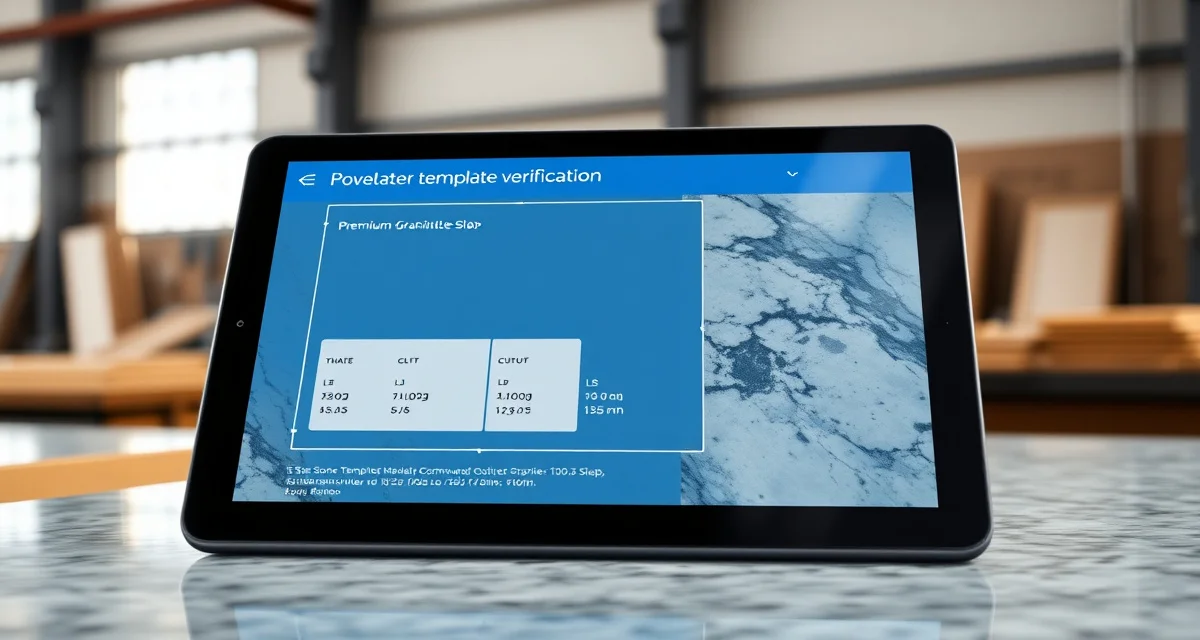
AI Template Verification Prevents Remakes
AI template verification is an automated quality-check system that examines digital countertop template data for errors before fabrication begins. SlabWise's 3-layer AI verification checks dimensions, cutout positions, and edge/finish specifications against job requirements, industry standards, and physics-based constraints - catching the mistakes that lead to $1,500-$4,000 remakes.
TL;DR
- AI template verification catches errors in 3 layers: dimensions, cutouts, and edge/finish specs
- Average remakes cost $1,500-$4,000 in material and labor - most shops face 2-4 per month
- Shops using AI verification reduce remake rates by 70-85%
- The system flags issues automatically - no human expert needs to review every template
- SlabWise is currently the only countertop platform offering AI template verification
- ROI is immediate: preventing one remake pays for months of the software subscription
- Verification takes seconds per template, adding zero delay to your production schedule
What Template Errors Cost Your Shop
Template errors are the most expensive preventable problem in countertop fabrication. Here's how they break down:
Calculate your material waste savings
See exactly how much slab material and money you could save with optimized cutting layouts.
Try the free Waste CalculatorBy Error Type
| Error Type | Frequency (Without AI) | Average Cost | Detection Point |
|---|---|---|---|
| Dimension off by 1/4"+ | 2-3% of jobs | $1,500-$4,000 | During installation |
| Wrong sink cutout size | 1-2% of jobs | $2,000-$4,000 | During dry fit |
| Sink cutout position wrong | 1-2% of jobs | $1,500-$3,000 | During installation |
| Cooktop opening incorrect | 0.5-1% of jobs | $2,000-$4,000 | During installation |
| Wrong edge profile | 1-3% of jobs | $500-$2,000 | During QC or install |
| Backsplash dimension error | 2-4% of jobs | $300-$800 | During installation |
| Faucet hole placement | 1-2% of jobs | $200-$600 | During installation |
By Shop Size
| Shop Size | Monthly Jobs | Remakes (No AI) | Monthly Remake Cost |
|---|---|---|---|
| Small (1-2 crews) | 15-25 | 1-2 | $1,500-$8,000 |
| Medium (3-5 crews) | 40-80 | 2-4 | $3,000-$16,000 |
| Large (6+ crews) | 100+ | 4-8 | $6,000-$32,000 |
How SlabWise's 3-Layer AI Verification Works
Layer 1: Dimensional Verification
The first layer checks all measurements against multiple reference points:
What it checks:
- Overall countertop dimensions against the original quote
- Depth measurements against standard countertop dimensions (typically 25.5 inches for standard, with variations)
- Length measurements for each section
- Diagonal measurements for squareness
- Wall-to-wall dimensions for fit
What it catches:
- A templater recorded 37 inches instead of 27 inches for depth
- Left wall measurement doesn't agree with right wall measurement for the same section
- Total counter length exceeds the quoted amount by more than tolerance
- Diagonal check reveals the template is out of square by more than 1/8 inch
How it works: The AI compares template dimensions against the original quote, standard industry measurements, and basic geometric constraints. When a measurement falls outside expected ranges, it flags the discrepancy with a specific description: "Counter depth at Point B measures 37.25 inches - standard range is 24.5-26.5 inches. Verify measurement."
Layer 2: Cutout Verification
The second layer verifies every cutout position and size:
What it checks:
- Sink cutout dimensions against the manufacturer's specified rough opening
- Sink position relative to cabinet center and front edge
- Cooktop opening dimensions against the model specified in the job order
- Faucet hole positions and diameter
- Soap dispenser and accessory holes
What it catches:
- Sink cutout specified at 21x33 inches when the ordered sink requires 22x33
- Sink positioned 2 inches off-center from the cabinet
- Cooktop opening 1 inch too narrow for the specified model
- Faucet holes drilled 8 inches apart when the faucet requires 8.5 inches
How it works: The AI maintains a database of common sink, cooktop, and faucet specifications. It cross-references the template's cutout data against the fixtures specified in the job order. When a mismatch is detected, it flags the specific issue: "Sink cutout width is 21 inches. Kohler K-5871 requires 22-inch minimum rough opening. Verify cutout width."
Layer 3: Edge and Finish Verification
The third layer confirms that edge profiles and surface finishes are correct and compatible:
What it checks:
- Edge profile specified in the template matches the quoted edge profile
- Edge profile is compatible with the selected material and thickness
- Surface finish matches the quoted finish
- Special treatments (laminated edge, mitered edge) are properly specified
- Backsplash edge specifications
What it catches:
- Template specifies ogee edge but the quote says eased edge
- Laminated edge requested on 2cm material (possible but requires different process)
- Leathered finish specified on a material that doesn't come in leathered
- Different edge profiles on adjacent pieces that should match
How it works: The AI compares every edge and finish specification in the template data against the job order. It also checks material compatibility - for example, flagging if a full bullnose edge is specified on ultra-compact porcelain that tends to chip with that profile.
Real-World Verification Examples
Example 1: The $3,200 Kitchen Save
Job: L-shaped kitchen, Calacatta Gold quartz Template issue: The templater recorded the peninsula depth as 36 inches instead of 26 inches. AI detection: Layer 1 flagged: "Peninsula depth of 36 inches exceeds standard range (24.5-26.5 inches). Likely measurement error." What would have happened: The CNC would have cut a 36-inch-deep peninsula from a slab. The piece wouldn't fit (cabinet is only 24 inches deep). Material cost wasted: $2,400. Labor and re-fabrication: $800. Savings: $3,200 in avoided remake costs.
Example 2: The Wrong Sink Cutout
Job: Master bathroom vanity, White Macaubas quartzite Template issue: Template specified a 21x30 inch sink cutout. The ordered undermount sink (Blanco Precis) requires 21.5x30.75 inches. AI detection: Layer 2 flagged: "Sink cutout 21x30 is undersized for Blanco Precis (21.5x30.75 required). Verify cutout dimensions." What would have happened: Cutout too small for the sink. Options: enlarge the hole on-site (risky with quartzite) or re-fabricate. Re-fabrication cost: $2,800. Savings: $2,800.
Example 3: The Edge Profile Mix-up
Job: Kitchen island, Fantasy Brown granite Template issue: Template specified half-bullnose edge on all four sides. Quote specified half-bullnose on front and eased on back. AI detection: Layer 3 flagged: "Template specifies half-bullnose on back edge. Quote specifies eased edge on back. Verify edge profile." What would have happened: All four sides cut with half-bullnose. Customer inspects and rejects because they wanted eased on the back (where it meets the wall). Rework cost: $600. Savings: $600.
Verification Speed and Workflow Impact
AI verification adds virtually zero time to your production workflow:
| Workflow Step | Without Verification | With AI Verification |
|---|---|---|
| Template arrives | Sent to production | Sent to verification (5-10 seconds) |
| Review | Manual spot-check (5 min) | AI checks all parameters (automatic) |
| Issues found | Discovered during cut or install | Flagged immediately with details |
| Resolution | Remake ($1,500-$4,000, 2-5 days) | Fix template (15-30 min, same day) |
| Production proceeds | With undetected risk | With verified accuracy |
The AI verification step takes seconds. The production delay for resolving a flagged issue is typically 15-30 minutes. Compare that to the 2-5 day delay and $1,500-$4,000 cost of discovering the same error after cutting.
Who Catches What: AI vs. Human Review
| Error Type | Experienced Human Review | AI Verification |
|---|---|---|
| Obvious dimension errors | Usually caught | Always caught |
| Subtle dimension errors (1/4-1/2 inch) | Often missed | Always caught |
| Sink cutout size mismatches | Sometimes caught | Always caught |
| Cutout position errors | Rarely caught pre-cut | Always caught |
| Edge profile mismatches | Sometimes caught | Always caught |
| Material compatibility issues | Depends on experience | Always checked |
| Cross-reference to quote | Rarely done pre-cut | Automatic |
| Consistency check speed | 5-15 min per template | 5-10 seconds |
The key difference: humans review what they think might be wrong. AI checks everything against everything, every time, in seconds.
Implementation: Getting Started with AI Verification
Step 1: Connect Your Template Source
SlabWise accepts DXF files from all major digital templating systems (LPI, Proliner, Prodim, and others). Configure the file import once, and all subsequent templates flow through verification automatically.
Step 2: Configure Your Standards
Set up your shop's standard tolerances (most shops use 1/8 inch). Add your commonly used fixtures (sinks, cooktops, faucets) with their required rough openings. The system comes pre-loaded with common fixtures.
Step 3: Process Your First Template
Upload a DXF file. Within seconds, the AI returns either "Verified - no issues detected" or a list of specific flagged items with descriptions and recommended actions.
Step 4: Establish Your Verification Workflow
Most shops establish a simple rule: no template goes to the CNC without AI verification. Flagged items go to the project manager for resolution. Clean templates proceed directly to nesting and production.
Measuring Your Verification ROI
Track these metrics before and after implementing AI verification:
| Metric | Before AI | Target After AI | How to Track |
|---|---|---|---|
| Monthly remakes | Count them | 70-85% reduction | Job records |
| Remake cost per month | Sum material + labor | 70-85% reduction | Financial records |
| Template review time | Minutes per template | Seconds (automated) | Time tracking |
| Customer satisfaction | Survey/reviews | Improvement expected | Feedback tracking |
| On-time delivery | Percentage | Improvement (fewer rework delays) | Schedule tracking |
How does AI template verification work?
SlabWise's 3-layer system automatically checks every digital template file. Layer 1 verifies dimensions against the quote and industry standards. Layer 2 confirms cutout sizes and positions against fixture specifications. Layer 3 validates edge profiles and finishes against the job order and material compatibility.
How much does a typical remake cost?
The average countertop remake costs $1,500-$4,000 including material waste, re-fabrication labor, re-scheduling, and possible customer compensation. Complex jobs with exotic materials can cost $5,000+. Most shops without AI verification experience 2-4 remakes per month.
Can AI catch errors that experienced fabricators miss?
Yes. AI verification catches errors that even experienced fabricators miss because it cross-references every data point against every standard simultaneously. Humans do spot checks; AI does complete checks. Subtle errors - a cutout 1/4 inch too small, an edge spec that doesn't match the quote - are frequently missed in manual review.
Does verification slow down production?
No. AI verification takes 5-10 seconds per template. Even when an issue is flagged, resolving it (15-30 minutes) is dramatically faster and cheaper than discovering the error after cutting ($1,500-$4,000 and 2-5 days).
What digital templating systems work with AI verification?
SlabWise accepts DXF files from all major digital templating systems including LPI (Laser Products Industries), Proliner, Prodim, and others. Any system that outputs standard DXF files is compatible.
Does AI verification work with paper templates?
AI verification requires digital template data (DXF files). Paper templates must be digitized first. This is one of many reasons the industry is moving to digital templating - it enables AI verification.
How accurate is the AI at detecting errors?
SlabWise's AI detection rate exceeds 95% for dimensional errors, cutout mismatches, and edge specification conflicts. The remaining 5% typically involves edge cases that are also difficult for human reviewers.
What happens when the AI flags an issue?
The system pauses the specific template and sends a notification to the designated team member (typically the project manager or lead fabricator). The notification includes: what was flagged, why it was flagged, and the specific data that triggered the flag. The team member resolves the issue, and the template re-enters the verification queue.
Is AI verification worth it for small shops?
Yes - arguably more so than for large shops. Small shops have tighter margins, meaning a single $3,000 remake has a proportionally larger financial impact. At $199/month, SlabWise's verification pays for itself the first time it catches an error.
Can I override AI verification?
Yes. If the AI flags something that you've confirmed is correct (for example, a non-standard counter depth for a commercial installation), you can approve the template with an override note. The system logs the override for quality tracking purposes.
How long does it take to implement AI verification?
Most shops are running AI verification on live templates within 1-2 days. Configure your file import source, set your tolerances, and start processing. The fixture database comes pre-loaded with common sinks, cooktops, and faucets.
Does AI verification replace human quality control?
No. AI verification is an additional quality layer, not a replacement. It catches data-level errors (dimensions, cutout specs, edge profiles) that are difficult for humans to verify quickly. Physical quality control (material inspection, surface finish, fit testing) remains a human responsibility.
Stop Remakes Before They Start
Every remake starts with a template error that nobody caught. AI verification catches those errors in seconds, before they cost you $1,500-$4,000 and 2-5 days of rework.
Start your 14-day free trial at SlabWise.com - no credit card required. Upload your next template and see what the AI catches.
Try These Free Tools
- Photo to Template -- Snap a photo of an existing countertop and get an AI-generated DXF template.
- Template Compare -- Upload two templates and see every dimension change highlighted instantly.
- AI Template Verification -- Cross-check your template against manufacturer specs before cutting.