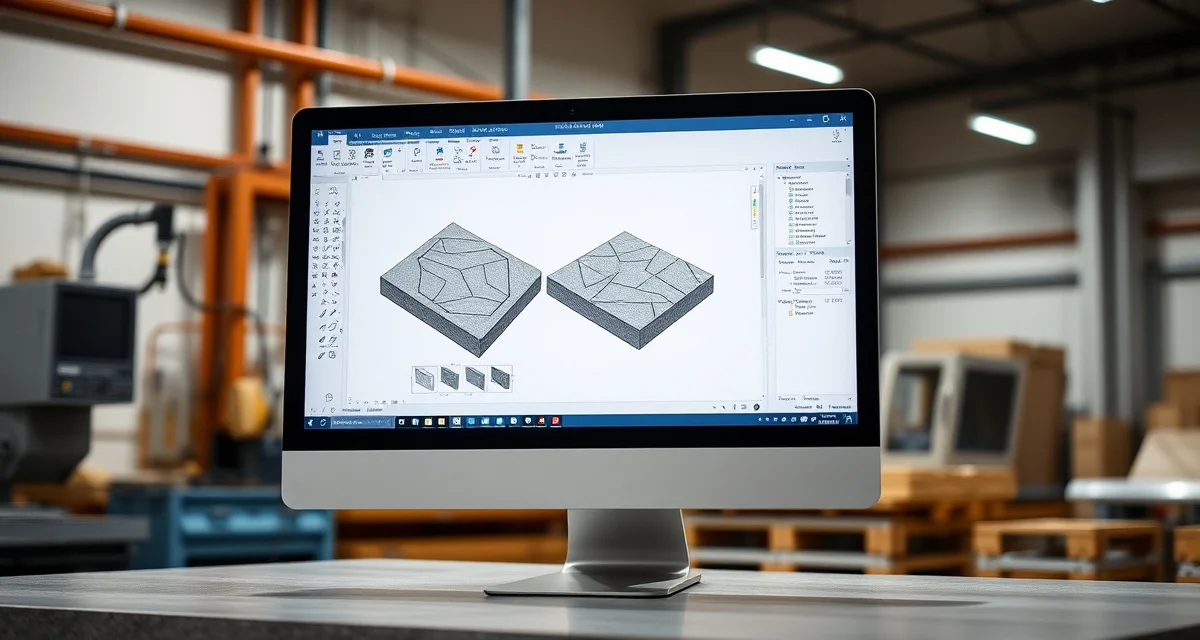
What Is Alphacam? Definition & Guide
Quick Definition
Alphacam is a CAD/CAM (Computer-Aided Design/Computer-Aided Manufacturing) software used by countertop fabrication shops to program CNC machines for cutting, profiling, and shaping stone slabs. Developed by Hexagon Manufacturing Intelligence, Alphacam converts digital template files (DXF/DWG) into machine-readable toolpaths that tell CNC bridge saws, routers, and machining centers exactly how to cut each countertop piece.
TL;DR
- Alphacam is the most widely used CNC programming software in the US countertop fabrication industry
- It converts digital templates (from LT-2D3D, Proliner, etc.) into CNC machine toolpaths
- Owned by Hexagon Manufacturing Intelligence, a global metrology and manufacturing technology company
- Supports stone-specific operations: sink cutouts, edge profiles, miter cuts, and polishing paths
- Pricing: approximately $8,000-$15,000 for the stone module, plus annual maintenance fees
- Works with most CNC equipment brands (Park Industries, Intermac, Breton, etc.)
- Reduces programming time from hours of manual calculation to minutes of automated toolpath generation
Alphacam: The CNC Brain Behind Your Countertop Shop
What CAM Software Does in Fabrication
A CNC machine - whether it's a Park Industries Yukon, an Intermac Master, or a Breton ShapeOne - is only as useful as the instructions it receives. Those instructions are called toolpaths: precise sequences telling the machine where to move, how fast to cut, what tool to use, and how deep to go.
Calculate your material waste savings
See exactly how much slab material and money you could save with optimized cutting layouts.
Try the free Waste CalculatorWithout CAM software like Alphacam, a CNC operator would need to manually calculate every coordinate, tool change, feed rate, and cutting sequence. For a simple kitchen countertop with a sink cutout and two edge profiles, that's hundreds of individual coordinates and machine commands.
Alphacam automates this process:
- Import the digital template (DXF from LT-2D3D or Proliner)
- Define the operations - which edges get profiled, where the sink goes, seam locations
- Generate optimized toolpaths automatically
- Post-process the toolpaths into machine-specific code (G-code or proprietary formats)
- Send the code to your CNC machine
Alphacam's Stone-Specific Features
Alphacam offers a dedicated stone processing module (Alphacam Stone) designed specifically for countertop fabrication:
| Feature | What It Does |
|---|---|
| Edge Profile Library | Pre-built profiles (ogee, bullnose, bevel, pencil, dupont, etc.) ready to apply |
| Sink Cutout Templates | Standard undermount sink shapes for one-click cutout programming |
| Miter Programming | Automated miter cut toolpaths for waterfall edges and thick-look laminations |
| Polishing Paths | Generates polishing sequences for CNC edge polishing operations |
| Nesting (Basic) | Arranges multiple pieces on a single slab to reduce waste |
| Post Processors | Machine-specific output for Park Industries, Intermac, Breton, and others |
The Alphacam Workflow in a Fabrication Shop
Here's how Alphacam fits into a typical fabrication shop's daily workflow:
Morning:
- Templater sends DXF files from yesterday's measurements
- Alphacam programmer imports each template file
- Programmer assigns edge profiles, sink cutouts, and seam locations
- Alphacam generates toolpaths for each piece
Midday:
- Programmer reviews toolpaths visually in Alphacam's 3D simulation
- Adjustments made for material-specific concerns (fragile stone requires slower feed rates)
- Files post-processed and sent to CNC machine controllers
Afternoon:
- CNC operators load slabs and run Alphacam-generated programs
- Machine executes cuts, profiles, and cutouts automatically
- Operator monitors for issues and unloads finished pieces
Alphacam vs. Other CAM Software for Stone
| Software | Best For | Price Range | Market Position |
|---|---|---|---|
| Alphacam Stone | Full CNC programming for countertops | $8K-$15K + maintenance | Industry standard, widest adoption |
| SlabSmith | Slab visualization and layout | $3K-$6K + subscription | Complementary to Alphacam (not a replacement) |
| SigmaNEST | Nesting optimization | $5K-$10K | Specialized nesting focus |
| Machine-specific software | Equipment manufacturer's bundled software | Often included with CNC | Limited to one machine brand |
Alphacam dominates the US countertop market because of its:
- Wide machine compatibility - Works with virtually every CNC brand through post-processors
- Stone-specific operations - Edge profiles, sink cutouts, and polishing paths purpose-built for countertop work
- Industry inertia - Most CNC operators learned on Alphacam, and most training resources center on it
Learning Alphacam: What to Expect
Alphacam has a significant learning curve. Here's a realistic timeline for a new programmer:
| Timeframe | Skill Level |
|---|---|
| Week 1-2 | Basic navigation, importing files, applying simple profiles |
| Week 3-6 | Standard kitchen programming with sink cutouts and common profiles |
| Month 2-3 | Complex jobs (curved edges, multiple seams, specialty profiles) |
| Month 4-6 | Proficiency in troubleshooting, optimization, and custom macros |
| 6+ months | Advanced: custom post-processors, automation scripts, production optimization |
Many fabrication shops send new Alphacam programmers to Hexagon's training courses or hire programmers with existing Alphacam experience. A skilled Alphacam programmer is one of the most valuable employees in a fabrication shop.
Common Alphacam Challenges for Fabricators
Template quality drives programming quality. If the DXF file from your LT-2D3D or Proliner has errors - missing measurements, overlapping lines, incorrect dimensions - Alphacam can't fix those problems automatically. Garbage in, garbage out. This is why template verification before CNC programming is critical.
Post-processor configuration matters. Each CNC machine needs a properly configured post-processor in Alphacam to generate correct machine code. A wrong post-processor setting can cause tool crashes, incorrect cuts, or safety hazards. Always verify post-processor output with your machine manufacturer.
Version updates require testing. When Hexagon releases Alphacam updates, test the new version on non-critical jobs before switching your production workflow. Post-processor behavior occasionally changes between versions.
Connecting Alphacam to Your Business Workflow
Alphacam handles the technical side of CNC programming, but it doesn't manage your job pipeline, slab inventory, or customer communication. The most efficient shops connect Alphacam to a broader management platform.
SlabWise sits upstream from Alphacam in your workflow. When a template comes in from the field, SlabWise's 3-layer verification checks the file for errors before it reaches your Alphacam programmer. The verified template is matched to a specific slab in inventory, and the job is scheduled for production. Your Alphacam programmer opens a clean, verified file - not a questionable template that might waste 2 hours of programming and a $2,000 slab on a remake.
How much does Alphacam cost?
Alphacam Stone module pricing starts at approximately $8,000-$15,000, plus annual maintenance fees of $1,500-$3,000 for updates and support.
Who makes Alphacam?
Alphacam is developed by Hexagon Manufacturing Intelligence, a division of Hexagon AB, a Swedish technology company.
Does Alphacam work with all CNC machines?
Alphacam works with most CNC stone processing machines through configurable post-processors. It supports Park Industries, Intermac, Breton, CMS, and many other brands.
What file formats does Alphacam accept?
Alphacam imports DXF, DWG, STEP, IGES, and other standard CAD file formats. DXF is the most common format for countertop template imports.
Is Alphacam hard to learn?
Alphacam has a moderate-to-steep learning curve. Basic programming takes 2-4 weeks to learn; full proficiency typically develops over 3-6 months of regular use.
Can Alphacam do slab nesting?
Alphacam includes basic nesting functionality. For advanced nesting optimization that can improve yield by 10-15%, dedicated nesting tools or platforms like SlabWise provide better results.
Does Alphacam include edge profile templates?
Yes. Alphacam Stone includes a library of standard edge profiles (ogee, bullnose, bevel, pencil, dupont, etc.) that can be applied to edges with a few clicks.
What is an Alphacam post-processor?
A post-processor is a configuration file that translates Alphacam's generic toolpaths into machine-specific code (G-code or proprietary formats) for your particular CNC machine. Each machine brand/model needs its own post-processor.
Can Alphacam simulate cuts before running them?
Yes. Alphacam includes 3D machining simulation that shows exactly how the machine will process each piece, allowing the programmer to catch collisions, missed cuts, or incorrect toolpaths before running the program on actual stone.
Is there a cloud version of Alphacam?
As of 2026, Alphacam is primarily a desktop application. Hexagon has been moving toward cloud-connected features, but the core CAM processing runs locally.
Feed Alphacam Verified Templates with SlabWise
Your Alphacam programmer's time is too valuable to waste on bad template files. SlabWise verifies every template before it reaches programming, catches errors that cause remakes, and matches jobs to slabs so your programmer can focus on producing accurate CNC code - not troubleshooting bad data.
Start your 14-day free trial at SlabWise.com
Try These Free Tools
- Nesting Optimizer -- AI-powered slab layout that maximizes yield considering vein direction and defects.
- Defect Mapping -- Upload a slab photo and AI maps every fissure, pit, and color issue.
- Value Engineering -- Find dollar-quantified suggestions to save material without cutting margin.
Sources & Further Reading
- Natural Stone Institute - Fabrication Guidelines and Best Practices
- International Surface Fabricators Association - Waterjet Cutting Technology Standards
- ASTM International - Standard Guide for Abrasive Waterjet Machining
- OSHA - Safety Guidelines for Waterjet Operations