SlabSmith Technology Guide
What Is SlabSmith?
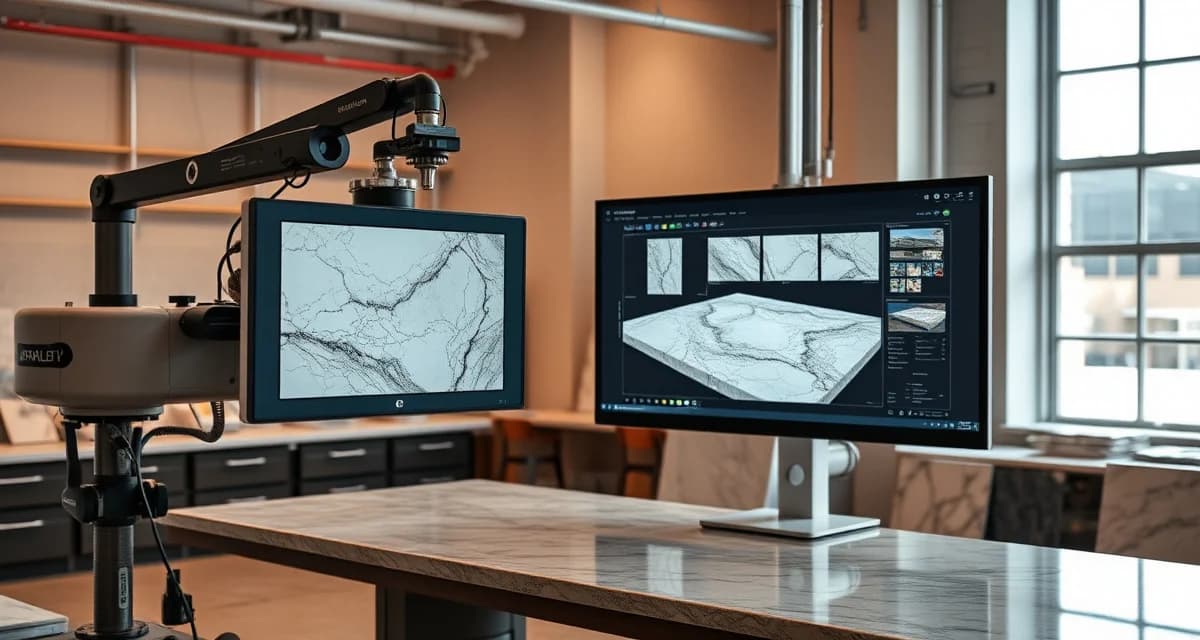
SlabSmith is a digital imaging and slab layout system used by countertop fabricators to photograph stone slabs, catalog inventory visually, and show customers exactly how their countertops will look before fabrication begins. It captures high-resolution images of each slab and lets fabricators digitally position countertop pieces to match veining patterns and color flow.
TL;DR
- SlabSmith photographs full slabs and creates scaled digital images for layout planning
- Customers see an accurate preview of their countertops before fabrication starts
- Vein matching and bookmatching become faster and more reliable
- Reduces material disputes and customer change orders by 40-60%
- Typical system cost is $15,000-$30,000 for camera and software
- Integrates with most CAD/CAM fabrication software
- Pays for itself through fewer remakes and better slab yield
How SlabSmith Works
Image Capture
The system uses a calibrated camera (or camera array) mounted above a slab rack or display area. When a new slab arrives at your shop:
Calculate your material waste savings
See exactly how much slab material and money you could save with optimized cutting layouts.
Try the free Waste Calculator- The slab is placed on a stand or leaned against a frame
- The camera captures a high-resolution photograph with calibrated color and scale
- SlabSmith software processes the image, correcting for perspective and lighting
- The slab image is stored in your digital inventory with dimensions, material type, lot number, and supplier info
The entire capture process takes 2-5 minutes per slab.
Digital Layout
Once your slabs are photographed, the real value begins. Using the layout module:
- Import the customer's countertop template (from digital templating or CAD drawings)
- Place the template pieces over the slab image
- Rotate, shift, and arrange pieces to optimize veining flow and color consistency
- Check for defects, pits, or fissures that might fall within a visible area
- Generate a customer-facing layout approval showing exactly what they'll receive
Customer Approval Process
This is where SlabSmith has the biggest impact on your business. Instead of telling a customer "your granite will look something like the sample," you show them a photo-realistic rendering of their actual countertops laid out on their actual slab. That transparency:
- Eliminates most "that's not what I expected" disputes
- Gives the customer ownership of the layout decision
- Creates a documented approval trail
- Reduces remake risk substantially
Shops that implement SlabSmith typically report a 40-60% reduction in material-related complaints and change orders.
System Components and Costs
| Component | Purpose | Estimated Cost |
|---|---|---|
| Camera system | Captures calibrated slab images | $8,000-$15,000 |
| Software license | Layout, inventory, customer approval | $5,000-$10,000 |
| Lighting setup | Consistent color reproduction | $1,000-$3,000 |
| Camera mount/frame | Positions camera for full slab capture | $1,000-$3,000 |
| Annual support | Software updates and tech support | $1,500-$3,000/yr |
| Total initial investment | $15,000-$30,000 |
Hardware Requirements
- Computer with dedicated graphics card (for image processing)
- High-resolution monitor (for accurate color representation)
- Network connection (for sharing layouts with sales staff and customers)
- Adequate lighting in the photography area (controlled, consistent conditions)
Key Features for Fabricators
Vein Matching
Natural stone has unique veining patterns, and customers increasingly expect those patterns to flow continuously across seams. SlabSmith makes vein matching practical:
- See both pieces side-by-side on screen before cutting
- Rotate and flip pieces to find the best alignment
- Preview how the seam will look from a customer's perspective
- Document the planned vein alignment for production
Bookmatch Layout
For bookmatched slabs (consecutive slabs from the same block), SlabSmith can:
- Display both slabs simultaneously
- Mirror the image to simulate the bookmatched effect
- Position countertop pieces across both slabs
- Ensure symmetry is maintained through the layout
Defect Avoidance
Every natural stone slab has character marks, fissures, or color variations. Some are acceptable; some aren't. With SlabSmith:
- Mark defect locations on the slab image
- Set exclusion zones that templates won't overlap
- Identify pits or fissures near sink cutouts (where they're most problematic)
- Document defect locations for QC during fabrication
Inventory Management
Beyond layout, SlabSmith functions as a visual inventory system:
- Browse available slabs by material, color, or size
- Show customers real images of in-stock slabs (not generic photos)
- Track which slabs are reserved for specific jobs
- Monitor remnant inventory with actual images and dimensions
ROI Calculation
Here's a realistic ROI analysis for a shop doing 25 kitchens per month:
Costs saved:
- Remakes avoided (2/month at $2,000 each): $4,000/month
- Reduced customer disputes (save 5 hrs/month staff time): $200/month
- Better slab yield from optimized layout (1% improvement): $300/month
- Total monthly savings: ~$4,500
Costs incurred:
- System amortization ($25,000 over 36 months): $694/month
- Annual support ($2,500/12): $208/month
- Operator time (15 min/slab × 30 slabs): 7.5 hrs/month
- Total monthly cost: ~$1,100
Net monthly benefit: ~$3,400 Payback period: 6-8 months
The biggest savings come from avoiding remakes. At an average remake cost of $1,500-$4,000 per incident, preventing even one per month justifies a significant portion of the investment.
Integration with Other Systems
CAD/CAM Software
SlabSmith integrates with most major fabrication CAD/CAM packages:
- Export layout data to generate cutting programs
- Import template files from digital templating systems
- Share approved layouts with CNC and waterjet operators
Digital Templating
When paired with digital templating (laser or photo-based), the workflow becomes:
- Template captures exact dimensions at the job site
- Template data imports into SlabSmith
- Fabricator lays out pieces on the slab image
- Customer approves the layout
- Approved layout exports to CAM for cutting
Fabrication Platforms
Slab inventory data from SlabSmith can feed into broader fabrication management platforms. SlabWise, for example, uses slab inventory data to optimize nesting across jobs, helping fabricators squeeze 10-15% more usable material from their inventory. The combination of visual layout approval and automated nesting optimization covers both the customer-facing and production sides of material management.
Best Practices for Implementation
Photography Setup
- Use controlled, diffused lighting - not direct sunlight or mixed light sources
- Keep the background consistent (dark background behind light stone, light behind dark)
- Photograph slabs immediately upon arrival while they're clean
- Maintain consistent camera distance for accurate scale
- Calibrate color periodically using a reference card
Workflow Integration
- Assign one person to photograph incoming slabs (consistency matters)
- Do layouts before the customer visits for slab selection (saves their time and yours)
- Present 2-3 layout options and let the customer choose
- Get digital approval (email or signature on printed layout) before fabrication
- Keep approved layouts in the job file for production reference
Common Mistakes to Avoid
- Photographing wet slabs (they'll look different when dry and sealed)
- Skipping slab photography when busy (inventory gaps hurt later)
- Not updating images when slabs are cut or remnants created
- Using the system only for premium jobs (consistency across all jobs is more valuable)
- Ignoring lighting calibration (colors drift over time)
SlabSmith Alternatives
| System | Strengths | Estimated Cost |
|---|---|---|
| SlabSmith | Industry standard, wide integration | $15K-$30K |
| Laser Products SL-A | Built into their templating workflow | Varies by package |
| Slab Creator (by Slabsmith) | Simplified version for smaller shops | Lower cost tier |
| DIY photography + CAD | Budget option, limited layout features | $2K-$5K |
SlabSmith remains the most widely used dedicated system, largely because of its integration with other fabrication software and the quality of its calibrated imaging.
How long does it take to photograph a slab?
With a permanent setup, 2-5 minutes per slab including positioning, capture, and basic catalog entry. Batch photographing 10 slabs typically takes 30-45 minutes.
Do I need a dedicated space for the camera?
Yes. You need a consistent lighting environment - ideally a permanent station with controlled overhead lighting. The space needs to accommodate your largest slab size (typically 130" × 78") plus camera mounting.
Can customers view layouts remotely?
Yes. Most shops export layout images as PDFs or images and email them for approval. Some integrate with customer portals for online viewing and approval.
Does SlabSmith work with engineered quartz?
Yes. While vein matching is less critical with many quartz patterns, SlabSmith still helps with color lot matching, defect avoidance, and customer approval - especially with veined quartz patterns (like those mimicking marble).
How accurate are the colors in the images?
With proper calibration and controlled lighting, SlabSmith images are highly representative of the actual slab. However, all screen-based images are limited by monitor calibration. Include a disclaimer that colors may vary slightly from the digital preview.
What happens when I cut a slab? Does the inventory update?
You manually update the slab image or mark it as consumed. Some CAM integrations can automatically update the slab inventory when cuts are programmed. Remnant pieces should be re-photographed or have their dimensions updated.
Can I use SlabSmith for remnant management?
Yes. Photograph remnants with their dimensions and store them in a separate inventory category. This helps sales staff find usable remnants for smaller jobs like bathroom vanities or islands.
Is training included with purchase?
Most purchases include initial on-site training (1-2 days). The system has a moderate learning curve - basic operation takes a few hours, but mastering efficient layout technique takes a few weeks of regular use.
Does SlabSmith help with material yield?
Indirectly, yes. By visualizing piece placement on the slab, fabricators can arrange cuts to minimize waste. However, for automated yield optimization across multiple jobs, dedicated nesting software provides more significant material savings.
What's the biggest mistake shops make with SlabSmith?
Buying the system and only using it for high-end natural stone jobs. The approval process and dispute prevention benefits apply to every material type and price point.
Pair Visual Layout with Production Optimization
SlabSmith solves the customer-facing side of slab management - showing people what they'll get and getting approval before you cut. The production side - nesting parts efficiently across slabs, minimizing waste, and scheduling fabrication - is where platforms like SlabWise add the next layer of value.
Together, visual approval and optimized nesting help shops reduce remakes, improve material yield by 10-15%, and keep customers informed throughout the process.
Start your 14-day free trial to see how optimized nesting complements your slab layout workflow.
Try These Free Tools
- Nesting Optimizer -- AI-powered slab layout that maximizes yield considering vein direction and defects.
- Defect Mapping -- Upload a slab photo and AI maps every fissure, pit, and color issue.
- Value Engineering -- Find dollar-quantified suggestions to save material without cutting margin.
Sources & Further Reading
-
International Surface Fabricators Association - Digital Fabrication and CAD/CAM Best Practices
-
Natural Stone Institute - Stone Fabrication Technology and Optimization
-
Marble Institute of America - Template and Layout Efficiency Guidelines
-
National Kitchen & Bath Association - Countertop Installation and Fabrication Standards