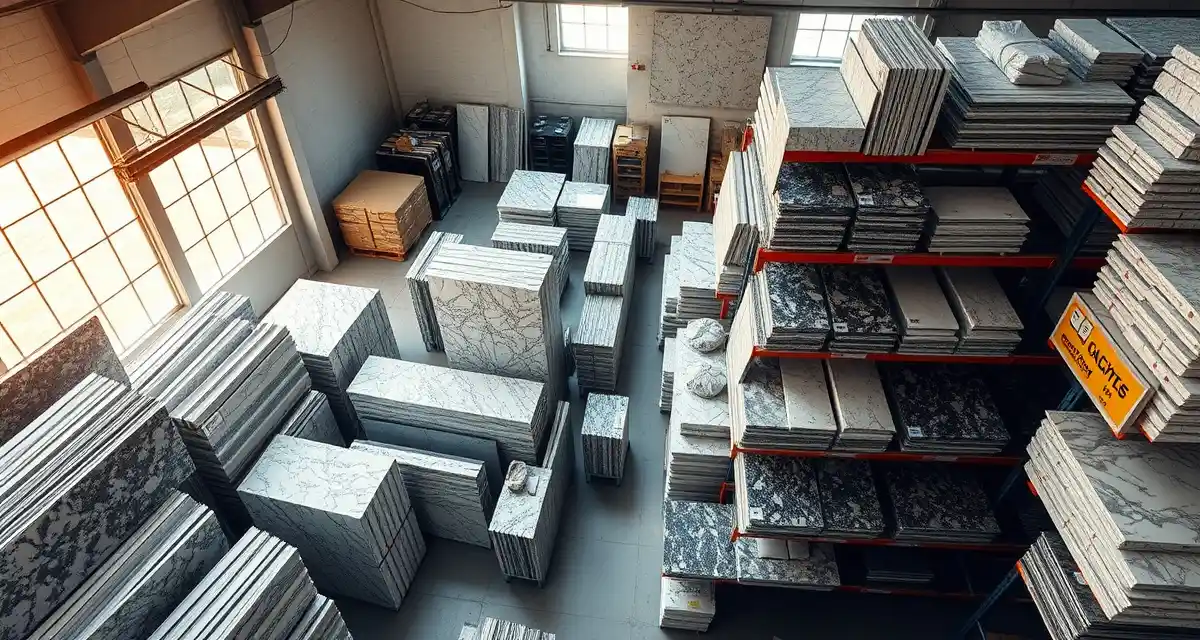
Slab Inventory Management Guide
Slab inventory management is the process of tracking, organizing, and optimizing the stone slabs and remnants in your fabrication shop's yard or warehouse, typically involving 200-2,000+ individual pieces worth $100,000-$1,000,000+ in total value. Shops with disciplined inventory practices report 12-15% less material waste and avoid $2,000-$5,000/month in dead stock costs.
TL;DR
- The average fabrication shop carries $200,000-$600,000 in slab inventory at any given time
- Poorly managed inventory leads to 10-15% waste rates -- well-managed shops hit 5-8%
- Remnant tracking alone can save $1,500-$3,000/month by matching leftover pieces to small jobs
- Every slab should be logged within 24 hours of delivery with location, dimensions, lot number, and photo
- Cycle counting (checking 10% of inventory weekly) is more effective than annual full counts
- FIFO rotation prevents color lot variations that cause customer complaints
- SlabWise tracks slabs from delivery through cutting, including AI-powered remnant matching
What Slab Inventory Really Costs You
Let's talk numbers, because most shop owners underestimate what's sitting in their yard.
Calculate your material waste savings
See exactly how much slab material and money you could save with optimized cutting layouts.
Try the free Waste CalculatorA mid-size shop running 40-60 jobs per month typically carries:
| Inventory Category | Quantity | Avg Value per Piece | Total Value |
|---|---|---|---|
| Full slabs (quartz) | 80-150 | $800-$2,400 | $96,000-$360,000 |
| Full slabs (granite) | 40-80 | $600-$1,800 | $24,000-$144,000 |
| Full slabs (marble/other) | 20-40 | $700-$3,500 | $14,000-$140,000 |
| Remnants (usable) | 50-200 | $100-$600 | $5,000-$120,000 |
| Total | 190-470 pieces | $139,000-$764,000 |
That's a small house worth of money standing against your A-frames. If 10% of those slabs get damaged, mis-tracked, or sit so long they go out of style, you've lost $14,000-$76,000.
The Hidden Costs of Poor Inventory
Beyond the obvious cost of the stone itself, bad inventory management hits you in five ways:
-
Double-purchasing: You buy a slab you already own because nobody knew it was in Bay 12. Happens 1-3 times per month in unmanaged shops. Cost: $600-$2,400 each time.
-
Remnant waste: Usable remnants get buried, forgotten, or discarded. The average shop throws away $1,500-$3,000/month in remnants that could have been used for bathroom vanities, bar tops, or repairs.
-
Dead stock: Slabs that sit for 6+ months because the color fell out of demand. At any given time, 5-10% of inventory in unmanaged shops is dead stock.
-
Color mismatch claims: A customer's kitchen island doesn't match their perimeter counters because the slabs came from different lots. Rework cost: $2,000-$5,000 per incident.
-
Overcounting for quotes: You quote a job thinking you have 3 slabs of Calacatta Laza in stock. You actually have 2, and one is reserved for another job. Now you need an emergency order at premium pricing.
Setting Up Your Slab Inventory System
Step 1: Create Your Location Grid
Your yard or warehouse needs a logical addressing system. Every slab position should have a unique identifier.
Simple approach:
- Divide your storage into zones (A, B, C...)
- Number each A-frame or rack within each zone (A1, A2, B1, B2...)
- Number each slot on each rack (A1-01, A1-02, B3-15...)
Example layout:
| Zone | Material Type | Racks | Slots per Rack | Total Capacity |
|---|---|---|---|---|
| A | Quartz | 10 | 20 | 200 slabs |
| B | Granite | 8 | 20 | 160 slabs |
| C | Marble/Specialty | 5 | 15 | 75 slabs |
| D | Remnants | 6 | 30 | 180 pieces |
Paint or label every rack and slot. It sounds obvious, but 60% of shops we've spoken with have unlabeled storage positions. Labeling alone reduces search time by 50%.
Step 2: Define Your Slab Record
Every slab in inventory needs these data points:
Required fields:
- Slab ID (unique identifier)
- Material type (quartz, granite, marble, quartzite, porcelain)
- Brand and color name
- Lot/bundle number
- Dimensions (length x width x thickness)
- Location (zone-rack-slot)
- Date received
- Supplier and purchase price
- Status (available, reserved, partial, remnant)
Recommended fields:
- Photo (both sides if natural stone)
- Quality grade (A, B, commercial)
- Known defects (fissures, pits, color variation)
- Reserved for job (if applicable)
- Expected use date
Step 3: Establish Receiving Procedures
When a delivery truck arrives, don't just pull slabs off and lean them against the nearest rack. Follow this receiving checklist:
- Count slabs against the packing list. Verify quantity matches.
- Inspect each slab for damage. Check corners, edges, and faces. Photograph any defects and note them on the delivery receipt.
- Verify material matches the order. Check brand, color, lot number, and thickness against your purchase order.
- Assign a slab ID and location before the slab leaves the forklift.
- Enter into your inventory system within 24 hours. Don't let receiving paperwork pile up for the weekend.
- Photograph each slab. This takes 30 seconds and saves hours of walking the yard later.
Time investment: 15-20 minutes per delivery for a typical 5-10 slab shipment. It pays for itself the first time someone searches for a slab and finds it exactly where the system says it is.
Step 4: Implement Reservation and Allocation
When a slab is selected for a job, it must be reserved immediately. This prevents double-allocation -- the #1 inventory headache in fabrication shops.
Reservation workflow:
- Salesperson or customer selects a slab (in person or from photos)
- Slab status changes from "available" to "reserved" in the system
- A physical tag (colored sticker or hang tag) goes on the slab in the yard
- The reservation is linked to the specific job number
- If the job cancels, the reservation is released and the slab returns to "available"
Critical rule: No slab can be reserved for more than one job. If a customer selects a slab that's already reserved, they choose a different one. No exceptions. Double-reservations cause chaos.
Step 5: Track Cutting and Yield
After a slab is cut, update the inventory:
- If the slab is fully consumed: Change status to "used," link to job number, record date
- If a usable remnant remains: Create a new inventory record for the remnant with its dimensions, location, and a photo. Link it to the parent slab for traceability.
This is where most shops fall apart. Cutting generates remnants, and remnants need the same discipline as full slabs. A 40 sq ft remnant of Cambria Brittanicca is worth $1,200-$1,600. Treat it that way.
Remnant Management: Your Hidden Profit Center
The average fabrication shop generates 15-25 usable remnants per week. Over a year, that's 780-1,300 pieces. If you're not tracking and selling those remnants, you're leaving $18,000-$36,000 annually on the floor. Literally.
What Makes a Remnant "Usable"?
A remnant is usable if it's large enough for a common application:
| Application | Minimum Remnant Size | Common Uses |
|---|---|---|
| Bathroom vanity | 24" x 48" | Single-sink vanity tops |
| Bar top section | 12" x 48" | Wet bar, coffee bar |
| Desk surface | 24" x 60" | Home office desks |
| Fireplace surround | 12" x 72" | Hearth or surround panel |
| Outdoor grill top | 24" x 36" | BBQ island section |
| Repair piece | 6" x 12" | Chip repair, patch |
Pieces smaller than 6" x 12" are typically not worth tracking unless they're exotic materials worth $100+/sq ft.
Remnant Pricing Strategy
Price remnants at 40-60% of full slab per-square-foot pricing. This makes them attractive to homeowners doing small projects while still generating meaningful revenue:
- Quartz remnant (30 sq ft piece): $30-$45/sq ft installed = $900-$1,350
- Granite remnant (25 sq ft piece): $25-$40/sq ft installed = $625-$1,000
- Marble remnant (20 sq ft piece): $35-$55/sq ft installed = $700-$1,100
Some shops set up a dedicated "remnant sale" page on their website or a physical remnant area where customers can browse. This generates 5-15 additional small jobs per month.
AI-Powered Remnant Matching
SlabWise's Smart Remnant Matching feature automatically compares incoming job specifications against available remnants. When a customer needs a 28 sq ft bathroom vanity in Caesarstone Fresh Concrete, the system checks your remnant inventory before your sales team quotes a full slab. If a matching remnant exists, you save $400-$800 on material cost -- profit that goes straight to your bottom line.
Cycle Counting: Better Than Annual Inventory
Annual full-inventory counts are a nightmare. They require shutting down production for 1-2 days, mobilizing your entire team, and they're still only 85-90% accurate because people rush through the count.
Cycle counting is better: count a small portion of your inventory every week.
How to Set Up Cycle Counting
Weekly target: Count 10% of your total inventory. If you have 300 slabs, count 30 per week.
Prioritize by value: Count your highest-value and highest-turnover items more frequently.
| Category | % of Inventory | Count Frequency |
|---|---|---|
| A items (top 20% by value) | 20% | Every 2 weeks |
| B items (middle 30% by value) | 30% | Monthly |
| C items (bottom 50% by value) | 50% | Quarterly |
Process:
- Monday morning, generate a list of 30 slabs to count
- One person physically locates each slab and verifies: present, correct location, condition
- Note any discrepancies: missing slabs, wrong location, undocumented damage
- Investigate and resolve discrepancies the same day
- Update the system
Time investment: 1-2 hours per week. Your inventory accuracy will exceed 97% within 3 months.
Preventing Common Inventory Disasters
Disaster #1: The Phantom Slab
You quote a job based on a slab your system says you have. But when the CNC operator goes to pull it, the slot is empty. The slab was used on another job 3 weeks ago and nobody updated the system.
Prevention: Make updating slab status a mandatory step in your CNC workflow. The slab doesn't get loaded onto the machine until its status is changed to "in production." Digital systems with barcode or QR code scanning make this nearly foolproof.
Disaster #2: Lot Mismatch
A customer's 65 sq ft kitchen requires two slabs. Your team pulls two slabs of the same color but from different lots. The color variation is visible after installation. The customer demands a remake.
Prevention: Record lot/bundle numbers for every slab. When a job requires multiple slabs, your system should flag mismatched lots during the material selection phase. Always pull from the same lot when possible.
Disaster #3: Remnant Avalanche
Your remnant area becomes a graveyard of unlabeled, unstacked, unsorted stone. Nobody knows what's what, so nobody uses them. Eventually, you call a dumpster and throw away $10,000 worth of material.
Prevention: Treat remnants like inventory from day one. Every piece gets an ID, dimensions, a photo, and a location. Review remnant inventory monthly and discount pieces older than 6 months to move them.
Disaster #4: Overstock Paralysis
You bought 20 slabs of a trending color, but the trend shifted. Now you're sitting on $30,000 of stone nobody's ordering.
Prevention: Apply the 80/20 rule. Stock your top 20 colors in depth (5-10 slabs each). For everything else, order per job from your distributor. Keep total inventory turns at 4-6x per year minimum. If a color hasn't moved in 90 days, discount it by 15-20% and push it to your sales team.
Inventory Metrics That Matter
Track these numbers monthly:
| Metric | Target | Formula |
|---|---|---|
| Inventory accuracy | 97%+ | Correct counts / Total counts during cycle counting |
| Inventory turns | 4-6x/year | Annual COGS / Average inventory value |
| Dead stock percentage | Under 5% | Slabs not moved in 6+ months / Total slabs |
| Remnant utilization | 60%+ | Remnants used / Remnants generated |
| Yield per slab | 85%+ | Usable sq ft cut / Total slab sq ft |
| Time to locate a slab | Under 3 minutes | Timed during operations |
How SlabWise Manages Slab Inventory
SlabWise provides end-to-end slab inventory management as part of both the Standard ($199/mo) and Enterprise ($349/mo) plans:
- Barcode/QR scanning for receiving, pulling, and updating slab status
- Photo capture linked to individual slab records
- Location tracking with your custom zone-rack-slot grid
- Reservation system that prevents double-allocation
- Automatic remnant creation when a partial slab is returned to inventory after cutting
- Smart Remnant Matching that cross-references remnant inventory against incoming job specs
- AI Slab Nesting (Enterprise) that optimizes cutting layouts for 10-15% better material yield
- Inventory reports showing turns, dead stock, value by material, and usage trends
The system connects directly to your production board, so when a slab is pulled for cutting, the inventory updates automatically. No separate data entry.
How many slabs should I keep in stock?
For a 40-60 job/month shop, carry 150-300 slabs covering your top 15-20 colors with 5-10 slabs each. Keep 1-2 slabs of your next 20-30 colors. Order specialty or exotic materials per job. Total inventory value should be 1-2 months of material COGS.
Should I photograph every slab?
Yes. Photos take 30 seconds each and provide enormous value: your sales team can show customers options without visiting the yard, your CNC programmer can plan cuts around visible veining, and your system has a visual record for dispute resolution. Photograph both faces of natural stone.
How do I handle consignment slabs from distributors?
Track them the same as owned slabs but flag them as "consignment" with the distributor name and terms. Some distributors allow 30-60 day consignment windows. Monitor consignment dates to avoid surprise charges for keeping slabs past the agreed period.
What's the best way to label slabs in the yard?
Use UV-resistant adhesive labels or hang tags with the slab ID, color name, dimensions, and a QR code linking to the digital record. Place labels on the top edge where they're visible without pulling the slab out. Replace damaged labels during cycle counts.
How often should I adjust my stock levels?
Review quarterly. Compare your top-selling colors from the past 90 days against current inventory. If Cambria Brittanicca is 15% of your jobs but only 8% of your stock, rebalance. If a color's share is declining, reduce orders before you're stuck with excess.
Should I buy slabs at shows for the discounts?
Shows often offer 10-20% discounts on volume buys. This is worth it for your top 5-10 colors where you're confident in demand. Don't stock up on trendy or unusual colors at shows just because the price is good -- the carrying cost and obsolescence risk often exceed the discount.
What's the minimum inventory for a new fabrication shop?
Start with 50-80 slabs covering your top 10 colors. Budget $40,000-$80,000 for initial inventory. You can operate with per-job ordering for less common materials until you build enough volume data to stock intelligently.
How do I track slabs that are being cut right now?
In SlabWise, moving a slab to "in production" automatically tracks the CNC job against the slab record. When cutting is complete, the operator logs the yield and any remnant pieces. The slab record shows its full history: when it arrived, which job consumed it, and what remnants it produced.
What should I do with remnants nobody wants?
First, discount them (40-60% off standard pricing). Post them on your website and social media. If they don't sell in 90 days, offer them at cost to contractors for small jobs. As a last resort, donate to a trade school or vocational program for a tax deduction rather than paying for dumpster disposal.
How does AI nesting reduce waste?
SlabWise's AI Slab Nesting (Enterprise plan) analyzes the slab dimensions, any defects, and the job's cut list, then calculates the optimal layout to maximize usable material from each slab. Shops using AI nesting report 10-15% better yield compared to manual layout, which translates to $3,000-$8,000/month in material savings for a 50-job shop.
Start Tracking Every Slab
Your inventory is your biggest asset after your CNC machine. Treat it that way. SlabWise's slab inventory system is included in every plan -- with Smart Remnant Matching and optional AI Nesting to squeeze every dollar from every slab. Start your 14-day free trial today. No credit card required.
Try These Free Tools
- Nesting Optimizer -- AI-powered slab layout that maximizes yield considering vein direction and defects.
- Defect Mapping -- Upload a slab photo and AI maps every fissure, pit, and color issue.
- Value Engineering -- Find dollar-quantified suggestions to save material without cutting margin.
Sources & Further Reading
-
International Surface Fabricators Association - Digital Fabrication and CAD/CAM Best Practices
-
Natural Stone Institute - Stone Fabrication Technology and Optimization
-
Marble Institute of America - Template and Layout Efficiency Guidelines
-
National Kitchen & Bath Association - Countertop Installation and Fabrication Standards