Digital Templating Best Practices
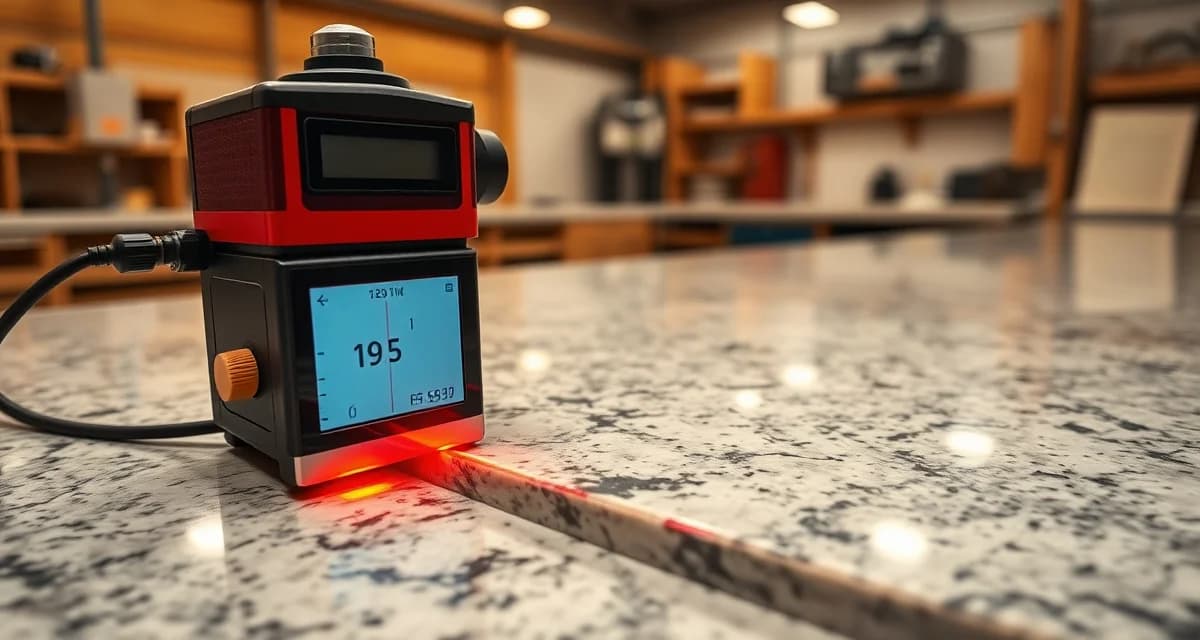
Digital templating is the process of capturing precise countertop measurements using laser templating devices or digital measuring tools, then transferring those measurements electronically to CNC fabrication equipment. It replaced physical templates (cardboard, plywood, or plastic strips) and delivers measurements accurate to within 1/16 inch - the precision needed to fabricate countertops that fit on the first installation attempt.
TL;DR
- Digital templating captures measurements to within 1/16 inch accuracy, compared to 1/4 inch for physical templates
- Laser templaters (Proliner, LT-2D/3D, Flexijet) are the industry standard equipment
- A good digital template takes 30-60 minutes per job, compared to 45-90 minutes for physical templates
- The biggest error source isn't the device - it's the templater's decisions about where to measure and what to record
- Every template should capture: perimeter, cutout positions, edge conditions, wall angles, and clearances
- Photos taken during templating prevent 80% of post-template questions
- SlabWise processes digital templates with AI verification that catches errors before fabrication
Digital Templating Equipment
Laser Templaters
The three dominant laser templating devices in countertop fabrication:
Calculate your material waste savings
See exactly how much slab material and money you could save with optimized cutting layouts.
Try the free Waste Calculator| Device | Price Range | Accuracy | Output | Market Share |
|---|---|---|---|---|
| Prodim Proliner | $18,000-25,000 | +/- 0.5mm | DXF | ~45% |
| Laser Products LT-2D/3D | $8,000-15,000 | +/- 1mm | DXF | ~35% |
| Flexijet 3D | $20,000-30,000 | +/- 0.3mm | DXF (3D) | ~15% |
All three produce DXF files that can be processed by shop software and sent to CNC machines.
Choosing Equipment
Proliner: Most widely used, extensive support network, good for high-volume shops LT-2D/3D: Lower cost entry point, good accuracy, good for shops doing 30-80 jobs per month Flexijet: Highest accuracy, 3D capability, best for complex jobs and commercial work
Supporting Equipment
Beyond the templater itself, every field templater needs:
- Tablet or laptop for template review on-site
- Smartphone for photos
- Tape measure (backup and verification)
- Laser distance measure (for wall-to-wall verification)
- Notepad and pen (for customer-facing notes)
- Business cards and material samples (sales opportunity during template visits)
Pre-Template Preparation
Before You Arrive
- Review the quote and contract. Know what material, edge profiles, sink model, and cooktop were specified.
- Check the site requirements. Are cabinets installed? Is plumbing roughed in? Is the existing counter removed (for replacement jobs)?
- Confirm the appointment. Call or text the customer the morning of the template to confirm time and access.
- Bring the sink specs. Download or print the cutout template for the specified sink model.
- Charge your equipment. Laser templaters and tablets should be fully charged.
On-Site Verification
Before starting the template, verify:
- Cabinets are fully installed and level
- Plumbing rough-in is complete
- Existing countertops are removed (if applicable)
- Appliances are accessible (or removed) for measurement
- The customer is available for edge profile and cutout decisions
- The sink (or sink model info) is on-site
If cabinets aren't installed, plumbing isn't done, or the site isn't ready, don't template. Explain what needs to happen first and reschedule. A template on an unprepared site leads to remakes.
Template Measurement Procedure
Step 1: Establish Your Work Area
- Set up the laser templater in a central position where it can see all areas being measured
- For large kitchens, you may need to reposition the device (Proliner handles this with its built-in repositioning feature)
- Clear the counter area of debris, tools, and materials that could obstruct measurements
Step 2: Capture the Perimeter
Measure the complete countertop perimeter:
Wall measurements:
- Measure along the wall at the counter height (not at floor level - walls can lean)
- Capture inside corners accurately - these are the most common error points
- Record wall angles at every corner (they're almost never exactly 90 degrees)
- Extend measurements 1-2 inches past the cabinet line at open ends for overhang
Front edge measurements:
- Measure the front edge of the cabinets to define the counter overhang
- Standard overhang: 1.5 inches past the cabinet face
- Record any variations in cabinet depth (old cabinets may not be uniform)
- Measure the height of the front edge above the floor for installation planning
End and open edges:
- Measure end caps where the counter terminates
- Record overhang dimensions for open ends (typically 1 inch past the cabinet side)
- Note end conditions: wall return, open end, waterfall drop
Step 3: Capture Cutout Positions
For every cutout (sink, cooktop, faucet holes):
Sink cutout:
- Measure the sink position relative to the cabinet below
- Record the sink model number (photograph the label)
- Capture the manufacturer's recommended cutout dimensions
- Note whether undermount, drop-in, or farmhouse style
- Measure the distance from the sink center to the back wall and side edges
Cooktop cutout:
- Measure the cooktop position from the manufacturer's template
- Record the cooktop model number
- Capture required clearances (distance from wall, distance from edge)
- Note any specific orientation requirements
Faucet holes:
- Measure center positions for each faucet hole
- Confirm the number of holes needed (some faucets require 1, some require 3-4)
- Record the drilling diameter
Step 4: Record Edge Conditions
For every edge of the countertop:
- Which edge profile? Eased, bullnose, ogee, etc. (confirm with customer)
- Which edges are polished? Front edge always; sides depend on exposure
- Backsplash attachment edge? Mark the wall edge for backsplash mating
- Waterfall edge? Mark any edges that continue vertically
Step 5: Take Photos
Photos prevent 80% of post-template questions. Photograph:
- Overall kitchen view from each corner (4 photos minimum)
- Each section of counter from above, showing the full depth
- Inside corners close-up, showing wall angle and cabinet alignment
- Sink cabinet interior, showing plumbing position
- Cooktop area showing gas/electric connection and clearances
- Any problem areas - out-of-level surfaces, wall irregularities, cabinet gaps
- Sink and cooktop labels showing model numbers
- Edge profile samples if you showed the customer physical samples
Step 6: Customer Confirmation
Before leaving the site:
- Review key measurements with the customer (counter depth, overhang, backsplash height)
- Confirm edge profile selections
- Confirm sink and faucet positions
- Note any special requests (extra outlets, soap dispenser holes, etc.)
- Get the customer's signature or verbal confirmation on the template decisions
- Leave your contact card for any questions
Common Digital Templating Errors
Error 1: Wrong Reference Points
Problem: Measuring from the wrong point - for example, measuring counter depth from the wall instead of from the front of the cabinet.
Prevention: Always measure from the cabinet face forward for overhang, and from the cabinet back to the wall for depth. Define your reference points before starting.
Error 2: Ignoring Wall Angle
Problem: Assuming walls are at 90 degrees when they're actually at 89 or 91 degrees. This causes gaps or interference at inside corners.
Prevention: Measure the actual wall angle at every corner. Your laser templater captures this automatically if you measure along both walls.
Error 3: Wrong Sink Model
Problem: Recording the wrong sink model number or measuring an old sink that the customer plans to replace with a different model.
Prevention: Photograph the sink label. Confirm with the customer: "Are you keeping this sink, or is a new one being installed?"
Error 4: Missing Measurements
Problem: Forgetting to measure a section (common with backsplash returns, small counter sections near the refrigerator, or window sill returns).
Prevention: Walk the entire counter perimeter before leaving. Check your template against the quote - does every section on the quote appear in the template?
Error 5: Not Accounting for Out-of-Level
Problem: Cabinets or walls that aren't level. If the counter surface needs to be level but the cabinets slope, the template may not accurately represent the required fit.
Prevention: Check level at multiple points along the counter. Note any areas that are more than 1/8 inch out of level over 4 feet.
Post-Template Processing
Back at the Shop
- Upload the template file to your shop software immediately (don't let files accumulate on the device)
- Add edge profile assignments to the DXF based on your field notes
- Place seam lines based on slab dimensions and shop standards
- Run verification - check dimensions against the quote, validate cutout positions
- Link photos to the job record for reference during fabrication and installation
AI Template Verification
SlabWise's 3-layer verification catches common errors automatically:
- Layer 1: Compares template dimensions to the original quote
- Layer 2: Verifies cutout positions against manufacturer specs
- Layer 3: Confirms edge profiles and finish specifications match the contract
Errors are flagged with specific descriptions ("Counter depth at Point B measures 37 inches - standard range is 24.5-26.5 inches") so the templater can verify or correct before fabrication.
How long should a digital template take?
30-60 minutes for a standard kitchen (L-shape or U-shape). 15-20 minutes for a single bathroom vanity. 60-90 minutes for complex kitchens with islands, multiple levels, or commercial layouts.
Can I template with the old countertop still in place?
Yes, for replacement jobs. Measure from the existing counter edges, and note the overhang dimensions. However, removing the old counter first gives more accurate cabinet measurements and reveals any hidden issues.
How often should laser templaters be calibrated?
Follow the manufacturer's recommended schedule - typically annually or every 500 jobs. Some devices have built-in calibration checks you can run daily.
What if the site isn't ready when I arrive?
Don't template an unprepared site. Explain what needs to happen (cabinets installed, plumbing roughed in, old counters removed) and reschedule. The cost of a wasted trip is far less than the cost of a remake from a bad template.
Should templaters also sell during site visits?
Yes, when appropriate. Templaters are the first shop representative the customer meets in their home. Bringing material samples, showing edge profile options, and upselling backsplash or waterfall edges during the template visit can increase average job value by 10-20%.
How do I handle template accuracy disputes?
Keep photos from every template visit. When a customer claims the template was wrong, compare the template dimensions to the photos. If the template matches the site conditions at the time of measurement, the issue may be a post-template site change (cabinet movement, plumbing changes).
What's the biggest difference between physical and digital templates?
Accuracy and transferability. Physical templates (cardboard) are accurate to about 1/4 inch and require manual measurement transfer. Digital templates are accurate to 1/16 inch and transfer electronically to CNC machines, eliminating human transcription errors.
How many templates can one person do per day?
For a skilled templater: 4-6 standard kitchens per day, or 6-8 bathrooms per day. Travel time between sites is usually the limiting factor, not the template process itself.
Can digital templates be modified after the fact?
Yes. The DXF file can be edited in CAD software to adjust dimensions, move cutouts, or change edge assignments. However, field changes should be verified against site photos to avoid introducing errors.
What happens if my laser templater breaks on a job site?
Have a backup plan: a tape measure, level, angle finder, and graph paper can capture a basic template manually. It won't be as precise as the laser, but it gets the job measured so you don't waste the customer's time. Schedule a verification visit with the repaired device before fabrication.
Verify Every Template Automatically
SlabWise processes digital templates from all major laser templating devices and runs AI verification against the original quote, industry standards, and manufacturer specifications. Catch errors in seconds, not at installation.
Start Your 14-Day Free Trial - template processing and verification included with every plan.
Try These Free Tools
- Photo to Template -- Snap a photo of an existing countertop and get an AI-generated DXF template.
- Template Compare -- Upload two templates and see every dimension change highlighted instantly.
- AI Template Verification -- Cross-check your template against manufacturer specs before cutting.
Sources & Further Reading
-
Natural Stone Institute - ADA Compliance Guidelines for Natural Stone Installations
-
National Kitchen & Bath Association - Universal Design and ADA Standards for Kitchen Countertops
-
ASTM International - Standard Practice for Accessible Counter and Work Surface Design