What Is Blade Kerf? Definition & Guide
Quick Definition
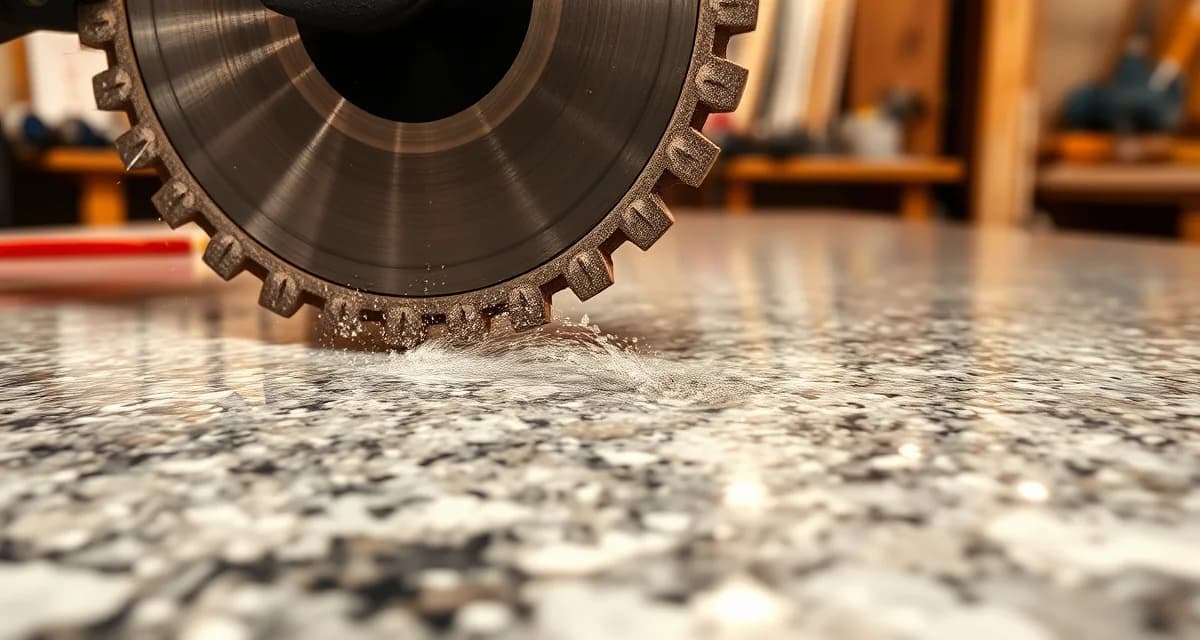
Blade kerf is the width of material removed by a cutting blade as it passes through stone. In countertop fabrication, kerf typically ranges from 3mm to 5mm depending on the blade type. Understanding kerf is critical for accurate slab layout, material budgeting, and minimizing waste across every job your shop processes.
TL;DR
- Blade kerf is the slot width a saw blade creates when cutting through stone
- Standard diamond bridge saw blades produce a kerf of roughly 3-5mm
- Kerf must be factored into every cut plan or you risk undersized pieces
- Ignoring kerf across a full slab can waste 2-4 square feet of material
- CNC saws and waterjet cutters have different kerf widths
- Proper kerf accounting in nesting software improves yield by 3-5%
- SlabWise nesting algorithms automatically factor kerf into every layout
What Blade Kerf Actually Means in Stone Fabrication
When a diamond blade spins through a granite, quartz, or marble slab, it doesn't just split the stone along a line. It grinds away a thin strip of material - that strip is the kerf. Think of it like the sawdust a wood saw produces, except here, you're turning expensive stone into slurry.
Calculate your material waste savings
See exactly how much slab material and money you could save with optimized cutting layouts.
Try the free Waste CalculatorFor a fabrication shop running 15-25 jobs per week, blade kerf isn't a rounding error. It's a measurable cost. If your blade removes 4mm per cut and you make 6 cuts on a slab, that's 24mm - nearly a full inch - of material that simply disappears.
Standard Kerf Widths by Tool Type
Different cutting tools produce different kerf widths. Here's what you'll typically see in a countertop fab shop:
| Tool Type | Typical Kerf Width | Best For |
|---|---|---|
| Bridge saw (diamond blade) | 3.2-5.0mm | Straight cuts, slab breakdown |
| CNC saw (diamond blade) | 3.0-4.5mm | Programmed cuts, complex shapes |
| Abrasive waterjet | 0.8-1.5mm | Intricate cutouts, sink holes |
| Wire saw | 2.0-3.0mm | Specialty cuts, thick material |
| Hand-held circular saw | 2.5-4.0mm | Field cuts, on-site trimming |
The difference between a bridge saw kerf and a waterjet kerf matters more than most fabricators realize. On a single L-shaped kitchen countertop, switching from a 4.5mm blade to a 1.2mm waterjet for internal cuts can save enough material for a small backsplash piece.
Why Kerf Matters for Slab Yield
Every countertop fabricator tracks material waste, whether they call it waste rate, drop percentage, or yield loss. Blade kerf is one of the hidden contributors to that number.
A Real-World Example
Say you're cutting a 120" x 65" slab of Calacatta quartz (priced at $85/sqft installed). You need to make 5 parallel rip cuts to break the slab into countertop strips.
- With a 4mm kerf blade: 5 cuts x 4mm = 20mm total kerf loss
- Across the 65" slab width: That's 20mm x 65" = ~0.88 sqft of material gone
- At $85/sqft: You just lost $75 in material from kerf alone - on one slab
Now multiply that across 20 slabs per week. That's $1,500/month in kerf-related material loss that many shops never track.
How Kerf Compounds with Multiple Cuts
The problem scales with complexity. A simple rectangular countertop might need 2-3 cuts. But a U-shaped kitchen with an island, waterfall edges, and multiple seam pieces could require 10-15 cuts on a single slab. At 4mm per cut, that's 40-60mm of stone that your blade eats.
Factors That Affect Kerf Width
Not all blades cut the same way, and kerf width changes based on several variables:
1. Blade Diameter and Segment Width
Larger blades tend to have wider segments (the diamond-impregnated teeth). A 14" bridge saw blade typically has wider segments than a 10" blade, producing a wider kerf.
2. Material Hardness
Harder materials like quartzite and certain granites require blades with wider segments for durability. This means wider kerf. Softer marbles can be cut with thinner blades.
3. Blade Wear
As a diamond blade wears, its segment profile changes. A new blade might cut a 3.5mm kerf, but the same blade at 60% life could wander slightly, effectively creating a 4.0mm kerf. Consistent blade replacement schedules prevent kerf creep.
4. Feed Rate and RPM
Pushing a blade too fast through hard stone causes deflection. The blade wobbles slightly in the cut, widening the effective kerf. Proper feed rates keep kerf consistent and predictable.
How to Account for Kerf in Your Shop
Measure Your Actual Kerf
Don't rely on manufacturer specs alone. Take a scrap piece, make a cut, and measure the actual slot width with calipers. Do this for each blade type in your shop and after blade changes.
Build Kerf into Templates
When programming CNC cuts or laying out jobs manually, add half the kerf width to each side of every cut line. If your kerf is 4mm, offset each piece boundary by 2mm.
Track Kerf in Your Software
Modern fabrication software should account for kerf automatically. If yours doesn't - or if you're still doing manual layouts - you're likely undersizing pieces or wasting extra material as a safety buffer.
| Approach | Kerf Handling | Accuracy |
|---|---|---|
| Manual layout with tape measure | Estimated or ignored | Low - errors of 2-5mm common |
| CAD software (manual offset) | Added per cut line | Medium - depends on operator |
| Nesting software with kerf setting | Automatic per tool | High - consistent across all jobs |
| SlabWise AI nesting | Auto-calibrated per blade profile | Highest - adapts to actual blade data |
Kerf and Nesting Optimization
Nesting - the process of arranging cut pieces on a slab to maximize usage - depends heavily on accurate kerf data. If your nesting software thinks your kerf is 3mm but your blade actually cuts at 4.5mm, every piece in the layout is 0.75mm too close to its neighbor. That leads to either:
- Undersized pieces that don't fit the template (triggering a remake)
- Manual re-cutting that wastes time and material
- Overcautious spacing where fabricators add extra buffer "just in case," killing yield
SlabWise's nesting algorithm takes your actual blade kerf measurement and applies it to every cut path in the layout. The system accounts for kerf differently on straight cuts versus curved cuts, and adjusts for waterjet versus saw paths on the same slab. Shops using SlabWise report 10-15% better slab yield partly because kerf is handled precisely rather than guessed at.
Reducing Kerf-Related Waste
Here are practical steps any fab shop can take:
- Switch to thinner blades where material hardness allows (consult your blade supplier)
- Use waterjet for internal cutouts - the 1mm kerf saves significant material on sink and cooktop openings
- Maintain consistent feed rates to prevent blade wobble and kerf widening
- Replace blades on schedule rather than running them until they fail
- Use nesting software that accounts for kerf automatically
- Measure and log actual kerf monthly as part of your quality control process
FAQ
What is blade kerf in simple terms?
Blade kerf is the width of the slot that a saw blade creates when cutting through material. It represents the stone that gets ground away during the cut and cannot be recovered.
How wide is a typical kerf on a bridge saw?
Most diamond bridge saw blades used in countertop fabrication produce a kerf between 3.2mm and 5.0mm, depending on the blade diameter and segment width.
Does kerf affect my countertop dimensions?
Yes. If kerf isn't accounted for in the cut plan, pieces can end up undersized. Fabricators must offset cut lines by half the kerf width on each side to maintain accurate dimensions.
Is waterjet kerf smaller than saw kerf?
Yes. Abrasive waterjet cutters typically produce a kerf of 0.8-1.5mm, compared to 3-5mm for diamond saw blades. This makes waterjet ideal for tight cutouts and maximizing material usage.
How much material does kerf waste per job?
On an average kitchen countertop job with 5-8 cuts, kerf waste ranges from 0.5 to 1.5 square feet. At $40-$100/sqft material cost, that's $20-$150 per job.
Can I reduce kerf width?
You can reduce kerf by using thinner blades (where material hardness allows), switching to waterjet for certain cuts, and maintaining proper feed rates to prevent blade wobble.
Does blade wear change kerf width?
Yes. As diamond segments wear, the blade profile can change, and blade wobble increases. Worn blades typically produce wider, less consistent kerfs. Regular blade replacement keeps kerf predictable.
How does nesting software handle kerf?
Good nesting software adds automatic kerf offsets to every cut path in the layout. This ensures pieces are spaced correctly so each finished piece meets its dimensional requirements after cutting.
What's the difference between kerf and cut width?
They mean the same thing in practice. Kerf is the technical term for the width of material removed by the cutting tool. Some fabricators use "cut width" informally to describe the same measurement.
Should I measure kerf with every new blade?
Yes. Measure actual kerf with calipers after installing a new blade and log the measurement. This data keeps your nesting layouts accurate and prevents dimensional errors.
Start Optimizing Every Cut
Blade kerf is one of those small details that adds up to thousands of dollars per year in lost material. SlabWise automatically accounts for your actual blade kerf in every nesting layout, helping your shop get more usable pieces from every slab.
Start Your 14-Day Free Trial →
Try These Free Tools
- Nesting Optimizer -- AI-powered slab layout that maximizes yield considering vein direction and defects.
- Defect Mapping -- Upload a slab photo and AI maps every fissure, pit, and color issue.
- Value Engineering -- Find dollar-quantified suggestions to save material without cutting margin.
Sources & Further Reading
- Natural Stone Institute - Fabrication Guidelines and Best Practices
- International Surface Fabricators Association - Waterjet Cutting Technology Standards
- ASTM International - Standard Guide for Abrasive Waterjet Machining
- OSHA - Safety Guidelines for Waterjet Operations