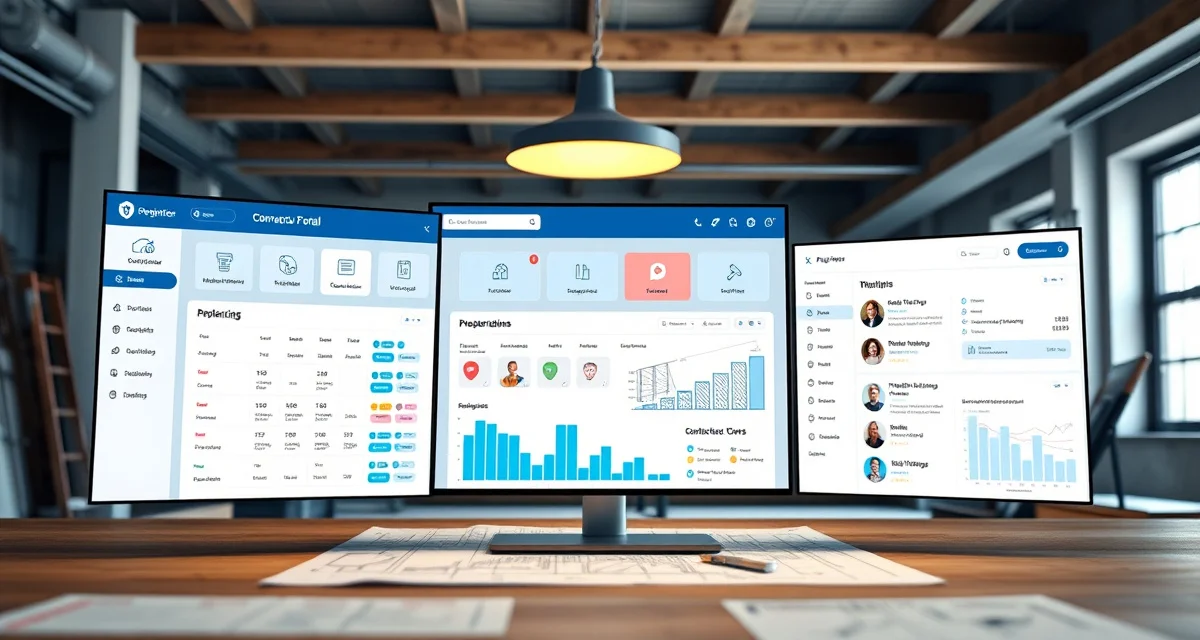
What Is Contractor Portal? Definition & Guide
Quick Definition
A contractor portal is a secure online interface where general contractors, builders, kitchen/bath dealers, and designers can log in to manage their countertop projects with a fabrication shop. Unlike a customer portal (built for individual homeowners), a contractor portal handles multi-job workflows - letting trade partners submit project details, request quotes, track multiple active jobs, and manage approvals across their full pipeline without constant phone calls and emails.
TL;DR
- A contractor portal gives trade partners (GCs, builders, designers) self-service access to manage multiple countertop jobs
- Contractors can submit new projects, request quotes, approve materials, and track all active jobs in one dashboard
- Reduces the back-and-forth communication that slows down multi-job relationships
- Fabrication shops with contractor portals close more trade business because they're easier to work with
- Portals standardize the submission process, reducing errors from incomplete job information
- The average fabrication shop gets 40-60% of revenue from trade partners - portals protect that revenue
- SlabWise's portal gives every contractor a dedicated login with multi-job tracking and quote requests
Why Contractor Portals Exist
Trade partners are not homeowners. A homeowner calls your shop once or twice during a single countertop project. A general contractor might have 5, 10, or 20 active jobs with your shop at any given time.
Calculate your material waste savings
See exactly how much slab material and money you could save with optimized cutting layouts.
Try the free Waste CalculatorThat volume changes everything about how communication works.
When a GC with 12 active jobs calls your office, the conversation usually starts with: "Which job am I calling about?" Then it moves to: "What's the status?" Then: "I also need a quote on a new project." Then: "Can you check on the install for the Elm Street job?"
One phone call, four topics, 15 minutes of your office staff's time. And that contractor is calling every day.
A contractor portal replaces that phone call with a dashboard. The GC logs in, sees all 12 jobs with current statuses, submits the new quote request through a standardized form, and checks the Elm Street install date - all without dialing your number.
What a Contractor Portal Typically Includes
| Portal Feature | What the Contractor Does |
|---|---|
| Multi-Job Dashboard | View all active projects in one screen with status indicators |
| New Project Submission | Submit job details, drawings, measurements, and material preferences |
| Quote Requests | Request pricing on new jobs with all required specs |
| Quote Approvals | Review and approve quotes directly in the portal |
| Material Selection | Browse available materials, view slab inventory photos |
| Schedule Visibility | See template dates, fabrication timelines, and install windows for every job |
| Document Access | Download quotes, invoices, change orders, and completion certificates |
| Communication Thread | Message the shop about specific jobs with full conversation history |
| Reporting | View spending summaries, job history, and volume metrics |
The Trade Partner Communication Problem
Volume Creates Chaos
A fabrication shop doing $1.5M in annual revenue might work with 15-30 active trade partners. Each partner has multiple jobs. That's potentially 50-100 active projects where contractors need regular updates.
Information Gets Lost
When a GC emails job details for a new kitchen, that email might include the address, a rough layout sketch, and a material preference. But it's missing the edge profile, the sink model, and the backsplash height. Your office sends back a follow-up. The GC responds three days later with partial information. Another email goes out. The job hasn't even started, and you've exchanged six emails.
Phone Calls Don't Scale
At 5 active trade partners, phone-based communication works fine. At 20, your office staff spends their entire day on contractor calls instead of processing jobs, sending invoices, or onboarding new customers.
Inconsistent Submissions
Every contractor submits information differently. One sends a PDF drawing. Another sends a photo of a napkin sketch. A third calls in the details verbally. Without a standardized submission process, your team spends extra time chasing missing information on nearly every trade job.
How a Contractor Portal Solves These Problems
Standardized Job Submissions
Portal submission forms require all necessary fields before a project can be submitted. Address, layout, material, edge, thickness, sink model, backsplash specs - if the form requires it, the contractor fills it in. No more incomplete submissions.
Self-Service Status Checks
Instead of calling for updates on each job, the contractor opens their dashboard and sees every project's current stage. Template scheduled for Thursday. Elm Street in fabrication. Oak Avenue ready for install. All visible in 10 seconds.
Documented Communication
Every message, change request, and approval lives in the portal's communication thread. When there's a dispute about what was agreed upon, both parties can check the record. No more "I told your office manager" arguments.
Faster Quoting
When a contractor submits a complete project through the portal, your team can generate a quote immediately instead of going back and forth for missing details. Shops report that portal-submitted projects get quoted 40-60% faster than email or phone submissions.
Contractor Portal vs. Customer Portal
| Feature | Customer Portal | Contractor Portal |
|---|---|---|
| Users | Individual homeowners | GCs, builders, designers, dealers |
| Jobs Visible | Single project | Multiple active projects |
| Quote Requests | Not typical | Core feature |
| Submission Forms | Not typical | Standardized job submission |
| Reporting | Basic status | Spending summaries, job history |
| Volume | 1 job | 5-50+ active jobs |
| Pricing Visibility | Retail pricing | Trade/wholesale pricing |
| Primary Goal | Reduce homeowner status calls | Manage high-volume trade relationships |
Both portals serve the same core function - giving external partners self-service access to project information. But the contractor portal is built for volume and ongoing business relationships, while the customer portal focuses on a single project experience.
Revenue Impact of Contractor Portals
Protecting Existing Trade Business
Trade partners are your most valuable relationships. A GC who sends you 5 jobs a month represents $15,000-$50,000 in monthly revenue. If working with your shop becomes difficult - too many phone calls, slow quotes, lost information - that GC will find another fabricator. A portal makes your shop the easiest one to work with.
Winning New Trade Partners
When a new GC evaluates fabrication shops, the one with a contractor portal signals professionalism and scalability. Builders working on subdivisions with 20-50 homes need a fabricator who can handle volume without dropping balls. A portal demonstrates that capability.
Reducing Administrative Overhead
Every hour your office staff spends on contractor calls is an hour they're not spending on higher-value activities. Portals shift routine communication to self-service, letting your team focus on production management, problem-solving, and customer acquisition.
Setting Up a Contractor Portal
Step 1: Identify Your Trade Partners
List every contractor, builder, designer, and dealer who sends you repeat business. These are your portal candidates.
Step 2: Configure Submission Forms
Build forms that capture everything you need for a complete job package. The goal is eliminating follow-up emails for missing information.
Step 3: Set Up Trade Pricing
Most shops offer trade partners different pricing than retail customers. The portal should display the correct pricing tier for each contractor.
Step 4: Onboard Partners Individually
Send each trade partner a personalized portal invitation. Walk them through the system on a quick call or in person. GCs who understand the portal from day one are more likely to use it consistently.
Step 5: Require Portal Submissions
Once partners are onboarded, make the portal the primary submission channel. Jobs submitted by phone or email take longer to process - and your trade partners will quickly see that portal submissions get quoted faster.
What is a contractor portal in countertop fabrication?
A contractor portal is a secure online login where trade partners - general contractors, builders, designers, and dealers - can submit new projects, request quotes, track multiple active jobs, and communicate with a fabrication shop.
How is a contractor portal different from a customer portal?
A customer portal is for individual homeowners tracking a single project. A contractor portal is for trade partners managing multiple active jobs, with features like standardized submission forms, multi-job dashboards, trade pricing, and spending reports.
Why do fabrication shops need a contractor portal?
Because trade partners often represent 40-60% of a shop's revenue, and managing dozens of active trade jobs through phone calls and emails doesn't scale. Portals standardize communication and reduce the administrative burden on both sides.
Do contractors actually use portals?
Yes - especially high-volume contractors. A GC managing 10+ active countertop jobs strongly prefers a self-service dashboard over making daily phone calls. Adoption is highest among trade partners with the most active jobs.
What information should contractors submit through the portal?
Job address, layout drawings or measurements, material selection, edge profile, thickness, sink model, backsplash specifications, and any special requirements. The form should capture everything needed to generate an accurate quote.
Can a contractor portal show trade pricing?
Yes. Portals should display the correct pricing tier for each trade partner. Some shops offer volume discounts that automatically apply based on monthly job count.
How does a contractor portal speed up quoting?
When submissions come in with all required information, your team can generate a quote immediately instead of sending follow-up emails. Shops report 40-60% faster quote turnaround on portal-submitted jobs.
Can contractors approve quotes through the portal?
Yes. A well-built portal allows contractors to review, approve, or request changes to quotes directly in the system, creating a documented approval trail.
What if a contractor prefers to call?
Some will, especially at first. The key is demonstrating that portal submissions get faster responses. Over time, most contractors shift to the portal because it saves them time too.
How does a contractor portal help with disputes?
Every communication, quote, approval, and change order is documented in the portal. When disagreements arise about what was agreed, both parties can check the written record.
Can multiple people at a contractor's company access the portal?
Yes. Most portals support multiple user accounts per company, so a GC's project manager and office administrator can both access the dashboard.
How long does it take to set up a contractor portal?
With built-in platforms like SlabWise, setup takes 1-2 days including form configuration and initial partner onboarding. Custom solutions take significantly longer.
Make Your Shop the Easiest Fabricator to Work With
Your best trade partners shouldn't have to call your office every day to check on their jobs. SlabWise's Contractor Portal gives every GC, builder, and designer a dedicated dashboard with multi-job tracking, standardized submissions, and instant quote requests - so you close more trade business with less overhead.
Start your 14-day free trial →
Try These Free Tools
- Cost Calculator -- Get regional countertop cost estimates for your market.
- Kitchen Visualizer -- Help customers visualize materials before committing.
- Template Compare -- Catch template errors before they become costly remakes.
Sources & Further Reading
- International Surface Fabricators Association - Contractor Resources
- National Kitchen & Bath Association - Professional Portal Guidelines
- Natural Stone Institute - Fabricator Network
- Marble Institute of America - Member Portal Access