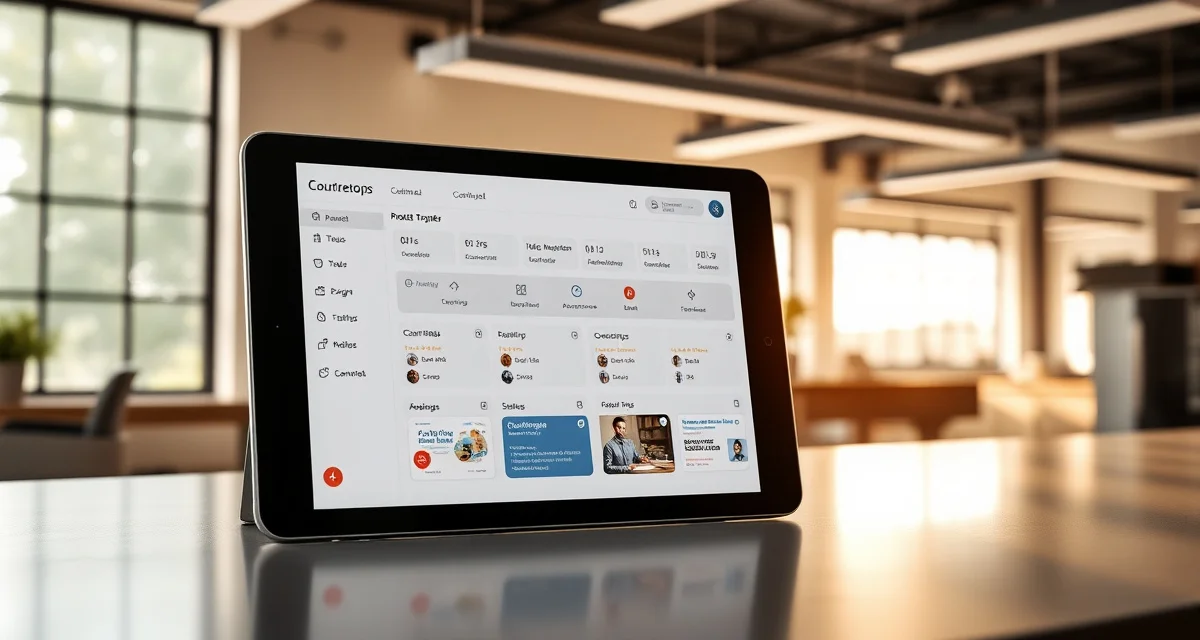
Why You Need a Customer Portal
A customer portal is a self-service online hub where your countertop clients can track project status, view templates, approve designs, and communicate with your shop -- all without picking up the phone. Fabrication shops using customer portals report 70% fewer inbound status calls, saving an average of 2 hours per day in staff time.
TL;DR
- The average fabrication shop fields 8-15 status calls per day, eating up 2+ hours of productive time
- A customer portal reduces those calls by 70%, freeing your front-office staff to focus on sales
- Homeowners get 24/7 access to project updates, template photos, and installation schedules
- Shops with portals see 15-25% higher customer satisfaction scores
- Setup takes 1-3 days with the right software -- not weeks
- ROI typically hits positive within 2-3 weeks of launch
- SlabWise's built-in portal requires zero technical skill to configure
The Real Cost of "Where's My Countertop?" Calls
If you've worked in a fabrication shop for more than a week, you know the drill. The phone rings, and it's another homeowner asking the same question: "When will my countertops be ready?"
Calculate your material waste savings
See exactly how much slab material and money you could save with optimized cutting layouts.
Try the free Waste CalculatorHere's what those calls actually cost you:
| Metric | Without Portal | With Portal |
|---|---|---|
| Status calls per day | 8-15 | 2-4 |
| Staff hours on calls | 2-3 hrs/day | 30-45 min/day |
| Annual labor cost (calls only) | $15,000-$22,000 | $4,000-$7,000 |
| Customer satisfaction score | 72% avg | 89% avg |
| Missed sales calls | 3-5/day | 0-1/day |
That last row matters more than you'd think. Every time your office manager is on the phone explaining that the template is scheduled for Thursday, they're not answering the call from the GC who wants to place a $12,000 order.
What a Good Customer Portal Includes
Not all portals are created equal. A portal that actually reduces your phone volume needs these features:
Real-Time Project Status
Customers should be able to log in and immediately see where their project stands. No hunting through menus. The status should update automatically as your shop moves through each phase:
- Quote accepted
- Template scheduled / completed
- Material selected and confirmed
- Fabrication in progress
- Quality check passed
- Installation scheduled
- Installation complete
Template and Design Viewing
After your templater visits the job site, the homeowner wants to see what was captured. A good portal lets them view the digital template, confirm measurements, and flag any concerns before you ever touch a slab.
Document Storage
Contracts, change orders, invoices, warranty information -- everything lives in one place. No more emailing PDFs back and forth or digging through filing cabinets when a customer calls six months later.
Communication Thread
A built-in messaging system keeps all project communication in a single thread. When the customer asks about their edge profile at 9 PM, the message is waiting for your team in the morning. No lost emails, no "I left a voicemail" situations.
Installation Scheduling
Let customers see their confirmed installation date and time window. Some portals even allow self-scheduling from available slots, which eliminates the back-and-forth of finding a time that works.
How a Customer Portal Cuts Calls by 70%
The math is straightforward. Most status calls fall into a few predictable categories:
- "What's my project status?" -- 40% of calls. The portal shows this in real time.
- "When's my installation?" -- 25% of calls. The portal displays the scheduled date.
- "Can you resend my invoice/contract?" -- 15% of calls. Documents are always accessible.
- "I have a question about my template." -- 10% of calls. They can message through the portal.
- Other -- 10% of calls. These still come by phone, and that's fine.
When 90% of common questions are answered by a self-service tool, most customers won't bother calling. They'll check the portal on their lunch break, see that fabrication started this morning, and go about their day.
Setting Up Your Customer Portal: Step by Step
Step 1: Choose Your Platform (Day 1)
You have three options:
- Built-in portal from your shop software (like SlabWise) -- fastest to deploy, already connected to your data
- Third-party portal tool (like a generic client portal) -- requires integration work
- Custom-built portal -- expensive ($15,000-$50,000+), takes 2-6 months
For most shops doing 30-100+ jobs per month, a built-in portal is the clear winner. The data is already there; you just need to flip it on.
Step 2: Configure Your Status Stages (Day 1)
Map your internal workflow stages to customer-friendly language:
| Internal Stage | Customer-Facing Label |
|---|---|
| Template assigned | Template Visit Scheduled |
| Template QC pass | Template Approved |
| Slab pulled | Material Confirmed |
| On CNC queue | Fabrication In Progress |
| CNC complete, polished | Fabrication Complete |
| Loaded for install | On the Way |
| Install complete | Project Complete |
Keep it simple. Homeowners don't need to know about every CNC toolpath. They want to know: are we moving forward?
Step 3: Set Up Automated Notifications (Day 2)
Configure email or SMS alerts that fire when a project moves to a new stage. This is proactive communication -- the customer gets an update before they think to ask.
Best practice: send notifications at these key moments:
- Template visit confirmed (with date/time)
- Template approved and material ordered
- Fabrication started
- Installation scheduled (with date/time window)
- Installation complete (with care instructions)
Step 4: Train Your Team (Day 2-3)
Your front-office staff needs to know:
- How to send portal invitations to new customers
- How to update project stages (if not automatic)
- How to respond to portal messages
- When to direct phone callers to check their portal instead
That last point is critical. When someone calls asking for status, your team should say: "I can check that for you, and I also want to make sure you have access to your project portal where you can see updates 24/7. Can I send you the link?"
Step 5: Launch and Measure (Week 1-2)
Track these numbers for the first two weeks:
- Daily inbound status calls (compare to your pre-portal baseline)
- Portal login frequency
- Customer messages through the portal
- Time your staff spends on status updates
Most shops see a 40-50% call reduction in the first week, reaching 70%+ by week three as more customers adopt the portal.
Common Mistakes to Avoid
Mistake #1: Making it too complicated. If the portal requires a 10-step login process or buries the status behind three menus, customers will call instead. One click to see status. That's the goal.
Mistake #2: Not updating project stages promptly. A portal that shows "Template Scheduled" when fabrication already started is worse than no portal at all. It generates more calls, not fewer. Keep stages current.
Mistake #3: Ignoring portal messages. If a customer sends a message through the portal and doesn't hear back for 48 hours, they'll never use it again. Set a response time target of 4-8 business hours.
Mistake #4: Skipping the onboarding. Don't just email a login link with no context. Walk customers through the portal during the sales process. Show them what they'll see and how to use it.
Pro Tips from Shops That Get It Right
Add photos at every stage. When your CNC operator snaps a quick photo of the finished pieces on the cart, upload it to the portal. Customers love seeing their countertops before installation day. It also reduces "that's not what I expected" issues during install.
Use the portal for approvals. Need the customer to sign off on a seam location or confirm an edge profile? Send it through the portal with an approval button. You'll get responses faster than email, and there's a clear digital record.
Include care instructions post-install. After the job is done, the portal becomes a resource. Upload material-specific care guides so the customer knows how to clean and maintain their new countertops. This reduces warranty calls and builds goodwill.
How SlabWise's Customer Portal Works
SlabWise includes a customer portal as part of both the Standard ($199/mo) and Enterprise ($349/mo) plans. Here's what makes it different:
- Auto-updates from the shop dashboard -- when your team moves a job to the next stage, the portal updates instantly
- Photo upload capability at every production phase
- Built-in messaging with notification alerts for your office staff
- Digital approvals for templates, material selections, and change orders
- Mobile-friendly design so homeowners can check from their phone
- Branded with your logo -- it looks like your website, not a third-party tool
Setup takes about 45 minutes. You configure your status stages, add your logo, and start sending portal invitations to active customers.
Measuring Your Portal ROI
Here's a quick formula to calculate your return:
Monthly savings = (Hours saved per day x Hourly labor cost x 22 workdays) + (Recovered sales from missed calls x Average close rate x Average job value)
Example for a 50-job-per-month shop:
- Hours saved: 1.5 hrs/day x $20/hr x 22 days = $660/mo in labor
- Recovered sales: 2 calls/day x 22 days x 15% close rate x $4,500 avg job = $2,970/mo
- Total monthly value: $3,630
Against a $199/mo software cost, that's an 18x return. Even if your numbers are half that optimistic, the portal pays for itself in the first week.
How long does it take to set up a customer portal?
With built-in software like SlabWise, setup takes 45 minutes to 2 hours. You'll configure your workflow stages, upload your logo, and customize notification templates. Custom-built portals take 2-6 months and cost $15,000-$50,000+.
Will my customers actually use the portal?
Yes -- adoption rates typically hit 60-70% within the first month if you actively introduce it during the sales process. Younger homeowners (under 45) adopt at rates above 80%. The key is making it easy and showing them the value upfront.
What if my customers aren't tech-savvy?
The best portals require no technical knowledge. If a customer can check their email, they can use a portal. Keep the interface simple -- one screen showing their project status, documents, and a message button. That's all most people need.
Does a customer portal replace phone communication?
No, and it shouldn't. Some customers will always prefer calling, and certain conversations (design changes, complaints, complex questions) are better handled by phone. The portal eliminates routine status inquiries so your team has time for meaningful conversations.
How do I get my team to adopt the portal?
Start by showing them the math. If the portal saves 1.5 hours of phone time per day, that's real time they get back. Train them to mention the portal on every call and include the portal link in every email signature. Within two weeks, it becomes second nature.
Can I use a portal if I only do 10-15 jobs per month?
Absolutely. Even at lower volumes, the portal improves your professional image and saves time. At 10 jobs per month, you might only save 30-45 minutes per day, but the improved customer experience and fewer after-hours calls are worth it.
What information should I share vs. keep internal?
Share project stages, scheduled dates, approved documents, photos of finished fabrication, and care instructions. Keep internal notes about material costs, margin calculations, staff assignments, and any quality issues private. Most portals let you control visibility per field.
How does a portal help with contractor/builder clients?
Contractors love portals even more than homeowners. A GC managing 5-10 active kitchen projects can check all their statuses in 30 seconds instead of calling you five times. This makes you their preferred fabricator, which means more repeat business.
What's the difference between a portal and just emailing updates?
Emails get buried. A portal provides one consistent location where the customer can check anytime. It also stores all documents, enables two-way communication, and provides a professional experience that email can't match. Shops that switch from email updates to portals see a 50% further reduction in status calls.
Can customers upload files through the portal?
With most modern portals, yes. Customers can upload photos of their space, design inspiration images, or documents their fabricator needs. This is especially useful for initial consultations and change order requests.
Ready to Stop Answering "Where's My Countertop?"
SlabWise's customer portal is included in every plan -- no extra charge, no add-ons. Start your 14-day free trial and see how fast those status calls drop. No credit card required, and setup takes less than an hour.
Try These Free Tools
- Cost Calculator -- Get instant countertop cost estimates by material, edge profile, and square footage.
- Compare Materials -- Side-by-side material comparison with pricing, durability, and maintenance ratings.
- Edge Profile Selector -- Browse edge profiles with cost impact and visual previews.
Sources & Further Reading
-
Natural Stone Institute - Digital Tools and Technology in Stone Fabrication
-
International Surface Fabricators Association - Quoting Best Practices and Technology
-
National Kitchen & Bath Association - Technology Integration in Kitchen Design
-
Remodeling Magazine - Digital Transformation in Countertop Industry