What Is Digital Job Packet? Definition & Guide
Quick Definition
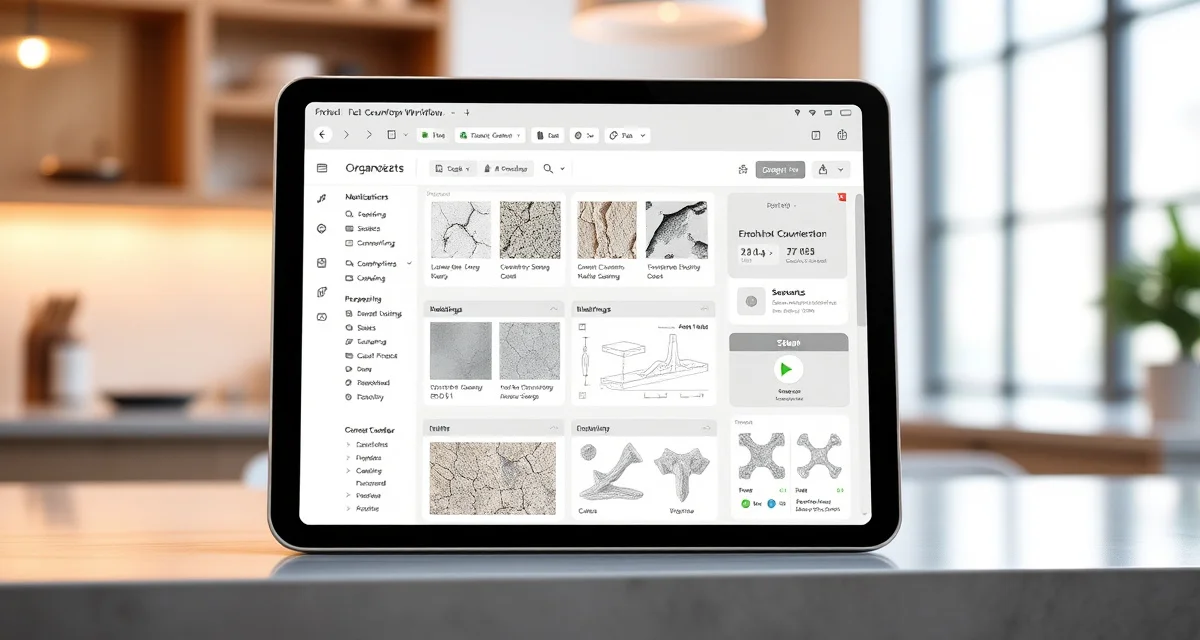
A digital job packet is the complete set of electronic documents and information associated with a single countertop fabrication job - including the customer quote, contract, material selection, digital template files (DXF), slab photos, edge profile specifications, sink/cooktop cutout details, seam locations, special instructions, and installation notes. It replaces the physical manila folder or clipboard that traditionally followed each job through the fabrication shop.
TL;DR
- A digital job packet contains all documents and data for a single countertop job in electronic form
- Replaces paper folders that get lost, damaged, or contain outdated information
- Includes quotes, templates, slab assignments, cut layouts, edge specs, and install notes
- Accessible by all team members (sales, template, production, install) from any device
- Reduces errors caused by missing information, illegible handwriting, or outdated revisions
- Critical for shops doing 15+ jobs per month where paper tracking breaks down
- Connects to job management software (Moraware, SlabWise, etc.) for centralized access
Digital Job Packets: One Source of Truth for Every Job
The Problem with Paper Job Packets
Walk into most countertop fabrication shops and you'll find a wall of manila folders, clipboards, or binders - each representing an active job. Inside each folder: a printed quote, handwritten notes from the sales call, a physical template (or a printout of the digital template), material notes, and various Post-it notes with updates.
Calculate your material waste savings
See exactly how much slab material and money you could save with optimized cutting layouts.
Try the free Waste CalculatorThis system breaks down in predictable ways:
| Paper Problem | Business Impact |
|---|---|
| Folder gets lost or misfiled | Production delay, missed install date |
| Handwritten notes are illegible | Wrong edge profile, wrong cutout, remake needed |
| Template revision not updated | Old template used for CNC, piece doesn't fit |
| Notes added but not communicated | Install crew misses special instructions |
| Coffee spill on the work order | Information literally unreadable |
| Two copies with different info | Conflicting instructions cause errors |
For a shop doing 5-10 jobs per month, paper might work. For a shop doing 20-40+ jobs, it's a daily source of errors, delays, and frustration.
What's Inside a Digital Job Packet
A complete digital job packet includes:
Customer Information:
- Customer name, address, phone, email
- Sales rep assignment
- Contract/agreement (signed electronically or scanned)
- Payment status and history
Material Details:
- Selected material (type, color, brand)
- Slab assignment (specific slab ID, location in shop)
- Slab photos (from SlabSmith or manual photography)
- Material cost and pricing tier
Template and Design:
- Digital template files (DXF from LT-2D3D or Proliner)
- Template verification status and results
- Slab layout/nesting diagram
- Edge profile assignments by piece
- Sink and cooktop cutout specifications
- Backsplash details
- Seam locations and special alignment notes
Production Information:
- CNC program files or references
- Production schedule date
- Fabrication notes (fragile material, special handling)
- Quality control checklist and sign-off
- Speed label specifications
Installation Details:
- Installation date and time
- Crew assignment
- Site access instructions (gate code, parking, etc.)
- Plumbing/electrical coordination notes
- Customer availability and contact preferences
Communication Log:
- All customer interactions (calls, emails, texts)
- Internal notes between sales, production, and install teams
- Change orders and their approval status
- Customer approvals (material selection, layout, seam locations)
Benefits of Going Digital
Zero Information Loss
When everything lives in a central digital system, information doesn't get lost. The sales notes from week one are still accessible during installation in week four. The edge profile change the customer requested on Tuesday is visible to the CNC programmer on Wednesday.
Version Control
Digital job packets maintain revision history. When a template is updated (customer changed the sink model), the new version replaces the old one, and the system logs the change. No more cutting from an outdated template because someone forgot to swap the paper in the folder.
Accessibility from Anywhere
Your templater checks job details at the customer's home on a tablet. Your CNC programmer reviews specifications at their workstation. Your installer confirms cutout dimensions from the job site on their phone. Everyone sees the same, current information.
Faster Problem Resolution
When something goes wrong during installation - a piece doesn't fit, a cutout is in the wrong position - the installer can immediately pull up the original template, slab layout, and production notes to identify whether the issue is a template error, fabrication error, or site change. Resolution happens in minutes instead of hours of phone calls and paper shuffling.
Implementing Digital Job Packets
Option 1: Job Management Software
Tools like Moraware Systemize, ActionFlow, or SlabWise include digital job packet functionality as part of their job tracking systems. Documents are uploaded and associated with each job, accessible from the software's web interface.
Option 2: Cloud File Storage
Some shops use Google Drive, Dropbox, or OneDrive with a structured folder system (one folder per job). This works but lacks the workflow integration, status tracking, and mobile-friendly interfaces of dedicated fabrication software.
Option 3: Hybrid Approach
Many shops transitioning from paper use a hybrid: job management software for scheduling and status tracking, with a linked cloud folder for document storage. This provides most of the benefits while using existing tools.
The SlabWise Approach to Digital Job Packets
SlabWise builds the digital job packet automatically as the job moves through your workflow:
- Quote generated → Customer details, material, and pricing captured
- Template completed → DXF files uploaded and linked to the job
- Template verified → SlabWise's 3-layer check runs automatically, results recorded
- Slab assigned → Specific slab linked to job, with location and photos
- Nesting optimized → AI-powered layout stored in the packet
- Production scheduled → Date, crew, and machine assignment recorded
- Customer updated → Communication logged, customer portal access active
- Installed → Completion confirmed, final records archived
Every team member - from sales to install - sees the same, current job information on any device. No lost folders, no outdated templates, no miscommunication.
What is a digital job packet?
A digital job packet is the complete electronic collection of documents and data for a single countertop job, replacing traditional paper folders.
What documents go in a digital job packet?
Quotes, contracts, templates (DXF files), slab photos, edge specifications, cutout details, production notes, installation instructions, and communication logs.
How do digital job packets prevent errors?
By maintaining a single source of truth accessible to all team members, with version control that ensures everyone works from current information.
What software supports digital job packets?
Moraware Systemize, ActionFlow, SlabWise, and other fabrication management tools include digital job packet functionality. Some shops use generic cloud storage with organized folder structures.
How do installers access digital job packets in the field?
Through web-based software accessible on smartphones or tablets. Most modern fabrication software is cloud-based and works on mobile devices.
Can I scan my existing paper packets into digital format?
Yes, though scanning alone doesn't provide the workflow integration benefits of native digital systems. Consider scanning for archival while implementing digital-first processes going forward.
How do digital job packets handle change orders?
Changes are logged with timestamps and approval records. The current version is always visible, and the history of changes is preserved for reference.
Are digital job packets secure?
Cloud-based systems use encryption and access controls. This is generally more secure than paper folders that any shop visitor can read.
How long should digital job packets be retained?
Most fabricators retain job records for 3-7 years for warranty, legal, and reference purposes. Digital storage makes long-term retention simple and searchable.
What's the biggest benefit of going digital?
Eliminating information loss and miscommunication - the two most common causes of preventable fabrication errors.
Build Your Digital Job Packets Automatically with SlabWise
SlabWise creates and maintains digital job packets as your jobs flow from quote to installation. Every document, every template, every customer approval - organized, current, and accessible from any device.
Start your 14-day free trial at SlabWise.com
Try These Free Tools
- Nesting Optimizer -- AI-powered slab layout that maximizes yield considering vein direction and defects.
- Defect Mapping -- Upload a slab photo and AI maps every fissure, pit, and color issue.
- Value Engineering -- Find dollar-quantified suggestions to save material without cutting margin.
Sources & Further Reading
- Natural Stone Institute - Fabrication Guidelines and Best Practices
- International Surface Fabricators Association - Waterjet Cutting Technology Standards
- ASTM International - Standard Guide for Abrasive Waterjet Machining
- OSHA - Safety Guidelines for Waterjet Operations