Slab Nesting FAQ
Quick Definition
This slab nesting FAQ answers the most common questions from fabricators and homeowners.
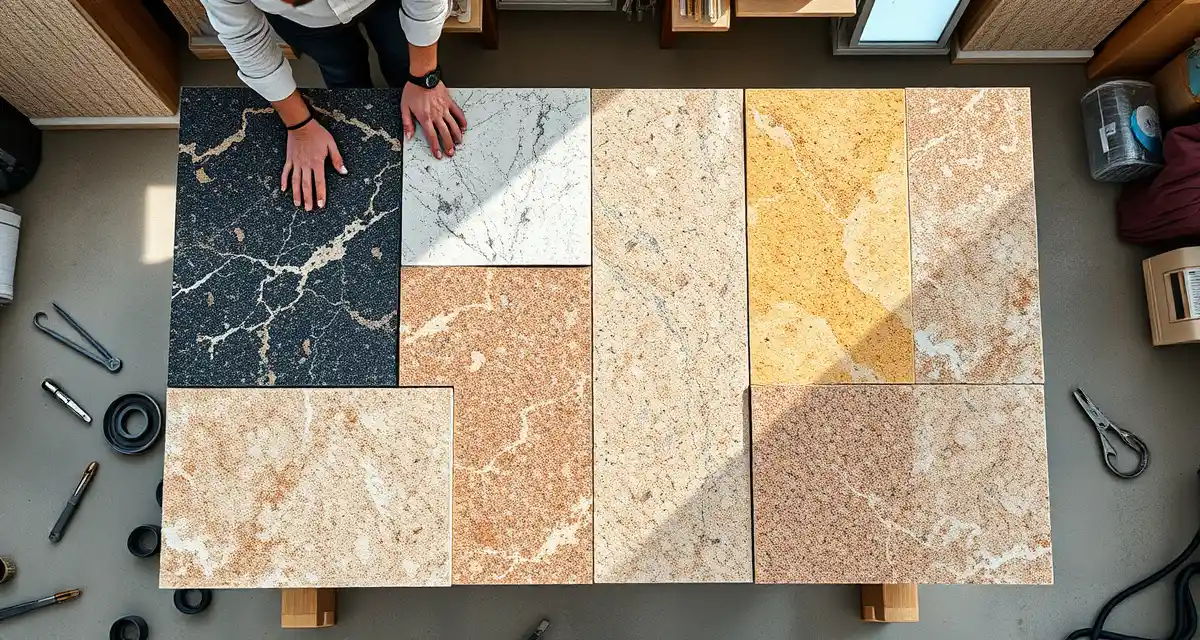
Slab nesting is the process of arranging countertop cut pieces on a stone slab to minimize waste. Think of it like a jigsaw puzzle - you're fitting kitchen counters, island pieces, bathroom vanities, and backsplash strips onto raw slabs in the most efficient layout possible. AI-powered nesting does this automatically and consistently outperforms manual layout.
TL;DR
- Manual nesting wastes 15-25% of slab material on average; optimized nesting reduces that to 5-12%
- SlabWise's nesting algorithm delivers 10-15% better yield than experienced fabricators doing manual layout
- The algorithm considers vein direction, grain matching, remnant inventory, and multi-job batching
- Monthly savings for a mid-size shop: $3,000-$6,000 in material alone
- Nesting works with granite, quartz, marble, quartzite, porcelain, and all other slab materials
- Output exports in DXF format for most CNC bridge saws
- Included in both SlabWise Standard ($199/month) and Enterprise ($349/month) plans
Nesting Basics
What is slab nesting in countertop fabrication?
Slab nesting is the layout planning step that happens between templating and cutting. You have template measurements for a job (or multiple jobs), and you need to determine how to position those pieces on your available slabs to use the least amount of material.
Calculate your material waste savings
See exactly how much slab material and money you could save with optimized cutting layouts.
Try the free Waste CalculatorDone manually, a fabricator looks at the slab dimensions, mentally arranges the pieces, marks the layout, and cuts. Experienced fabricators are pretty good at this for single jobs, but they're working with limited information - they're optimizing one job on one slab at a time.
Software-based nesting considers all pending jobs and all available slabs simultaneously, finding combinations that a human eye would miss.
Why does nesting matter financially?
Stone is expensive. A 120" x 65" slab of mid-grade quartz costs $600-$1,200. Premium natural stone runs $1,000-$3,000+ per slab. When you waste 20% of every slab instead of 8%, those losses compound fast.
Here's the financial difference for a shop cutting 40 slabs per month:
| Metric | Manual Nesting (20% waste) | Optimized Nesting (8% waste) |
|---|---|---|
| Slabs cut per month | 40 | 40 |
| Average slab cost | $750 | $750 |
| Monthly material cost | $30,000 | $30,000 |
| Waste value | $6,000 | $2,400 |
| Monthly savings | - | $3,600 |
| Annual savings | - | $43,200 |
That $43,200 per year is pure margin recovery. The stone was already purchased - nesting determines whether it becomes a countertop or goes to the waste bin.
How does AI-powered nesting differ from manual layout?
Three key advantages:
1. Multi-job optimization. A human fabricator typically nests one job at a time. The software looks at all pending jobs simultaneously and finds opportunities to share slabs across jobs. That bathroom vanity and the bar top from two different customers might fit perfectly on the same slab that would otherwise only serve one job.
2. Remnant awareness. The algorithm knows every remnant in your inventory - dimensions, material, location. It checks remnants before suggesting new slabs. A human fabricator has to remember (or physically check) what remnants are available.
3. Consistency. A skilled fabricator might nest well 85% of the time but rush on a busy Friday afternoon. Software produces optimal results every time, regardless of workload or time pressure.
What yield improvement should I expect?
Typical results from shops switching to SlabWise's nesting:
| Previous Method | Typical Waste Rate | With SlabWise Nesting | Improvement |
|---|---|---|---|
| Experienced manual layout | 15-18% | 5-10% | 8-10% better |
| Less experienced layout | 20-25% | 5-10% | 12-18% better |
| Basic software tools | 12-15% | 5-10% | 5-8% better |
The bigger the gap between your current waste rate and the optimized rate, the bigger the savings. Shops with inexperienced layout staff see the most dramatic improvement.
Technical Questions
Does nesting account for vein direction in natural stone?
Yes. For materials where vein direction matters (marble, quartzite, many granites), the algorithm respects grain orientation. You can specify whether pieces must maintain consistent vein direction (for visual matching) or can be rotated freely (for maximum yield).
For engineered quartz with uniform patterns, rotation is unlimited, which gives the algorithm more flexibility and typically produces better yield.
Can the algorithm handle odd-shaped pieces?
Yes. Not every countertop is a rectangle. L-shaped kitchens, angled peninsulas, curved bar tops, and irregular island shapes are all handled. The algorithm works with the actual template geometry, not simplified rectangles.
How does nesting work with matched sets?
For jobs requiring visual continuity across multiple pieces (like a kitchen counter and island from the same slab for vein matching), you can flag pieces as a "matched set." The algorithm keeps them on the same slab or adjacent slabs from the same bundle.
What file format does the nesting output use?
SlabWise exports nesting layouts in DXF format, which is compatible with most CNC bridge saws and routers from manufacturers like Park Industries, Breton, Intermac, and others. The export includes:
- Cut piece positions and dimensions
- Cut paths
- Slab reference (which slab to load)
- Waste areas identified
Can I override the algorithm's layout?
Yes. The nesting output is a recommendation, not a mandate. Your fabricator can review the layout, adjust piece positions if needed (perhaps for a defect they can see but the algorithm can't), and approve before cutting.
Does it handle different slab thicknesses?
Yes. Slabs come in 2cm and 3cm thicknesses (and occasionally 1.2cm for porcelain). The algorithm only nests pieces onto slabs of matching thickness.
How does it handle slab defects?
You can mark defect zones on a slab's profile (fissures, pits, color inconsistencies). The nesting algorithm avoids placing cut pieces in those zones, working around the defects to maximize usable area.
Remnant Integration
Does nesting use my existing remnants?
Yes, and this is one of the most valuable aspects. Before suggesting a fresh full slab, the algorithm checks your remnant inventory for pieces that can handle the cut. A 14-sqft bathroom vanity might fit perfectly on a 16-sqft remnant from last week's kitchen job - saving you from opening a new $800 slab.
What happens to remnants after nesting?
When a slab is nested and cut, the algorithm identifies the remaining usable area. If it's large enough to be a useful remnant (typically 5+ sqft), the system prompts your team to record it. That new remnant enters inventory and becomes available for future nesting.
Can I set minimum remnant sizes?
Yes. Configure your minimum usable remnant size (most shops set 4-6 sqft). Pieces below that threshold are marked as waste rather than tracked as remnants.
Workflow Questions
When in the production process does nesting happen?
Nesting sits between template verification and fabrication:
- Quote accepted
- Template completed
- Template verified (SlabWise 3-layer check)
- Nesting - Algorithm assigns pieces to slabs
- Fabrication - Slabs are cut per the nesting layout
- Installation
Nesting typically happens after templates are verified for a batch of jobs. Some shops nest daily (cutting whatever is ready that morning). Others nest in larger batches for weekly cutting schedules.
How often should I run the nesting algorithm?
This depends on your production cadence:
- Daily nesting - Best for high-volume shops (5+ jobs/day) that cut every day
- Batch nesting (2-3 times/week) - Best for mid-size shops that batch production
- Weekly nesting - Works for smaller shops or those with longer lead times
More frequent nesting gives the algorithm fewer jobs to optimize simultaneously, which may slightly reduce yield. Less frequent nesting (larger batches) gives better optimization but requires holding jobs longer before cutting.
Can I nest jobs from different customers on the same slab?
Yes, and this is where the biggest savings come from. The algorithm might place a 32-sqft kitchen peninsula and a 12-sqft vanity from two different customers on the same 54-sqft slab - using 44 sqft and leaving only a 10-sqft remnant instead of wasting nearly half of two separate slabs.
The only constraint: the pieces must be the same material. You can't mix granite and quartz on the same slab (obviously).
Does nesting slow down my production?
No. Running the nesting algorithm takes seconds to minutes, depending on how many jobs are in the batch. The time savings from not manually laying out each slab more than compensates for any workflow addition.
Cost and ROI
Is nesting included in the SlabWise subscription?
Yes. Slab nesting is included in both the Standard ($199/month) and Enterprise ($349/month) plans. There are no per-use or per-nest charges.
What's the ROI on nesting optimization?
For a shop cutting $30,000/month in stone material:
| Scenario | Monthly Waste Cost | With Nesting | Savings |
|---|---|---|---|
| 20% waste → 8% waste | $6,000 | $2,400 | $3,600/month |
| 15% waste → 7% waste | $4,500 | $2,100 | $2,400/month |
| 25% waste → 10% waste | $7,500 | $3,000 | $4,500/month |
Even at the conservative estimate, nesting pays for the entire SlabWise subscription 12x over every month.
Do I need nesting if I'm a small shop?
If you cut more than 15 slabs per month, nesting will save you measurable money. Below that volume, the optimization opportunities are smaller (fewer jobs to combine), but template verification and quoting speed still justify the subscription.
Comparison with Other Approaches
How does this compare to nesting by an experienced fabricator?
An experienced fabricator with 10+ years can achieve waste rates of 15-18% on average. They're good at single-slab optimization but limited by:
- Only considering one job at a time
- Not knowing the full remnant inventory
- Working under time pressure
- Not considering every possible rotation and position
SlabWise's algorithm consistently produces 5-10% waste rates, representing an 8-10 percentage point improvement over even skilled manual nesting.
Are there other nesting software options?
A few CAD/CAM programs include basic nesting features (like Slabsmith and some CNC machine software). These tend to optimize for a single slab at a time rather than batching across jobs and inventory. SlabWise's advantage is multi-job, inventory-aware nesting integrated with the rest of your shop management.
What if my CNC machine has built-in nesting?
Some CNC machines include basic nesting in their control software. This is useful but typically limited to arranging pieces on the slab that's currently loaded. SlabWise's nesting decides which slab to load in the first place - looking across your entire inventory to find the best match. The two can work together: SlabWise selects and plans, your CNC handles the cutting.
Can nesting work with irregularly shaped slabs?
Yes. Natural stone slabs aren't always perfect rectangles. You can input the actual slab shape (or approximate it), and the algorithm works within those boundaries.
Does the algorithm account for blade kerf?
Yes. The standard saw kerf (typically 3-4mm for CNC bridge saws) is factored into the layout spacing between pieces.
Can I prioritize certain jobs in the nesting queue?
Yes. Rush jobs or high-priority projects can be flagged, and the algorithm will ensure they're assigned to slabs first.
What happens if I don't have the right slab for a nested job?
The system alerts you if a job requires a material you don't have in stock. You can then order the slab or adjust the job's material selection before nesting.
How does nesting handle backsplash pieces?
Backsplash strips are included in the nesting layout. These long, narrow pieces often fit into leftover spaces between larger cut pieces, making them essentially "free" in terms of material utilization.
Can I print the nesting layout for my shop floor?
Yes. Nesting layouts can be printed as shop-floor reference sheets showing the slab, piece positions, job numbers, and cut sequence.
Does nesting work for waterfall edges?
Yes. Waterfall pieces (where the countertop continues down the side of a cabinet) are nested as separate pieces with matching requirements to the horizontal surface. The algorithm ensures vein continuity.
What if a slab breaks during cutting?
If a slab is damaged during fabrication, you remove it from the nesting plan and re-run the algorithm for the affected jobs. The system reassigns those pieces to alternative slabs.
Cut Smarter, Waste Less
Slab nesting is the single highest-ROI feature in countertop fabrication software. SlabWise's algorithm consistently saves shops thousands per month in material costs - with zero additional labor.
Start your 14-day free trial → No credit card required. Run your first nesting batch in minutes.
Try These Free Tools
- Nesting Optimizer -- AI-powered slab layout that maximizes yield considering vein direction and defects.
- Defect Mapping -- Upload a slab photo and AI maps every fissure, pit, and color issue.
- Value Engineering -- Find dollar-quantified suggestions to save material without cutting margin.
Sources & Further Reading
- Natural Stone Institute - Natural Stone Care and Maintenance Guide
- National Kitchen & Bath Association - Countertop Selection Guidelines
- ASTM International - Standards for Stone and Countertop Materials
- International Surface Fabricators Association - Countertop Material Properties
Internal Links
- Track Slab Inventory - Accurate inventory powers better nesting
- Sell Remnants - What to do with nesting byproducts
- Template Verification FAQ - Verified templates mean accurate nesting
- Countertop Software FAQ - Broader software comparison
- SlabWise FAQ - General platform questions