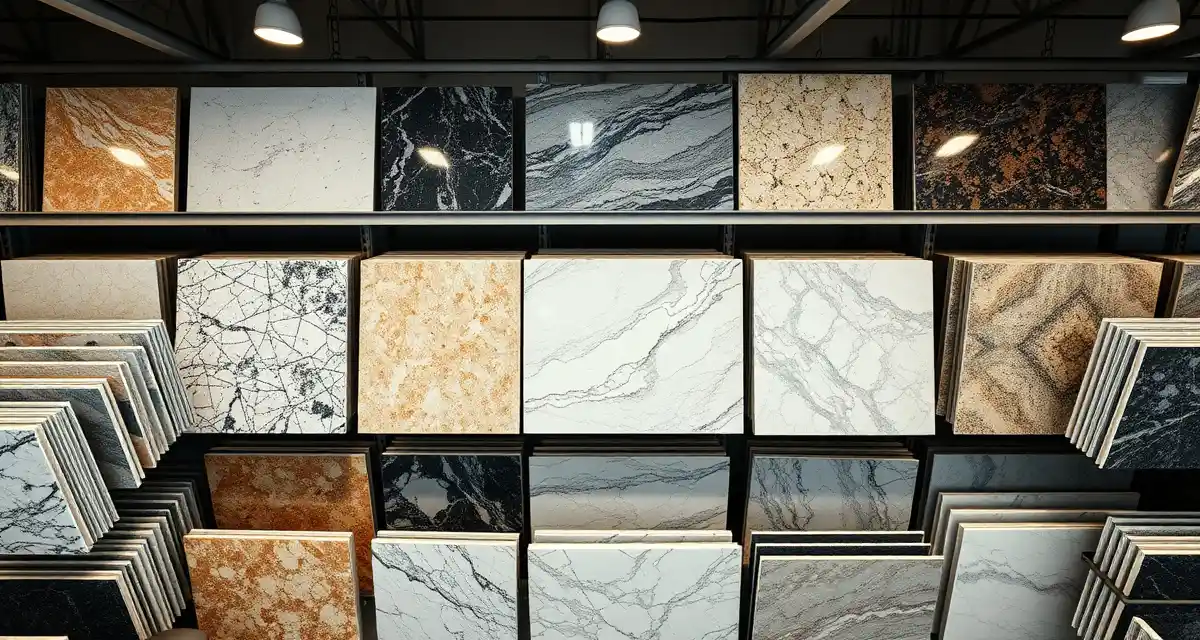
Slab Inventory Sheet for Countertop Fabrication Shops
Quick Definition
A slab inventory sheet is a tracking document that records every stone slab in your yard - its material type, dimensions, color/lot number, supplier, purchase cost, and current status. It prevents double-selling, lost remnants, and the expensive guesswork that happens when nobody knows what's actually on the racks.
TL;DR
- Track every slab by material, dimensions, lot number, supplier, cost, and location in your yard
- Include remnants - they represent thousands in recoverable revenue
- Update inventory at receiving and after every cut, not just during monthly counts
- Assign rack or bay locations so anyone can find a slab in under 2 minutes
- Photo documentation of veining and color helps match slabs to customer expectations
- Digital inventory systems eliminate version-control issues with spreadsheets
- Accurate slab tracking can reduce material waste from 15% down to 5-8%
Why Slab Inventory Tracking Matters
Stone is your biggest expense. A mid-size fabrication shop might carry $50,000-$200,000 in slab inventory at any given time. Losing track of even a few slabs means lost revenue, wasted yard space, and customers waiting while you hunt for material you thought you had.
Calculate your material waste savings
See exactly how much slab material and money you could save with optimized cutting layouts.
Try the free Waste CalculatorThe most common inventory problems in fab shops:
- Double-selling: Two salespeople promise the same slab to different customers
- Ghost slabs: Records say it's there, but it was cut weeks ago and nobody updated the sheet
- Lost remnants: Usable pieces get buried, forgotten, or tossed during cleanup
- Wrong slab pulled: Similar colors get mixed up, leading to rework or unhappy customers
- Overstocking: Without accurate counts, you order material you already have
Each of these costs real money. A single double-sold slab can mean a $500-$2,000 rush order to replace it, plus the delay and customer frustration.
What to Track on Your Slab Inventory Sheet
Essential Fields
| Field | What to Record | Why It Matters |
|---|---|---|
| Slab ID | Unique identifier (e.g., GR-2025-047) | Prevents mix-ups between similar slabs |
| Material Type | Granite, quartz, marble, quartzite, porcelain | Quick filtering by material |
| Color/Name | Specific color name and lot/batch number | Lot matching for multi-slab jobs |
| Supplier | Where you purchased it | Reorder tracking, warranty claims |
| Dimensions | Length × Width × Thickness | Determines what jobs it can fill |
| Purchase Date | When it arrived | Tracks aging inventory |
| Purchase Cost | Your cost per slab | Margin calculations |
| Location | Rack/bay/slot number | Physical findability |
| Status | Available, Reserved, Cut, Remnant | Prevents double-selling |
| Photo | Image of full slab | Color matching, customer approvals |
Remnant Tracking
Remnants deserve their own section or status code. After every fabrication job, measure and log usable remnants:
- Remnant dimensions (length × width)
- Parent slab ID (what it was cut from)
- Usable area in square feet
- Quality grade (A = full-thickness, clean edges; B = usable with trimming; C = small pieces for samples)
Many shops throw away remnants that could fill vanity tops, bar tops, or fireplace surrounds. A 20 sq ft remnant of premium quartzite at $60/sq ft is $1,200 sitting in your scrap pile.
Optional but Useful Fields
- Customer reservation: Name and date if a slab is being held
- Expected cut date: When the reserved slab goes into production
- Quality notes: Pits, fissures, discoloration, or other defects worth noting
- Slab weight: Helps with logistics and crane planning
- Bundle/container number: For tracking full shipments
How to Set Up Your Inventory Sheet
Step 1: Conduct a Full Physical Count
Before building your sheet, count everything in the yard. Every slab, every remnant. Yes, it takes a full day or more. But starting with accurate numbers is the only way this works.
Tag each slab physically - stickers, paint markers, or engraved tags - with an ID that matches your sheet.
Step 2: Define Your ID System
Create a consistent naming convention:
- GR-2025-001: Granite, year 2025, slab number 001
- QZ-2025-001: Quartz
- MB-2025-001: Marble
- QT-2025-001: Quartzite
Add an "R" suffix for remnants: GR-2025-001-R1 (first remnant from slab GR-2025-001).
Step 3: Map Your Yard
Draw a simple layout of your slab storage area. Number each rack, A-frame, or bay. When a slab arrives, assign it a location. When it moves, update the sheet.
A slab that takes 10 minutes to find costs you $15-25 in labor every time someone searches. Multiply that by 10 pulls a day, and you're burning through $150-250 daily on slab hunting.
Step 4: Set Up Receiving Procedures
Every slab that arrives gets logged immediately:
- Inspect for damage during unloading
- Measure actual dimensions (don't trust supplier specs blindly)
- Photograph both sides
- Assign a slab ID and physical tag
- Enter all data into the inventory sheet
- Assign a rack location
Step 5: Establish Update Triggers
Your inventory sheet only works if it's current. Set clear rules:
- At receiving: Log new slabs within 1 hour of delivery
- At reservation: Mark status change immediately when a slab is committed to a job
- After cutting: Update status, log remnants, remove the parent slab if fully consumed
- During cleanup: Check for unlogged remnants weekly
Step 6: Assign Ownership
Someone on your team owns inventory accuracy. This doesn't mean they do every update - but they verify counts, chase down discrepancies, and make sure the process is followed.
Sample Slab Inventory Sheet Layout
Here's a practical layout you can adapt:
| Slab ID | Material | Color/Lot | Supplier | L × W × T | Cost | Location | Status | Reserved For | Photo |
|---|---|---|---|---|---|---|---|---|---|
| GR-2025-047 | Granite | Alaska White / Lot 44B | ABC Stone | 118" × 72" × 3cm | $685 | Rack A3 | Available | - | ✓ |
| QZ-2025-103 | Quartz | Calacatta Laza / 2024-Q3 | Caesarstone | 120" × 55" × 2cm | $520 | Rack B7 | Reserved | Johnson Kitchen | ✓ |
| MB-2025-012 | Marble | Carrara / Lot 19 | Italian Imports | 110" × 65" × 3cm | $890 | A-Frame C2 | Available | - | ✓ |
| GR-2025-047-R1 | Remnant | Alaska White / Lot 44B | - | 36" × 24" × 3cm | $0 | Remnant Bin D | Available | - | ✓ |
Inventory Accuracy Metrics
Track these numbers monthly to gauge how well your system is working:
- Inventory accuracy rate: Physical count vs. sheet count. Target 98%+.
- Shrinkage rate: Slabs unaccounted for. Anything above 1% needs investigation.
- Average time to locate: How long it takes to find a specific slab. Target under 2 minutes.
- Remnant recovery rate: Percentage of usable remnants that get logged and eventually sold.
- Aging inventory: Slabs sitting unsold for 90+ days. These tie up cash and yard space.
Moving from Spreadsheets to Software
A spreadsheet is fine when you have 20-50 slabs. When you're managing 100+ slabs, multiple salespeople, and daily cuts, spreadsheets break down. Version conflicts, accidental deletions, and the inability to update from the yard floor in real time cause problems fast.
Digital inventory tools solve this by giving everyone access to the same live data. SlabWise's Slab Nesting feature goes further - it analyzes your inventory and optimizes cut layouts to get 10-15% better material yield from each slab. That means fewer slabs purchased and more revenue from the stone you already own.
When your inventory lives in a system that your whole team can access from a phone or tablet, slab hunting and double-selling become problems of the past.
How often should I do a full physical inventory count?
Monthly is ideal for most shops. Quarterly is the minimum. If your inventory accuracy rate drops below 95%, increase the frequency until you identify and fix the root cause.
What's the best way to label slabs physically?
Weather-resistant adhesive labels or paint markers on the slab edge work well. Some shops use barcode or QR code stickers for faster scanning. Whatever you choose, make sure it survives outdoor storage and handling.
How do I track slabs that are partially cut?
Update the parent slab dimensions after each cut. If a usable remnant remains, create a new inventory entry linked to the parent slab ID. If the remaining piece is too small to use, mark the parent slab as consumed.
Should I track samples and small pieces?
Only if they're large enough to sell or use (generally 2+ sq ft). Tracking every offcut creates more admin overhead than it's worth. Set a minimum remnant size for your shop and stick to it.
How do I value remnants for accounting purposes?
Most shops value remnants at $0 for inventory accounting since the cost was already captured on the parent slab. For pricing purposes, sell remnants at your standard per-square-foot rate - the margin is nearly 100%.
What's a good slab turnover rate?
Healthy shops turn over their full slab inventory every 30-60 days. Remnants may sit longer. If slabs are aging past 90 days, you're either overstocked, carrying unpopular colors, or your sales team doesn't know what's in the yard.
How do I prevent double-selling slabs?
The moment a salesperson commits a slab to a job, it must be marked "Reserved" on the inventory sheet. Real-time digital systems make this instant. With spreadsheets, you need a strict process and fast communication.
Should I photograph every slab?
Yes. Photos take 30 seconds per slab and save hours of back-and-forth with customers about color, veining, and pattern. Photograph in natural light for the most accurate representation.
How do I handle damaged slabs?
Create a separate status: "Damaged." Note the type and extent of damage. Some damage reduces the usable area but doesn't make the slab worthless - a cracked corner on a 120" slab still leaves plenty of usable material.
What information should I share with customers from my inventory?
Material type, color name, approximate dimensions, and photos. Never share your purchase cost, supplier details, or internal margin information.
Get Control of Your Slab Inventory
Accurate inventory tracking is the difference between a shop that runs smoothly and one that's constantly scrambling. But manual tracking has limits.
SlabWise combines slab inventory management with AI-powered nesting to reduce waste by 10-15% and eliminate double-selling. Start your 14-day free trial and see exactly what's in your yard - and how to get more from every slab.
Start Your Free 14-Day Trial →
Try These Free Tools
- Nesting Optimizer -- AI-powered slab layout that maximizes yield considering vein direction and defects.
- Defect Mapping -- Upload a slab photo and AI maps every fissure, pit, and color issue.
- Value Engineering -- Find dollar-quantified suggestions to save material without cutting margin.
Sources & Further Reading
- International Surface Fabricators Association - Production Management Best Practices
- Natural Stone Institute - Fabrication Shop Operations Guide
- Marble Institute of America - Quality Control Standards
- OSHA - Construction Industry Safety Standards
Related Articles
- Contractor Pricing Sheet - Price your materials consistently
- Daily Production Report - Track what's being cut and when
- Quarterly Maintenance - Keep equipment and processes running
- What Is a Countertop Template? - Understanding the first step in fabrication
- Why Are Countertops So Expensive? - Material costs explained