Best Template Verification Tools in 2026
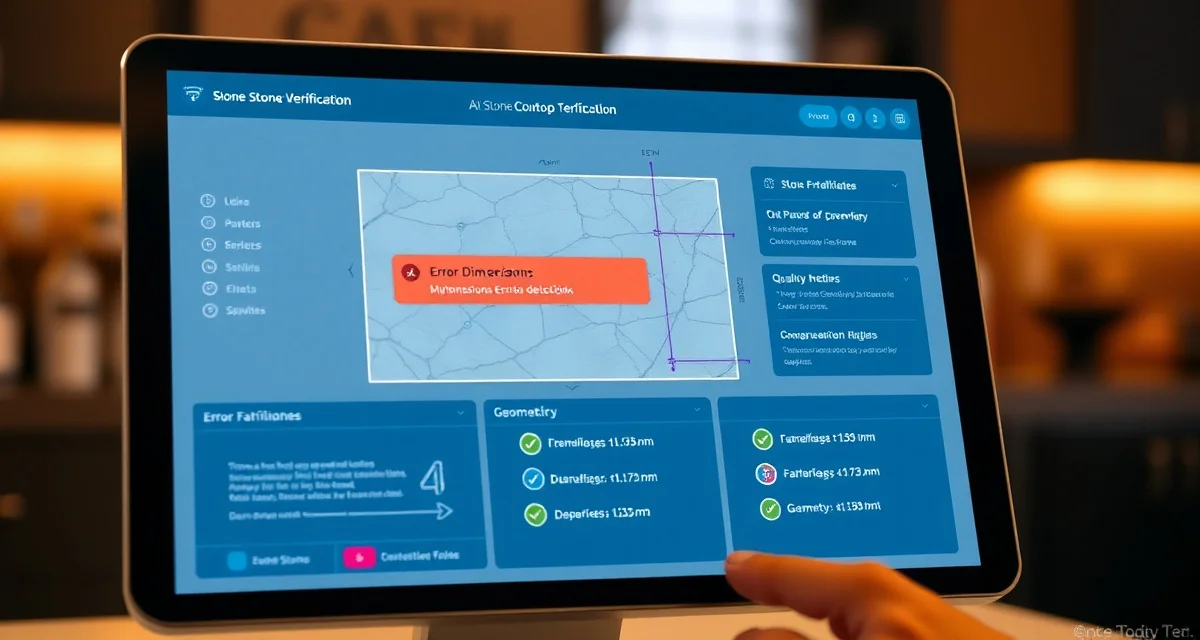
Template verification tools check digital countertop templates for errors before fabrication begins, catching problems that would otherwise result in costly remakes. The best tools use AI or rule-based systems to flag dimension mismatches, impossible geometries, and missing details that human reviewers often miss during busy production days.
TL;DR
- SlabWise AI Template Verification leads with a 3-layer AI check that catches errors human reviewers miss
- Template errors cause 60-70% of all countertop remakes, costing $1,500-$4,000 each
- Average fabrication shops deal with 2-4 remakes per month from template issues
- AI-based verification catches 90%+ of errors vs. 70-80% for manual review
- Verification should happen automatically when DXF files are uploaded, not as a separate step
- Most shops recover the cost of verification software within the first prevented remake
- Look for tools that check geometry, dimensions, and fabrication feasibility in a single pass
Why Template Verification Matters for Fabricators
A single bad template that makes it to the CNC saw costs between $1,500 and $4,000 in wasted material, labor, and customer delays. The math is straightforward: granite and quartz slabs run $40-$120 per square foot. A typical kitchen countertop uses 35-50 square feet. Cut the wrong shape, and you've destroyed $1,400-$6,000 worth of stone.
Calculate your material waste savings
See exactly how much slab material and money you could save with optimized cutting layouts.
Try the free Waste CalculatorMost fabrication shops encounter 2-4 remakes per month. That's $3,000-$16,000 in monthly losses that better template verification could prevent.
Where Template Errors Come From
| Error Source | Frequency | Typical Cost |
|---|---|---|
| Incorrect field measurements | 30-35% of errors | $1,500-$3,000 |
| DXF conversion/export issues | 20-25% of errors | $1,500-$2,500 |
| Missing edge profile specs | 15-20% of errors | $800-$1,500 |
| Wrong sink/cooktop cutout dimensions | 15-20% of errors | $2,000-$4,000 |
| Seam placement errors | 5-10% of errors | $1,000-$2,500 |
How We Evaluated Template Verification Tools
Our ranking criteria focused on what actually prevents remakes:
- Error detection rate - What percentage of template errors does the tool catch?
- Verification speed - How long from upload to verified result?
- False positive rate - Does it flag too many non-issues, slowing production?
- Integration - Does it work with your existing templating and CNC systems?
- Reporting - Can you track error patterns and identify problem areas?
- Price relative to remake savings - What's the actual payback period?
The 7 Best Template Verification Tools
1. SlabWise AI Template Verification - Best Overall
Price: Included with SlabWise Standard ($199/mo) or Enterprise ($349/mo) Verification Method: 3-layer AI analysis Best For: Shops that want the highest error detection rate available
SlabWise runs every template through three distinct AI verification layers:
Layer 1 - Geometric Validation: Checks that all shapes are closed, dimensions are physically possible, and the geometry can actually be cut on a CNC machine. Catches open polylines, self-intersecting paths, and impossible angles.
Layer 2 - Specification Cross-Reference: Compares the template against the original job specifications. If the quote says a 25.5" deep countertop and the template shows 26.3", it flags the discrepancy. This layer also checks sink cutout dimensions against the specified sink model.
Layer 3 - Fabrication Feasibility: Analyzes whether the template can be efficiently nested on available slab inventory, whether seam placements are structurally sound, and whether edge profiles are achievable on the shop's equipment.
The three layers work in sequence, completing verification in under 60 seconds for a typical kitchen layout.
| Specification | Details |
|---|---|
| Detection rate | 90%+ of template errors |
| Verification time | Under 60 seconds |
| False positive rate | Low (~5%) |
| File formats | DXF, DWG, SVG |
| Integration | Built into SlabWise platform |
| Reporting | Error trend dashboard |
Drawback: Requires SlabWise subscription. Not available as a standalone verification tool.
2. Laser Products Templating Suite - Best Hardware + Software Combo
Price: $15,000-$25,000 (hardware + software) Verification Method: Rule-based validation at capture time Best For: Shops using Laser Products templating hardware
Laser Products (LPI) builds verification into their digital templating systems. Since they control both the hardware and software, templates are validated during the capture process itself. The system warns templaters in the field when measurements don't make sense.
| Specification | Details |
|---|---|
| Detection rate | 75-85% (field-capture errors) |
| Verification time | Real-time during templating |
| False positive rate | Moderate |
| File formats | Proprietary + DXF export |
| Integration | LPI hardware platform |
| Reporting | Basic error logs |
Drawback: Only works with LPI hardware. High upfront cost. Doesn't catch errors introduced during file conversion or manual editing after capture.
3. Prodim Proliner Verification - Best for Proliner Users
Price: Included with Proliner hardware ($20,000-$35,000) Verification Method: Rule-based validation with visual preview Best For: Shops using Prodim Proliner digital templating systems
The Proliner's built-in verification checks templates as they're captured and offers a visual 3D preview that lets templaters see the finished piece before leaving the job site. This real-time feedback prevents many field measurement errors.
| Specification | Details |
|---|---|
| Detection rate | 80-85% (capture-stage errors) |
| Verification time | Real-time during templating |
| False positive rate | Low-moderate |
| File formats | Proprietary + DXF export |
| Integration | Prodim platform |
| Reporting | Project-level reports |
Drawback: Tied to Proliner hardware investment. Limited verification of post-capture editing errors.
4. Actionflow Template Check - Best Workflow-Integrated Verification
Price: $200-$350/mo (part of ActionFlow platform) Verification Method: Rule-based checklist automation Best For: Shops that want verification built into approval workflows
ActionFlow builds template checking into its workflow automation system. When a template arrives, it triggers a verification checklist that combines automated checks (file format, basic geometry) with required manual review steps (visual inspection, spec comparison).
| Specification | Details |
|---|---|
| Detection rate | 70-80% (combined auto + manual) |
| Verification time | 5-15 minutes (includes manual steps) |
| False positive rate | Low |
| File formats | DXF, PDF |
| Integration | ActionFlow platform |
| Reporting | Workflow completion metrics |
Drawback: Relies partially on manual review, which means human error can still slip through. No AI-based detection.
5. StoneTech Verifier - Best Standalone Verification Tool
Price: $99/mo Verification Method: Rule-based geometric validation Best For: Shops that want a dedicated verification tool without switching platforms
StoneTech Verifier is a focused tool that does one thing: check DXF templates for geometric errors. It validates closed polylines, checks for self-intersections, verifies minimum piece dimensions, and confirms that cutout locations are physically reasonable.
| Specification | Details |
|---|---|
| Detection rate | 65-75% (geometry only) |
| Verification time | Under 30 seconds |
| False positive rate | Very low |
| File formats | DXF only |
| Integration | Standalone, API available |
| Reporting | Pass/fail with error list |
Drawback: Only catches geometric errors. Doesn't verify against job specifications or check fabrication feasibility.
6. CAMduct Verification Module - Best for Existing CAM Users
Price: Varies (module add-on) Verification Method: CAM-based toolpath validation Best For: Shops that want to verify templates during CAM programming
Some CAM software packages include verification modules that check templates during the programming stage. These tools validate that the template can actually be machined with available tooling and equipment settings.
| Specification | Details |
|---|---|
| Detection rate | 60-70% (machining feasibility) |
| Verification time | During CAM programming |
| False positive rate | Low |
| File formats | Multiple CAM formats |
| Integration | CAM software dependent |
| Reporting | Toolpath simulation |
Drawback: Late-stage verification. By the time you're in CAM programming, you've already spent time on nesting and scheduling. Earlier detection saves more time.
7. Manual QC with Checklists - Baseline Comparison
Price: Staff time only ($0 software cost) Verification Method: Human visual inspection with printed checklists Best For: Very small shops with low volume
Some shops still rely on a senior fabricator reviewing every template by eye against the original quote. This works at low volumes (2-3 jobs per day) but breaks down quickly as volume increases.
| Specification | Details |
|---|---|
| Detection rate | 50-70% (depends on reviewer) |
| Verification time | 10-20 minutes per template |
| False positive rate | Varies widely |
| File formats | Any (visual review) |
| Integration | None |
| Reporting | Paper-based |
Drawback: Inconsistent results. The same reviewer catches different errors depending on time of day, workload, and fatigue. Doesn't scale.
Comparison Table
| Tool | Price | Detection Rate | Speed | AI-Powered | Standalone |
|---|---|---|---|---|---|
| SlabWise | $199-$349/mo | 90%+ | <60 sec | Yes (3-layer) | No |
| Laser Products | $15K-$25K | 75-85% | Real-time | No | Hardware req. |
| Prodim Proliner | $20K-$35K | 80-85% | Real-time | No | Hardware req. |
| ActionFlow | $200-$350/mo | 70-80% | 5-15 min | No | No |
| StoneTech Verifier | $99/mo | 65-75% | <30 sec | No | Yes |
| CAMduct Module | Varies | 60-70% | At CAM stage | No | No |
| Manual QC | Staff time | 50-70% | 10-20 min | No | N/A |
What to Look for in a Template Verification Tool
Detection Coverage
The best verification tool doesn't just check geometry. It cross-references against job specs, validates fabrication feasibility, and considers your specific equipment capabilities. SlabWise's 3-layer approach covers all three areas; most other tools only handle one or two.
Speed vs. Thoroughness
Verification that takes 15 minutes per template creates a bottleneck. At 10 jobs per day, that's 2.5 hours of verification time. Tools that complete checks in under 60 seconds keep your production flowing without sacrificing accuracy.
Integration with Your Workflow
Verification should happen automatically when templates enter your system. If your team has to remember to run a separate tool, they'll skip it when they're busy - which is exactly when errors are most likely to happen.
Error Reporting and Trends
Look for tools that don't just flag individual errors but track patterns over time. If 40% of your template errors come from one templater's DXF export settings, that's actionable information. SlabWise's error trend dashboard shows exactly this kind of pattern.
ROI of Template Verification Software
| Scenario | Without Verification | With AI Verification |
|---|---|---|
| Monthly remakes | 2-4 | 0-1 |
| Remake cost per incident | $1,500-$4,000 | $1,500-$4,000 |
| Monthly remake losses | $3,000-$16,000 | $0-$4,000 |
| Verification software cost | $0 | $199-$349/mo |
| Net monthly savings | Baseline | $2,651-$15,801 |
Most shops pay for verification software within the first prevented remake.
FAQ
What is template verification in countertop fabrication?
Template verification is the process of checking a digital countertop template for errors before sending it to the CNC machine for cutting. It validates geometry, dimensions, cutout placements, and fabrication feasibility to prevent costly remakes.
How much does a countertop remake cost?
A single remake typically costs $1,500-$4,000, including wasted slab material ($40-$120/sqft), labor (2-4 hours), customer delay management, and potential expedited material ordering.
What percentage of remakes are caused by template errors?
Industry data suggests 60-70% of all countertop remakes trace back to template errors, including incorrect measurements, DXF conversion issues, missing specifications, and wrong cutout dimensions.
How does AI template verification differ from manual checking?
AI verification analyzes templates mathematically against defined rules, job specifications, and fabrication constraints simultaneously. Human reviewers check templates visually and may miss subtle errors, especially under time pressure. AI catches 90%+ of errors compared to 50-70% for manual review.
Can template verification tools work with any templating system?
Most verification tools accept standard DXF files, which are exported by all major digital templating systems (Laser Products, Prodim, Flexijet). Some tools are limited to specific hardware platforms.
How long does AI template verification take?
SlabWise's 3-layer AI verification completes in under 60 seconds for a typical kitchen layout. Rule-based tools typically run in under 30 seconds. Manual verification takes 10-20 minutes per template.
What types of errors do template verification tools catch?
Common catches include: open polylines, self-intersecting geometry, dimension mismatches against job specs, impossible cutout placements (too close to edges), incompatible edge profiles, and pieces that can't be efficiently nested on available slabs.
Is template verification worth it for small shops?
Yes. Even a shop doing 3-5 jobs per day can expect 1-2 remakes per month from template errors. One prevented remake at $2,000 covers 5-10 months of verification software costs.
Can I add template verification to my existing software?
Some verification tools (like StoneTech Verifier) work as standalone additions to any workflow. Others (like SlabWise's AI verification) are built into a larger platform. Check API availability if you need integration with existing systems.
What file formats do template verification tools support?
DXF is the universal standard. Most tools support DXF files. Some also handle DWG, SVG, and proprietary formats from specific templating hardware manufacturers.
How do I measure the effectiveness of template verification?
Track your remake rate before and after implementing verification. Also monitor the types of errors caught (geometry vs. specs vs. feasibility) to identify systemic issues in your templating process.
Should verification happen before or after slab nesting?
Before. Verifying templates before nesting saves time because you won't need to re-nest when errors are found. SlabWise verifies first, then runs its AI nesting algorithm on confirmed-accurate templates.
Stop Losing Money to Preventable Template Errors
SlabWise's 3-layer AI template verification catches 90%+ of errors before they reach your CNC machine. At $1,500-$4,000 per remake, the math speaks for itself. Start your 14-day free trial today.
Start Your Free 14-Day Trial →
Try These Free Tools
- Photo to Template -- Snap a photo of an existing countertop and get an AI-generated DXF template.
- Template Compare -- Upload two templates and see every dimension change highlighted instantly.
- AI Template Verification -- Cross-check your template against manufacturer specs before cutting.