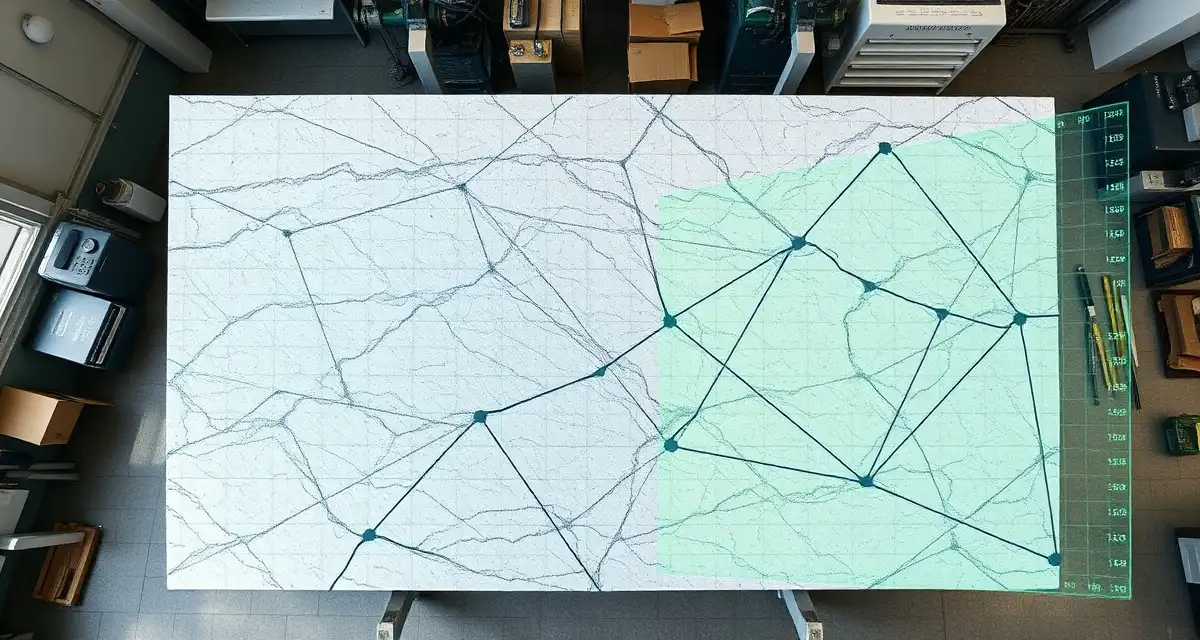
Optimize Slab Yield
Quick Definition
Slab yield is the percentage of a raw stone slab that ends up as finished countertop pieces in a customer's home. The industry average sits at 60-70%, meaning 30-40% of every slab ends up as waste or remnants. SlabWise's AI-powered Slab Nesting engine optimizes how countertop pieces are arranged on each slab, improving yield by 10-15% over manual layout methods and saving fabrication shops thousands of dollars per month in material costs.
TL;DR
- The average fabrication shop wastes 30-40% of every slab through suboptimal layout and cutting
- A 10% yield improvement on a shop processing 40 slabs/month at $1,500 average cost saves $6,000/month
- SlabWise's AI Slab Nesting calculates the best arrangement of pieces on each slab in seconds
- The system accounts for grain direction, vein matching, edge clearances, and seam locations
- Better nesting also produces more usable remnants instead of scrap
- Manual nesting relies on the experience of one or two employees - AI nesting is consistent and scalable
- Slab Nesting is included in both Standard ($199/mo) and Enterprise ($349/mo) plans
Why Slab Yield Matters More Than Most Shops Realize
Stone slabs are expensive. A standard granite slab runs $800-$2,000. Quartz is $1,000-$3,000. Quartzite and marble can hit $3,000-$8,000 for premium varieties. When 35% of that material ends up in the dumpster, the financial impact is significant.
Calculate your material waste savings
See exactly how much slab material and money you could save with optimized cutting layouts.
Try the free Waste CalculatorHere is what the math looks like for a typical mid-size shop:
| Monthly Volume | Avg Slab Cost | Current Yield (65%) | Waste Value | 10% Yield Improvement | Monthly Savings |
|---|---|---|---|---|---|
| 20 slabs | $1,200 | $8,400 waste | 35% wasted | Yield to 75% | $2,400 |
| 40 slabs | $1,500 | $21,000 waste | 35% wasted | Yield to 75% | $6,000 |
| 60 slabs | $1,800 | $37,800 waste | 35% wasted | Yield to 75% | $10,800 |
That is real money. A shop processing 40 slabs a month that improves yield by 10 percentage points saves $72,000 per year. Even a 5% improvement returns $36,000 annually.
And these numbers do not count the secondary benefit: better nesting produces larger, more sellable remnants instead of odd-shaped scraps that go to the dump.
How Shops Currently Lay Out Slabs
In most fabrication shops, slab layout happens one of three ways:
The Experienced Eye
A senior fabricator - usually the shop owner or foreman - walks over to the slab, looks at the template pieces, and figures out the best arrangement in their head. They mark the slab with a wax pencil or tape and send it to the bridge saw.
This method works when:
- The person doing it has 10+ years of experience
- The job is simple (one or two pieces)
- They are not rushed
It fails when:
- The experienced person is out sick, on vacation, or leaves the company
- Multiple jobs need to share a slab
- The layout involves complex shapes (L-counters, waterfall edges, irregular footprints)
- The fabricator is under pressure to get pieces to the saw quickly
CAD Software Layout
Some shops use general-purpose CAD programs or the layout tools built into their CNC software. The operator manually arranges pieces on a digital representation of the slab, dragging and rotating until the arrangement looks good.
This is better than eyeballing, but it is still manual. The operator has to try multiple arrangements to find the best one, and "best" is subjective. Studies of manual CAD layouts show that operators typically stop after finding an arrangement that works, not the optimal one. The difference between "works" and "optimal" is often 5-10% of the slab area.
No Layout at All
Some shops - particularly smaller ones - just start cutting from one end of the slab and work their way across. Whatever is left over becomes a remnant or gets scrapped. This is the least efficient method and can result in yield as low as 55-60%.
How AI Slab Nesting Works
SlabWise's Slab Nesting engine takes a fundamentally different approach. Instead of relying on human intuition or manual trial-and-error, it uses optimization algorithms to evaluate thousands of possible arrangements and select the one that maximizes yield.
The Process
-
Input the pieces: When a job's template is uploaded to SlabWise, the system knows the exact shape and dimensions of every piece needed.
-
Select the slab: Choose the slab from your inventory. SlabWise knows the slab dimensions, and you can mark any areas to avoid (fissures, pits, color inconsistencies).
-
Set constraints: Tell the system about grain direction requirements, minimum edge clearances, and whether vein matching matters for this job.
-
Run the nesting algorithm: The AI evaluates thousands of arrangements in seconds, considering:
- Piece dimensions and shapes (including irregular outlines)
- Required grain orientation
- Minimum distance from slab edges (typically 1-2 inches)
- Kerf width (blade thickness, usually 1/8 inch)
- Areas to avoid on the slab
- Vein continuity for jobs where pattern matching matters
-
Review the result: The system presents the optimal layout with yield percentage, remnant sizes, and a cut sequence suggestion.
-
Approve or adjust: Accept the layout or manually adjust if you want to override any placement. The system recalculates yield in real time as you make changes.
What Makes AI Better Than Manual Layout
The mathematical advantage is simple: humans cannot efficiently evaluate thousands of arrangements. A skilled fabricator might mentally try 5-10 configurations and pick the best one. The AI tries thousands in the time it takes the fabricator to look at the slab.
| Factor | Manual Layout | AI Nesting |
|---|---|---|
| Arrangements evaluated | 5-10 | 5,000-50,000+ |
| Time to layout | 10-30 minutes | Under 60 seconds |
| Consistency | Varies by person and day | Same algorithm every time |
| Complex shapes | Difficult to optimize | Handles any geometry |
| Multi-job nesting | Rarely attempted | Standard capability |
| Grain direction | Experienced eye only | Algorithmic enforcement |
Multi-Job Nesting: The Biggest Win
This is where AI nesting produces the largest yield gains. In manual layout, each job typically gets its own slab (or slabs). If Job A needs 70% of a slab, the remaining 30% becomes a remnant.
With AI nesting, the system can combine pieces from multiple jobs onto the same slab - as long as they use the same material. Job A's three countertop pieces and Job B's bathroom vanity top might fit on a single slab that would otherwise require two.
Multi-job nesting is nearly impossible to do well manually because it requires tracking all pending jobs, their material requirements, and finding complementary piece combinations. The AI handles this automatically.
Grain Direction and Vein Matching
One of the most common objections to automated nesting is: "The computer does not understand how grain should flow." This was true of earlier nesting tools, but SlabWise's system accounts for it.
How It Works
When you photograph or scan a slab and upload it to SlabWise, you can mark the primary grain/vein direction. For each countertop piece, you specify whether:
- Grain direction matters: The piece must be oriented with grain running in a specific direction (e.g., parallel to the longest edge)
- Vein matching required: Adjacent pieces (like two sections of an L-shaped counter) need their veins to align at the seam
- No preference: The piece can be rotated freely for maximum yield
The nesting algorithm respects these constraints. When vein matching is required, it positions the matching pieces adjacent to each other on the slab so the pattern flows naturally across the seam.
This is particularly valuable for materials like marble and quartzite where vein continuity is a selling point. Getting it right adds value to the finished installation. Getting it wrong means an obvious pattern mismatch that the homeowner will notice every day.
Remnant Management: Turning Waste Into Revenue
Better nesting does not just reduce waste - it improves the quality of waste. Instead of irregular scraps that are too small or oddly shaped to use, optimized nesting tends to produce larger, more regularly shaped remnants.
These remnants have value:
- Bathroom vanity tops: A 24" x 36" remnant can be a bathroom vanity
- Bar tops: Narrow remnants work for small bar areas
- Side tables and shelves: Smaller pieces sell to homeowners and contractors for small projects
- Samples: Cut remnants into sample pieces for your showroom
Some shops generate $500-$2,000/month in remnant sales. SlabWise tracks remnant inventory alongside full slabs, so your sales team knows what is available and can offer remnant-priced options to budget-conscious customers.
Real Numbers from Real Shops
Case: 25-Job-Per-Month Granite Shop
- Before SlabWise: Average yield of 63%. Processing 35 slabs/month at $1,400 average cost. Monthly waste: $18,130.
- After SlabWise: Average yield of 74%. Processing 30 slabs/month (fewer needed for same output). Monthly waste: $10,920.
- Savings: $7,210/month from better yield + $7,000/month from fewer slabs purchased = roughly $4,000-$5,000 net savings after accounting for the same production output.
Case: Multi-Material Shop (Quartz + Granite + Marble)
- Before SlabWise: Yield varied wildly - 72% on quartz (uniform slabs), 58% on marble (vein matching constraints), 65% on granite.
- After SlabWise: Quartz yield to 82%, marble to 69% (vein constraints limit gains but still improved), granite to 76%.
- Most impactful change: Multi-job nesting on quartz. Uniform coloring meant the AI could combine pieces from 3-4 different jobs onto single slabs.
Implementation: What to Expect
Week 1: Slab Inventory Setup
Enter your current slab inventory into SlabWise. Each slab gets a record with dimensions, material type, color/pattern name, and optionally a photo showing the grain pattern.
Week 2: First Nesting Runs
Run the AI nesting on your next batch of jobs. Compare the AI layout to what your team would have done manually. Most shops see a measurable improvement on the first attempt.
Week 3-4: Workflow Integration
Make AI nesting the standard first step before cutting. Your fabricator reviews the suggested layout, makes any adjustments, and approves it. Over time, fewer adjustments are needed as the team learns to trust the output.
Ongoing
Track yield metrics in SlabWise's reporting dashboard. Month-over-month yield improvements are visible, and you can identify which materials or job types benefit most from nesting optimization.
Does Slab Nesting work with irregularly shaped slabs?
Yes. You input the actual slab dimensions, including irregular edges. The algorithm accounts for the true usable area, not just a rectangle.
Can I override the AI layout?
Absolutely. The AI provides a recommended layout, but you can drag and rotate pieces manually. The system recalculates yield in real time as you make changes.
Does it account for saw blade kerf?
Yes. You set your blade kerf width (typically 1/8 inch for bridge saws) and the nesting algorithm adds that spacing between pieces automatically.
How does multi-job nesting work in practice?
When you have multiple jobs using the same material, SlabWise can combine pieces from all of them into a shared nesting pool. The system finds the best arrangement across all pieces, potentially reducing the number of slabs needed.
What file formats does it accept for templates?
DXF, SVG, and native files from major digital templating systems (LT-2D3D, Proliner, Prodim). You can also enter dimensions manually for simple rectangular pieces.
Does it work for 2cm and 3cm slabs?
Yes. Slab thickness does not affect the 2D nesting calculation, though you can filter your inventory by thickness when selecting slabs.
How accurate is the yield improvement claim?
The 10-15% improvement is based on comparing AI-nested layouts to the same shops' previous manual layouts over a 6-month period. Results vary by material type, job complexity, and how the shop was laying out slabs before.
Can I nest pieces from different edge profiles on the same slab?
Yes. Edge profiles are applied after cutting, so pieces with different edge requirements can share a slab without issue.
Does the algorithm consider structural grain in natural stone?
For materials where grain direction affects structural integrity (e.g., certain marbles and quartzites), you can set mandatory grain orientation constraints that the nesting algorithm will respect.
Is there a limit to how many pieces can be nested at once?
No practical limit. The algorithm handles single-piece layouts and 50-piece multi-job nesting pools with equal effectiveness.
How does this compare to nesting in Moraware?
Moraware does not offer AI-powered slab nesting. Their system focuses on scheduling and job management. SlabWise's nesting is a distinct capability that addresses a gap in most fabrication software.
Start Saving Material This Month
Every slab you cut without optimized nesting wastes material and money. SlabWise's AI Slab Nesting finds the best layout in seconds, improving your yield by 10-15% and paying for itself within the first week. Start your 14-day free trial - no credit card required.
Try These Free Tools
- Nesting Optimizer -- AI-powered slab layout that maximizes yield considering vein direction and defects.
- Defect Mapping -- Upload a slab photo and AI maps every fissure, pit, and color issue.
- Value Engineering -- Find dollar-quantified suggestions to save material without cutting margin.
Sources & Further Reading
-
Natural Stone Institute - Stone Selection Guidelines for Residential Applications
-
National Kitchen & Bath Association - Countertop Material Standards and Best Practices
-
International Surface Fabricators Association - Digital Templating and Fabrication Guidelines
-
Remodeling Magazine - Kitchen Countertop Trends and Installation Best Practices