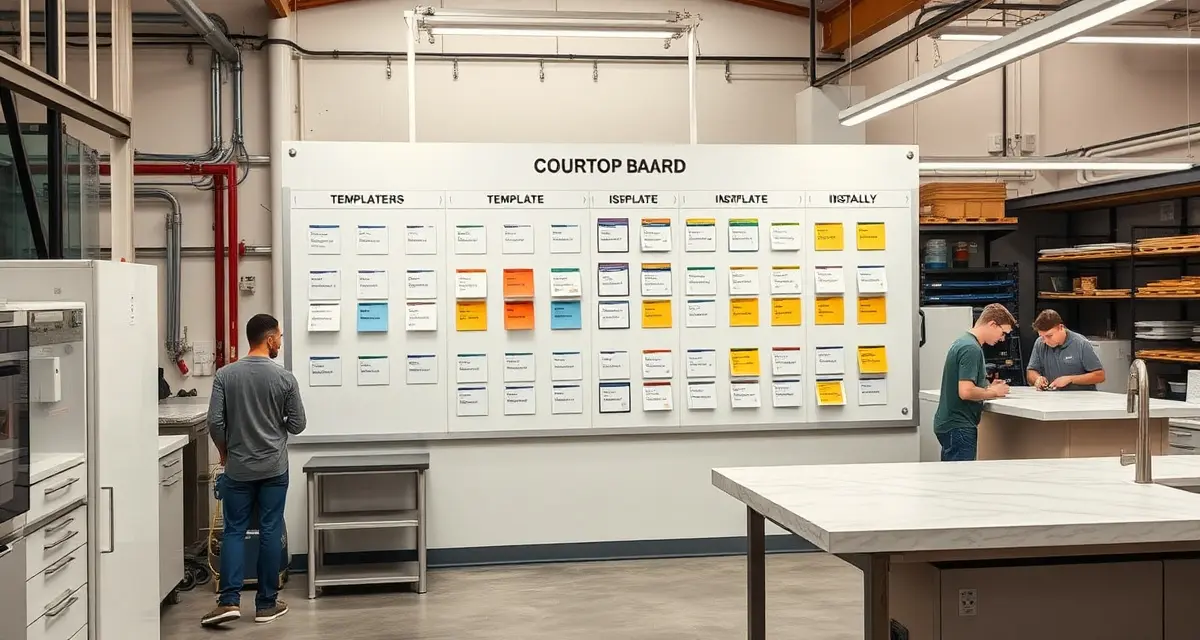
Build a Production Board
A production board is a visual tracking system that shows every active job in your countertop fabrication shop, organized by production stage -- from template through installation. Shops using structured production boards reduce missed handoffs by 80% and improve on-time completion rates to 93-97%, compared to 72-78% for shops tracking jobs informally.
TL;DR
- A production board gives every team member instant visibility into every active job's status
- Shops tracking 30-80 active jobs simultaneously need a system more reliable than memory and sticky notes
- Digital boards outperform physical whiteboards in 7 of 8 critical categories
- The ideal board has 6-8 columns matching your actual production stages
- Color coding by urgency (green/yellow/red) catches problems before they become crises
- Setup takes 2-4 hours; the discipline to maintain it takes 2-3 weeks to build
- SlabWise's real-time dashboard functions as a production board with automatic stage updates
Why You Need a Production Board
Imagine walking into your shop on Monday morning and knowing, in under 30 seconds, the status of every single active job. Which ones are on schedule. Which ones are behind. Which ones need material pulled. Which installs are going out this week.
Calculate your material waste savings
See exactly how much slab material and money you could save with optimized cutting layouts.
Try the free Waste CalculatorThat's what a production board gives you.
Without one, you're relying on tribal knowledge -- Mike knows which jobs are on the CNC, Sarah remembers which templates went out Friday, and nobody's sure if the Henderson quartz arrived yet. That works when you're running 10 jobs a month. At 30-50+ jobs, it falls apart.
The Cost of Missed Handoffs
A "handoff" is when a job moves from one stage to the next: template to programming, programming to cutting, cutting to polishing, polishing to QC, QC to install.
Every missed handoff -- a job sitting in one stage when it should have moved to the next -- costs you:
| Impact | Cost per Incident |
|---|---|
| 1-day production delay | $150-$300 (labor + overhead) |
| Rescheduled installation | $200-$500 (crew time, truck, customer frustration) |
| Customer complaint call | $50-$100 (staff time + goodwill damage) |
| Lost future referral | $500-$2,000 (estimated lifetime value) |
If you miss 5 handoffs per week -- which is common in shops without a production board -- you're looking at $2,000-$6,000 per month in hidden costs. More than enough to justify a proper tracking system.
What Your Production Board Should Look Like
The Column Structure
Your board should mirror your actual production workflow. For most countertop shops, that's 6-8 columns:
| Column | Description | Typical Job Duration |
|---|---|---|
| Scheduled | Template date confirmed | 1-7 days |
| Templated | Template complete, awaiting programming | 1-2 days |
| Programmed | CNC file ready, material pulled | 0.5-1 day |
| Cutting | On the CNC/bridge saw | 1-4 hours |
| Polishing/Finishing | Edge work, polishing, cutout finishing | 2-6 hours |
| QC/Ready | Quality checked, cleared for install | 0.5-2 days |
| Install Scheduled | On the install calendar | 1-3 days |
| Complete | Installed and signed off | Archive after 7 days |
Each job appears as a card (physical or digital) that moves left to right across the board as it progresses.
What Goes on Each Job Card
Every card needs enough information for any team member to pick it up and know what's happening:
- Customer name (or job number)
- Material type and color (e.g., "Cambria Brittanicca, 3cm")
- Edge profile (e.g., "Eased edge, mitered waterfall on island")
- Square footage (e.g., "62 sq ft")
- Special notes (e.g., "Undermount sink, 45-degree seam on L-shape")
- Due date (installation date)
- Priority flag (green = on track, yellow = needs attention, red = behind)
Color Coding That Works
Don't overthink color coding. Three colors are enough:
- Green: On schedule, no issues
- Yellow: Within 1 day of falling behind, or has a minor issue (material backordered, customer hasn't confirmed template time)
- Red: Behind schedule, requires immediate attention (missed CNC slot, material defect, customer complaint)
Some shops add a fourth color -- blue for rush jobs -- which helps CNC operators and polishers prioritize their queue.
Physical Board vs. Digital Board
Physical Whiteboard
Pros:
- Zero learning curve
- Always visible on the shop floor
- Satisfying to physically move cards
- No software subscription
Cons:
- Only visible to people in the shop
- Accidentally erasable
- No notifications or alerts
- No historical data
- Can't be accessed by field crews
- Gets messy with 30+ active jobs
- No integration with other systems
Digital Production Board
Pros:
- Visible from anywhere (shop, field, home, phone)
- Automatic alerts when jobs are overdue
- Historical data for performance analysis
- Integrates with customer portal (auto-updates)
- Handles 50+ active jobs without clutter
- Searchable by customer, material, date
- Can't be accidentally erased
Cons:
- Requires devices (tablets, computers)
- 1-2 week learning curve
- Monthly software cost ($199-$349/mo with SlabWise)
The verdict: If you run fewer than 15 jobs per month and everyone works in the shop, a whiteboard might be fine. At 15+ jobs, go digital. The visibility, alerts, and historical data are worth the investment many times over.
Building Your Production Board: Step by Step
Step 1: Map Your Actual Workflow (1 hour)
Walk through your shop and document every stage a job passes through. Don't create an idealized workflow -- document what actually happens. Talk to your CNC operator, your polishers, your install crews. You'll likely discover stages you didn't know existed (like "waiting for backsplash measurements" or "on hold for sink delivery").
Step 2: Simplify to 6-8 Stages (30 minutes)
Take your detailed workflow and consolidate it into 6-8 stages that represent meaningful production milestones. Combine stages that happen in the same time block or by the same person. For example, "cut on CNC" and "edge profiling on CNC" can be one stage called "CNC."
Step 3: Define Entry and Exit Criteria (1 hour)
For each stage, write down:
- What must be true for a job to enter this stage (entry criteria)
- What must be complete for a job to leave this stage (exit criteria)
Example for the "Programmed" stage:
- Entry: Template file received, CAD drawing completed, CNC program created, material confirmed in inventory
- Exit: CNC program verified, slab pulled and staged at machine
These criteria prevent jobs from moving forward when they're not ready, which is the #1 cause of production errors.
Step 4: Set Up the Board (1-2 hours)
For a physical board:
- Get a large whiteboard (4' x 8' minimum for 30+ jobs)
- Create columns with tape or dry-erase markers
- Buy colored index cards or magnets for job cards
- Mount it where the shop floor and office can both see it
For a digital board:
- Configure your software columns to match your stages
- Create job card templates with required fields
- Set up automatic notifications for jobs that exceed stage duration limits
- Grant access to all team members (shop floor, office, field)
Step 5: Populate and Launch (1 hour)
Enter all current active jobs onto the board. Have a team meeting (15 minutes) to explain:
- What the board shows
- How jobs move across it
- Who is responsible for updating each stage
- What the color flags mean
Step 6: Run Daily Standups (Ongoing)
Every morning, spend 5-10 minutes at the board with your key team members:
- Review red and yellow flags
- Identify today's priorities
- Flag any resource conflicts (two big jobs need the CNC at the same time)
- Confirm today's templates and installations
This standup is the single most effective habit you can build. It catches problems 24-48 hours before they become crises.
Common Production Board Mistakes
Mistake #1: Too many columns. If you have 12+ stages, your board becomes cluttered and confusing. Consolidate related stages. Nobody needs a separate column for "waiting for CNC program review" -- that's part of the "Programmed" stage.
Mistake #2: Not updating in real time. A board that shows yesterday's status is worse than no board. Assign clear ownership: the person who completes a stage is responsible for moving the card. In digital systems, this can be automated.
Mistake #3: No daily review. A beautiful production board that nobody looks at is just wall art. The daily standup is what makes the board valuable.
Mistake #4: Ignoring the data. Over time, your board generates patterns. If jobs consistently bottleneck at the polishing stage, you need more polishing capacity. If templates keep sitting in "Programmed" for 3 days instead of 1, your CAD team is overloaded. Use the data.
Mistake #5: Making it too complicated. The board should take 10 seconds to scan and understand. If it requires a manual to interpret, simplify it.
Advanced Production Board Strategies
Capacity Planning View
Add a row at the top of your board showing available capacity per stage for the next 2 weeks. For example:
- CNC: 3 slots available next week, 1 slot available the following week
- Install: 4 slots next week, 6 slots the following week
This gives your sales team real-time data on what they can promise new customers.
Rework Tracking
Add a column or flag for rework jobs -- pieces that failed QC and need re-fabrication. Track these separately so you can measure your first-pass quality rate. Industry benchmark is 95%+ first-pass quality; below 90% signals a training or process issue.
Material Staging Integration
Link your production board to your slab inventory. When a job enters the "Programmed" stage, the system checks that the assigned slab is in inventory and not reserved for another job. This prevents the painful situation of programming a CNC file only to discover the slab was already cut for another project.
How SlabWise Functions as Your Production Board
SlabWise's real-time shop dashboard is purpose-built as a fabrication production board:
- Kanban-style columns that match your production stages
- Auto-updating job cards that move when shop floor actions are recorded
- Color-coded priority flags with automatic escalation for overdue jobs
- Mobile access so install and template crews see the same board as the shop
- Capacity indicators showing available slots per stage
- One-click drill-down to see full job details, documents, and communication history
Since it's part of the broader SlabWise platform, your production board is connected to quoting, inventory, the customer portal, and scheduling -- no manual data entry between systems.
How many active jobs should a production board display?
Show all active jobs -- typically 30-80 for a mid-size shop. Digital boards handle this volume easily. Physical boards get crowded above 40 jobs, so use smaller cards or a larger board. Archive completed jobs weekly.
Who should update the production board?
The person who completes a stage. When the CNC operator finishes cutting, they move the card to "Polishing." When the polisher finishes, they move it to "QC." Ownership at each stage creates accountability.
How often should we review the board as a team?
Daily. A 5-10 minute standup each morning is the minimum. Some shops add a mid-day check for the production manager to review afternoon priorities. Weekly reviews of bottleneck data and cycle times round out the rhythm.
Can a production board help with job costing?
Indirectly, yes. By tracking how long jobs spend at each stage, you accumulate data on actual production time vs. estimated. Over 50-100 jobs, patterns emerge that improve your cost estimates. Digital boards make this analysis much easier.
What's the best tablet or screen for a shop-floor production board?
A wall-mounted 42-55 inch TV or monitor connected to a mini-PC running your dashboard in a browser works well. For individual updates, $200-$400 Android tablets at each workstation are cost-effective. Protect screens with splash guards in wet areas.
How do I handle jobs that are on hold (waiting for material, customer decision, etc.)?
Create a "Hold" column or flag. Jobs in hold don't count toward your active production capacity. Review held jobs daily -- if a job sits on hold for more than 5 business days, escalate to the salesperson or office manager.
Should my production board include commercial and residential jobs together?
Yes, on the same board. Use a visual indicator (different card color or icon) to distinguish commercial from residential, since commercial jobs often have different timelines and specifications. One unified board prevents resource conflicts.
How long does it take for a team to fully adopt a production board?
Expect 2-3 weeks. The first week involves learning the system and building the habit. The second week, the team starts seeing the benefits (fewer surprises, better communication). By week three, they won't imagine working without it.
Put Every Job on the Board
Whether you start with a whiteboard and sticky notes or go straight to SlabWise's digital dashboard, the important thing is to start. Every day without a production board is a day of missed handoffs and invisible bottlenecks. SlabWise includes a real-time shop dashboard in every plan. Try it free for 14 days -- no credit card required.
Try These Free Tools
- Photo to Template -- Snap a photo of an existing countertop and get an AI-generated DXF template.
- Template Compare -- Upload two templates and see every dimension change highlighted instantly.
- AI Template Verification -- Cross-check your template against manufacturer specs before cutting.