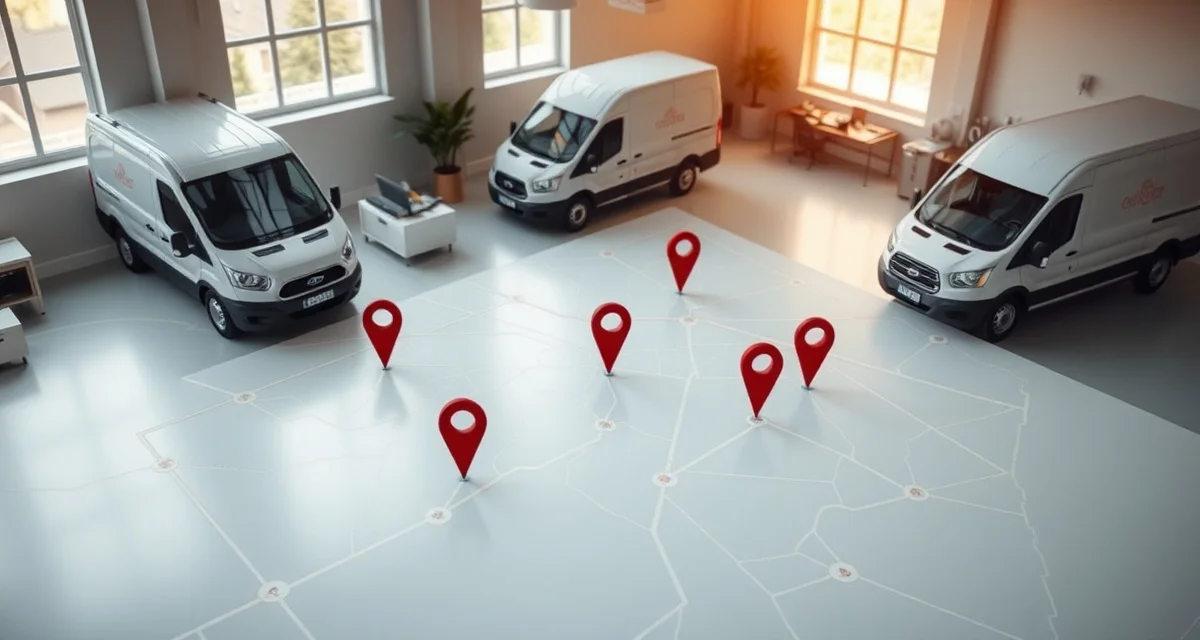
Can't Track Your Installation Crews? How to Know Where Every Team Is in Real Time
Tracking installation crews in real time eliminates scheduling blind spots and missed appointments.
Most countertop fabrication shops have zero real-time visibility into where their installation crews are at any given moment - relying instead on phone calls, text messages, and educated guesses to figure out if Crew A finished the morning job on time, if Crew B is stuck in traffic, or if anyone is available for an emergency callback, and this lack of visibility costs shops 15-25% of their potential daily installation output. When a customer calls asking "what time will the installers be here?" and your honest answer is "I'm not sure, let me call them," you've already lost points in the customer experience.
TL;DR
- Most shops can't locate their install crews in real time, relying on phone calls and texts
- Lack of crew visibility wastes 15-25% of daily installation capacity
- The office makes 8-12 daily phone calls just to check crew status and locations
- Real-time crew tracking reduces missed time windows by 40% and increases daily job completion by 20%
- GPS-based check-in/check-out creates automatic time records for job costing
- Customers can receive automated "crew is on the way" notifications, reducing inbound calls
- Implementation takes 1-2 days with mobile apps - no hardware installation needed
The Visibility Problem
Countertop installation is a field operation. Your crews leave the shop in the morning, drive to multiple jobsites, and return in the afternoon. Between departure and return, the office has limited information about what's happening.
Calculate your material waste savings
See exactly how much slab material and money you could save with optimized cutting layouts.
Try the free Waste CalculatorThe Daily Information Gaps
| Time | What the Office Needs to Know | How They Find Out |
|---|---|---|
| 8:30am | Did Crew A arrive at the first job? | Call or text the crew lead |
| 10:00am | Is Job 1 on schedule? Will they make Job 2? | Call and hope they pick up |
| 11:30am | Customer calls: "Where are the installers?" | Call the crew, call back the customer |
| 12:15pm | Crew B reports a problem - needs extra material | Crew calls in, someone finds the material, arranges delivery |
| 2:00pm | Can either crew take an emergency callback? | Call both crews to check their location and remaining work |
| 3:30pm | Are all crews going to finish today's jobs? | Call each crew for status update |
That's 8-12 phone calls per day just to maintain basic awareness of crew activity. Each call takes 2-5 minutes including coordination. Total daily overhead: 25-60 minutes of office staff time, plus the interruption to the crew's work.
What Invisible Crews Cost You
Missed time windows: When you can't see that a crew is running 45 minutes behind, you can't warn the next customer. They wait, get frustrated, and sometimes leave - requiring a full reschedule.
Underutilized capacity: A crew that finishes early sits idle because the office doesn't know they're available. A callback opportunity goes to tomorrow's schedule instead of being handled today.
Inaccurate job costing: Without precise arrival and departure times, your job costing data is estimated rather than actual. You might think installations take 3 hours on average when they actually take 3.5 hours - a difference that compounds across hundreds of jobs.
Customer experience gaps: "Your installers will be there between 8 and 12" is the best you can offer when you can't track crews. Customers expect better. A 4-hour window feels like a utility company appointment from 2005.
The Revenue Impact
A two-crew shop that completes an average of 3.5 installations per day (across both crews) at 85% efficiency could complete 4.2 installations per day at 100% efficiency. That's 0.7 additional installations per day, or about 15 per month.
At $1,200 average installation revenue per job, those 15 additional monthly installs represent $18,000/month - $216,000/year - in capacity that's being wasted because of poor coordination and visibility.
What Real-Time Crew Tracking Provides
Modern crew tracking uses mobile apps on crew members' phones - no expensive GPS hardware or vehicle installations needed.
Core Tracking Features
Live Location Map: See all crews on a map in real time. The office manager opens the tracking dashboard and immediately sees that Crew A is at 123 Oak Street and Crew B is 10 minutes from their next job.
Automatic Check-In/Check-Out: When a crew arrives at a jobsite, the app detects their location (via GPS geofencing) and records the arrival time. When they leave, the departure is logged. No manual timekeeping required.
Job Status Updates: Crew leads can update job status with one tap: "Arrived," "In Progress," "Issue Encountered," "Complete." The office sees these updates instantly without making a phone call.
ETA Sharing: Based on the crew's current location and next job address, the system calculates and shares an estimated arrival time. This ETA can be automatically sent to the waiting customer: "Your installation crew is 23 minutes away."
Time-on-Site Tracking: Precise records of how long each installation takes, broken down by job type, crew, and complexity. This data feeds accurate job costing and helps with future scheduling estimates.
Route Optimization: The system suggests the most efficient driving route between jobs, reducing travel time by 10-20% on multi-stop days.
What Customers See
With crew tracking enabled, customer-facing notifications transform the installation experience:
- Morning of install: "Your countertop installation is confirmed for today. We'll send you a notification when your crew is on the way."
- Crew departing previous job: "Your installation crew has completed their previous appointment and is headed your way. Estimated arrival: 11:45am."
- Crew arriving: "Your installation crew has arrived at your address."
- Installation complete: "Your countertop installation is complete! Please review and sign off in your customer portal."
These automated notifications eliminate 50-70% of inbound "where are the installers?" calls.
Implementation Guide
Day 1: App Setup
- Install the crew tracking app on each crew lead's phone (iOS and Android)
- Create crew profiles with team member names and vehicle assignments
- Link the tracking system to your job schedule so crews see their daily assignments in the app
- Configure geofence boundaries for your shop (home base) and test arrival/departure detection
Day 2: Field Testing
- Run a normal day of installations with tracking active
- Verify that check-in/check-out times are accurate
- Test customer notification messages on 2-3 willing customers
- Collect crew feedback on app usability
Week 1: Adjustment
- Fine-tune geofence radii if check-in triggers too early or too late
- Adjust notification timing and messaging based on customer feedback
- Train office staff to use the tracking dashboard for real-time dispatch decisions
- Enable route optimization for multi-job days
Week 2+: Full Operation
- All crews tracked daily
- Customer notifications active for all installations
- Time-on-site data feeding job costing reports
- Weekly review of crew efficiency metrics
Privacy Considerations
Crew tracking raises legitimate privacy questions. Handle them proactively:
- Track during work hours only. Disable tracking outside of work schedules and on days off.
- Be transparent. Explain to crews why tracking is being implemented (better scheduling, fewer phone interruptions, accurate job costing) and how the data will be used.
- Use it for coordination, not surveillance. Tracking should make crews' days run smoother, not create a "Big Brother" atmosphere. Focus on the dispatching and customer communication benefits.
Measuring Results
Key Performance Metrics
| Metric | Before Tracking | After Tracking |
|---|---|---|
| Daily status calls to crews | 8-12 | 1-3 |
| Customer "where are you?" calls | 4-6 per day | 1-2 per day |
| On-time arrival rate (within 30 min of estimate) | 65-75% | 88-95% |
| Daily installations completed per crew | 1.5-2.0 | 1.8-2.3 |
| Average travel time between jobs | 35-45 min | 25-35 min |
| Job cost accuracy (actual vs. estimated) | ±25% | ±8% |
Monthly Financial Impact
| Benefit | Monthly Value |
|---|---|
| Additional installations from better utilization | $6,000-$18,000 |
| Reduced fuel costs (optimized routes) | $200-$500 |
| Office staff time recovered (fewer calls) | $400-$800 |
| Fewer missed appointments (reduced reschedules) | $1,000-$3,000 |
| Total monthly benefit | $7,600-$22,300 |
Do I need to install GPS hardware in my vehicles for crew tracking?
No. Modern crew tracking apps run on standard smartphones and use the phone's built-in GPS. This is accurate to within 10-30 feet - more than sufficient for jobsite arrival detection. Vehicle-mounted GPS hardware costs $200-$400 per vehicle plus monthly subscription fees and offers no practical advantage over phone-based tracking for countertop installation.
Will my crews resist being tracked?
Some initial resistance is normal. Address it by explaining the benefits that affect them directly: fewer interrupting phone calls, better daily schedules, accurate time records for payroll, and fewer situations where they arrive at a jobsite that isn't ready. Most crews appreciate the reduced phone interruptions within the first week.
How accurate is phone-based GPS tracking?
Smartphone GPS is accurate to 10-30 feet in most conditions. This is sufficient for determining whether a crew has arrived at a jobsite. In dense urban areas or inside large buildings, accuracy may decrease slightly, but geofence boundaries can be adjusted to account for this.
Can I see how long each installation takes with crew tracking?
Yes. The check-in and check-out times provide precise installation duration data for every job. Over time, this data builds a reliable database of actual installation times by job type (standard kitchen, L-shaped kitchen, island, bathroom vanity, etc.), which improves scheduling accuracy.
Does crew tracking work in areas with poor cell coverage?
Most tracking apps cache location data locally when cell signal is weak and upload it when connectivity returns. The crew's timeline will be reconstructed accurately even if there are gaps in real-time visibility. For rural installations, this means you might not see live updates but will get complete records after the crew returns to signal coverage.
How does crew tracking help with emergency callbacks?
When a customer reports an installation issue that needs same-day attention, the office can see which crew is closest and has the most availability remaining in their schedule. Instead of calling both crews to ask their status, the dispatcher makes one informed decision and redirects the nearest available crew.
What data does crew tracking provide for job costing?
Precise time-on-site data feeds directly into job costing calculations. Combined with material costs and overhead allocation, you can see the actual profitability of each installation. This reveals which job types are most profitable, which crews are most efficient, and where scheduling estimates need adjustment.
Can customers really see where my crews are?
Customers don't see live GPS locations. They receive automated notifications at key moments: when the crew departs for their address, when the crew is a set number of minutes away, and when the crew arrives. The notification shows an estimated arrival time, not a live map pin.
How much does crew tracking software cost?
Most crew tracking apps for small teams cost $15-$40 per user per month. For a shop with 4-6 install crew members, that's $60-$240/month. Some fabrication management platforms include crew tracking as part of their broader subscription, which can be more cost-effective than a standalone tool.
Does crew tracking help with payroll accuracy?
Yes. Automatic check-in/check-out times replace manual timesheets, which are notoriously inaccurate. Crews no longer need to remember start and end times, and the office doesn't need to reconcile handwritten time cards. The time records are GPS-verified and tamper-resistant.
See How Crew Tracking Could Improve Your Operations
Use our free Crew Efficiency Calculator to estimate the impact. Input your number of crews, daily jobs, and current on-time rate. You'll see the potential revenue from better utilization and the cost savings from fewer status calls.
[Try the Crew Efficiency Calculator →]
SlabWise includes crew tracking with automatic check-in/check-out, customer arrival notifications, and time-on-site reporting - all connected to your production schedule and customer portal. Start your 14-day free trial today.
Try These Free Tools
- Cost Calculator -- Get instant countertop cost estimates by material and square footage.
- Kitchen Visualizer -- Upload a kitchen photo and preview different materials in place.
- Template Compare -- Upload two templates and see every dimension change highlighted.
Sources & Further Reading
-
Natural Stone Institute - Installation Best Practices and Project Management
-
International Surface Fabricators Association - Crew Management and Workflow Optimization
-
National Kitchen & Bath Association - Project Coordination Guidelines for Installation Teams
-
OSHA - Construction Site Safety and Worker Location Requirements