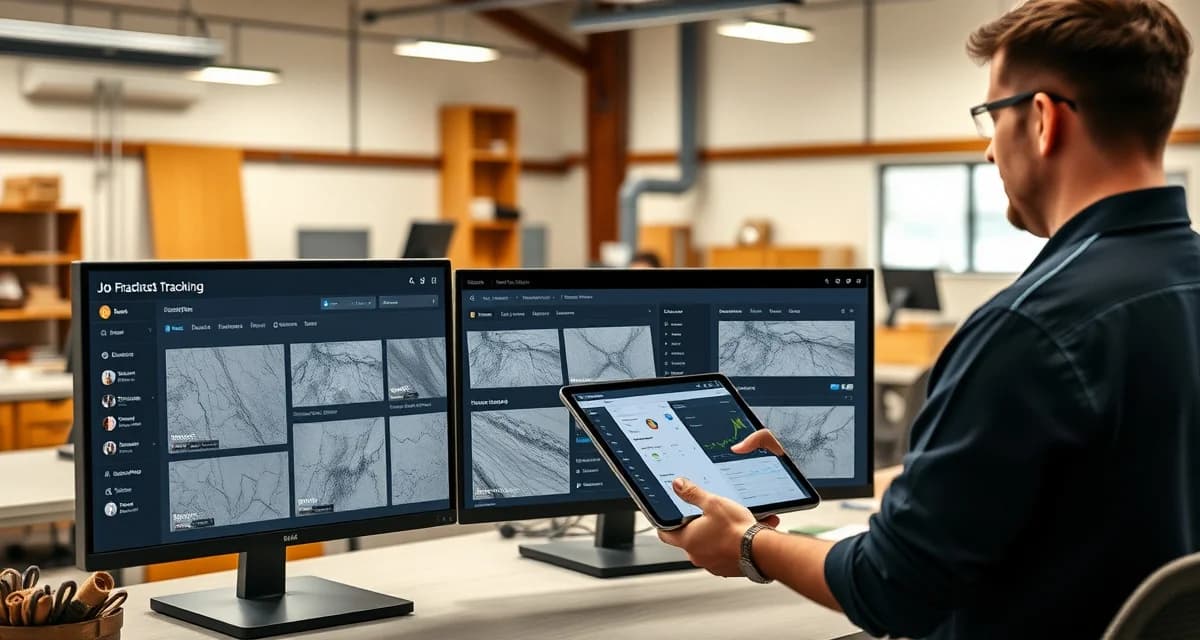
Best Job Tracking Software in 2026
Job tracking software helps fabrication shops monitor every project from template to installation, replacing whiteboards and spreadsheets with real-time dashboards that show exactly where each job stands. Most shops running 15+ jobs per week lose 3-5 hours daily to status checks and phone tag. The right tracking tool cuts that wasted time by 60-70%.
TL;DR
- SlabWise offers AI-powered job tracking with a customer portal that reduces status calls by 70%
- Moraware remains the industry veteran with 2,600+ fabrication users and deep scheduling tools
- ActionFlow targets mid-size shops with strong automation and workflow templates
- Jobber works well for general contractors but lacks stone-specific features
- Budget options start at $49/mo; fabrication-specific tools range from $150-$400/mo
- Key differentiator: Customer-facing portals now separate top-tier options from basic trackers
- ROI timeline: Most shops see positive returns within 30-60 days of implementation
How We Evaluated These Tools
We assessed each platform across six categories relevant to countertop fabrication shops:
Calculate your material waste savings
See exactly how much slab material and money you could save with optimized cutting layouts.
Try the free Waste Calculator| Criteria | Weight | What We Measured |
|---|---|---|
| Fabrication-specific features | 25% | Template tracking, slab management, CNC integration |
| Ease of use | 20% | Setup time, learning curve, mobile access |
| Customer communication | 20% | Portals, automated updates, status sharing |
| Pricing & value | 15% | Cost per user, included features, contract terms |
| Integrations | 10% | Accounting, CRM, equipment connections |
| Support & training | 10% | Onboarding, response times, documentation |
1. SlabWise - Best for AI-Powered Job Tracking
SlabWise takes a different approach to job tracking by combining AI automation with a customer-facing portal. Instead of manually updating job statuses, the system pulls data from your existing workflow - template uploads, CNC queue positions, installation schedules - and keeps everything current automatically.
Pricing: $199/mo (Standard) | $349/mo (Enterprise) Free Trial: 14 days, no credit card required
Key Features
- Customer Portal: Homeowners and contractors check their own job status online, which reduces inbound phone calls by roughly 70%. That translates to 6-10 fewer calls per day for a typical shop.
- Template Verification: A 3-layer checking system catches measurement errors before they reach the CNC, preventing remakes that cost $1,500-$4,000 each.
- Quick Quote: Generate accurate quotes in about 3 minutes versus the industry average of 20 minutes. The AI factors in material costs, edge profiles, cutout pricing, and current slab inventory.
- Slab Nesting: AI-optimized layouts deliver 10-15% better material yield compared to manual nesting.
Pros
- Purpose-built for countertop fabrication
- Customer portal dramatically cuts phone traffic
- AI catches template errors before cutting
- 14-day free trial with full feature access
Cons
- Newer platform with a smaller user base than Moraware
- No built-in accounting module (integrates with QuickBooks)
- Enterprise tier needed for multi-location shops
Best for: Shops processing 20+ jobs/week that want to reduce customer calls and template-related remakes.
2. Moraware - Best for Established Fabrication Shops
Moraware has been the default choice in countertop fabrication for over 15 years, and for good reason. With 2,600+ active fabrication users, it offers the deepest scheduling and job management features in the industry. The platform handles everything from initial customer contact through installation and follow-up.
Pricing: $200-$400/mo depending on modules Free Trial: Demo available on request
Key Features
- CounterGo: Integrated estimating tool that handles complex countertop layouts with drag-and-drop simplicity.
- SystemOne: Full job lifecycle management with scheduling, production tracking, and customer communication.
- Scheduling Board: Visual calendar showing templating, fabrication, and installation crews across multiple days.
- Slab Management: Track inventory by location, color, lot number, and availability.
Pros
- Largest user community in stone fabrication
- Proven track record with 15+ years of development
- Strong training resources and user forums
- Deep reporting and analytics
Cons
- Interface feels dated compared to newer competitors
- Pricing can escalate with add-on modules
- Mobile experience lags behind desktop version
- Setup and onboarding takes 4-8 weeks typically
Best for: Mid-to-large shops doing 30+ jobs/week that need battle-tested scheduling and broad industry adoption.
3. ActionFlow - Best for Workflow Automation
ActionFlow positions itself between basic project trackers and full ERP systems. Its strongest selling point is workflow automation: you define triggers (e.g., "template approved") and actions (e.g., "schedule fabrication, notify customer, order material"), and the system handles the rest.
Pricing: $200-$350/mo Free Trial: 14-day trial available
Key Features
- Workflow Builder: Create custom automation rules without coding. Common triggers include status changes, date thresholds, and approval events.
- Digital Job Boards: Kanban-style boards for each department (sales, templating, fabrication, installation).
- Customer Notifications: Automated emails and texts when jobs move between stages.
- Document Management: Store templates, approvals, photos, and change orders attached to each job.
Pros
- Strong automation reduces manual data entry
- Clean, modern interface
- Good mobile app for field teams
- Customizable workflows match your actual process
Cons
- Less stone-specific than Moraware or SlabWise
- Automation setup requires initial time investment
- Limited slab inventory management
- Smaller user community for peer support
Best for: Shops with 2-4 departments that want to automate handoffs and reduce manual status updates.
4. EasyStoneShop - Best Budget Option for Small Shops
EasyStoneShop targets smaller fabrication businesses that need basic job tracking without enterprise-level complexity or pricing. At $150/mo, it covers the fundamentals: job status, scheduling, basic estimating, and customer records.
Pricing: Starting at $150/mo Free Trial: Free demo available
Key Features
- Simple Job Board: Track jobs through customizable stages (measured, templated, cut, polished, installed).
- Basic Estimating: Square footage calculator with material and labor cost inputs.
- Customer Database: Store contact info, job history, and notes in one place.
- Photo Attachments: Upload slab photos, template images, and installation pics per job.
Pros
- Lowest price point among fabrication-specific tools
- Straightforward setup (most shops go live in 1-2 days)
- No long-term contract required
- Good for shops transitioning from paper/whiteboard
Cons
- Limited automation capabilities
- No customer-facing portal
- Basic reporting compared to competitors
- No CNC integration
Best for: Small shops (1-5 employees) doing 5-15 jobs/week looking for their first digital tracking system.
5. Jobber - Best General-Purpose Option
Jobber wasn't built specifically for stone fabrication, but its general contractor features - scheduling, quoting, invoicing, and client communication - work reasonably well for shops that handle more than just countertops.
Pricing: $49-$249/mo (Core to Grow+ plans) Free Trial: 14 days
Key Features
- Client Hub: Customers can approve quotes, check schedules, and pay invoices online.
- Route Optimization: Helpful for shops managing multiple installation crews across a metro area.
- Invoice & Payments: Built-in invoicing with online payment processing.
- CRM: Track leads, follow-ups, and conversion rates.
Pros
- Affordable entry point at $49/mo
- Strong invoicing and payment features
- Excellent mobile app
- Large user community (200,000+ service businesses)
Cons
- No stone-specific features (slab tracking, nesting, template management)
- Quoting tool doesn't understand edge profiles or cutouts
- No CNC or equipment integration
- You'll outgrow it as fabrication volume increases
Best for: Multi-service contractors who do countertops alongside other home improvement work.
6. Buildertrend - Best for Builder/Fabricator Relationships
Buildertrend is a construction project management platform that several fabrication shops use when they work primarily with home builders. The builder-facing features make communication with GCs straightforward.
Pricing: $499-$799/mo Free Trial: Demo available
Key Features
- Builder Portal: Builders see job progress, approve selections, and manage change orders.
- Selection Sheets: Homeowners pick countertop materials through an online catalog you configure.
- Scheduling: Coordinate your installation dates with the broader construction timeline.
- Financial Tracking: Budget tracking, change orders, and payment draws.
Pros
- Excellent for shops serving production builders
- Selection management simplifies material choices
- Construction scheduling integration
- Strong document management
Cons
- Expensive for a fab shop's needs
- Overkill if you primarily serve retail customers
- No fabrication-specific production tracking
- Steep learning curve
Best for: Fabrication shops where 60%+ of revenue comes from builder/developer projects.
7. Monday.com - Best Customizable General Platform
Monday.com is a flexible project management tool that some fabrication shops customize into a job tracker. It won't understand stone-specific workflows out of the box, but its adaptability lets you build exactly what you need.
Pricing: $36-$78/mo for a team of 5 Free Trial: 14 days
Key Features
- Custom Boards: Build tracking boards for each stage of your fabrication process.
- Automations: Set up rules like "when status changes to 'ready for install,' notify the install team."
- Dashboards: Create visual summaries of job volume, revenue pipeline, and team workload.
- Integrations: Connects with 200+ apps including QuickBooks, Google Workspace, and Slack.
Pros
- Highly customizable to any workflow
- Affordable for small teams
- Modern, intuitive interface
- Huge integration library
Cons
- Requires significant setup time to fit fabrication workflows
- No industry-specific features
- No slab management or material tracking
- You're building a custom tool from scratch
Best for: Tech-savvy shop owners who want full control over their tracking system design.
8. MarketSharp - Best for Retail Countertop Sales
MarketSharp focuses on the sales and marketing side of home improvement, including countertop retailers. It excels at lead management and follow-up but is weaker on production tracking.
Pricing: $199-$399/mo Free Trial: Demo available
Key Features
- Lead Management: Track leads from first contact through closed sale with automated follow-up.
- Appointment Scheduling: Book in-home estimates and template appointments.
- Marketing Automation: Email drip campaigns for leads and past customers.
- Sales Reporting: Track close rates, revenue per salesperson, and lead sources.
Pros
- Strong lead management and sales tracking
- Good marketing automation for remodeling leads
- Appointment scheduling with reminders
- Integration with home improvement lead sources
Cons
- Weak on production and fabrication tracking
- Not designed for shop floor management
- Limited job status features beyond sales pipeline
- No material or equipment management
Best for: Countertop retailers with dedicated sales teams and large marketing budgets.
9. Fabrication Manager Pro - Best for Production Floor Tracking
Fabrication Manager Pro targets the production side of stone shops - CNC scheduling, saw time optimization, and shop floor task management. It complements sales-focused tools.
Pricing: $175-$300/mo Free Trial: 30-day trial
Key Features
- CNC Queue Management: Schedule and prioritize jobs on your CNC machines.
- Production Boards: Track slabs from raw inventory through cutting, edging, polishing, and QC.
- Time Tracking: Monitor actual vs. estimated production time per job.
- Equipment Dashboards: See machine utilization rates and maintenance schedules.
Pros
- Deep production floor features
- CNC integration with major machine brands
- Time tracking helps improve estimating accuracy
- Equipment maintenance scheduling
Cons
- Limited front-office features (quoting, CRM)
- Interface is functional but not modern
- Smaller support team
- Limited customer communication tools
Best for: Shops with multiple CNC machines that need tighter production floor control.
Comparison Table
| Software | Starting Price | Stone-Specific | Customer Portal | Free Trial | Best For |
|---|---|---|---|---|---|
| SlabWise | $199/mo | Yes | Yes | 14 days | AI-powered tracking |
| Moraware | $200/mo | Yes | Limited | Demo | Established shops |
| ActionFlow | $200/mo | Partial | Yes | 14 days | Workflow automation |
| EasyStoneShop | $150/mo | Yes | No | Demo | Budget small shops |
| Jobber | $49/mo | No | Yes | 14 days | Multi-service contractors |
| Buildertrend | $499/mo | No | Yes | Demo | Builder relationships |
| Monday.com | $36/mo | No | No | 14 days | Custom workflows |
| MarketSharp | $199/mo | No | No | Demo | Retail sales teams |
| Fab Manager Pro | $175/mo | Yes | No | 30 days | Production floor |
What to Look for in Job Tracking Software
1. Stone-Specific vs. General Purpose
General tools cost less but require heavy customization. You'll spend 20-40 hours setting up a Monday.com board to match what Moraware or SlabWise provides out of the box. Factor that setup time into your cost comparison.
2. Customer Communication Features
The average fabrication shop fields 8-15 customer calls per day asking "where's my countertop?" A customer portal eliminates most of those calls. If your front office staff spends 2+ hours daily on status updates, a portal pays for itself within the first month.
3. Mobile Access
Your templaters and installers need to update job status from the field. Test the mobile experience before committing - some platforms look great on desktop but are painful on a phone.
4. Integration with Your Existing Tools
Check whether the software connects with your accounting system (QuickBooks, Xero), your CNC machines, and your templating tools. Data re-entry between disconnected systems wastes 5-10 hours per week in a typical shop.
5. Scalability
A tool that works for 10 jobs/week may break down at 40. Ask vendors about their largest customers and what volume their system handles without performance issues.
FAQ
What is job tracking software?
Job tracking software is a digital system that monitors project progress through each stage of production, from initial customer contact through final installation. It replaces whiteboards, spreadsheets, and verbal updates with a centralized dashboard.
How much does job tracking software cost for fabrication shops?
Prices range from $49/mo for general-purpose tools to $400+/mo for fully featured fabrication platforms. Most stone-specific options fall between $150-$350/mo. Factor in setup costs and training time when comparing.
Can I use general project management software for fabrication?
Yes, but expect to spend 20-40 hours customizing it. You'll lose stone-specific features like slab tracking, template management, and CNC integration. For shops doing fewer than 10 jobs/week, a general tool may suffice.
How long does implementation typically take?
Simple tools (Jobber, Monday.com) can be running in 1-3 days. Fabrication-specific platforms (Moraware, SlabWise) typically take 1-3 weeks for full setup including data migration and team training.
What's the ROI of job tracking software?
Most fabrication shops report saving $3,000-$8,000/month through reduced errors, fewer remakes, better material utilization, and less time spent on status calls. A $200/mo tool that prevents even one remake per month pays for itself 7-20x over.
Do I need job tracking if I only do 5-10 jobs per week?
At that volume, a spreadsheet or whiteboard might work. But if you're missing deadlines, fielding constant status calls, or losing track of material orders, software will help regardless of volume.
Can job tracking software reduce customer complaints?
Yes. The most common customer complaint in fabrication is lack of communication. Automated status updates and customer portals address this directly, and shops report 40-60% fewer complaints after implementation.
Should I choose cloud-based or on-premise software?
Cloud-based is the standard in 2026. It allows field access, automatic updates, and lower upfront costs. On-premise only makes sense if you have strict data security requirements and dedicated IT staff.
How do I migrate data from spreadsheets to new software?
Most vendors offer data import tools or migration assistance. Prepare your data by cleaning up customer records, standardizing job statuses, and organizing historical data. Budget 4-8 hours for data cleanup before migration.
What integrations matter most for fabrication shops?
In priority order: accounting (QuickBooks/Xero), digital templating systems, CNC machines, customer communication (email/SMS), and material supplier catalogs.
Can multiple locations use the same job tracking software?
Most platforms support multi-location setups, but pricing often increases per location. Check whether the software offers consolidated reporting across locations and whether each site can maintain its own scheduling.
What happens if the software goes down?
Cloud-based platforms typically guarantee 99.5-99.9% uptime. Ask about the vendor's disaster recovery plan and whether you can export your data. Avoid platforms that lock your data in proprietary formats.
Start Tracking Jobs More Efficiently
If your shop is still managing jobs on whiteboards or spreadsheets, you're spending 3-5 hours per day on work that software handles in minutes. SlabWise offers a 14-day free trial with full access to AI-powered job tracking, customer portals, and template verification. No credit card required.
Start Your Free SlabWise Trial →
Try These Free Tools
- Nesting Optimizer -- AI-powered slab layout that maximizes yield considering vein direction and defects.
- Defect Mapping -- Upload a slab photo and AI maps every fissure, pit, and color issue.
- Value Engineering -- Find dollar-quantified suggestions to save material without cutting margin.
Sources & Further Reading
- Natural Stone Institute - Digital Tools for Stone Fabricators
- International Surface Fabricators Association - Technology Solutions for Countertop Businesses
- National Kitchen & Bath Association - Business Management Software Guide
- Remodeling Magazine - CRM Systems for Custom Fabricators