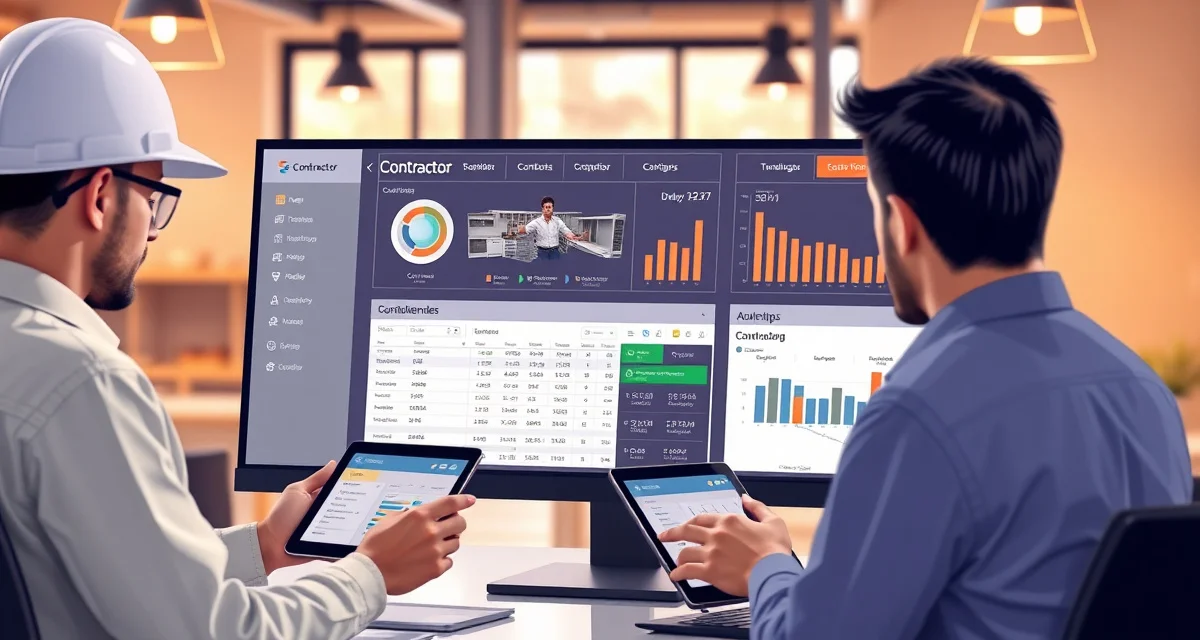
Best Contractor Portal Software in 2026
Contractor portal software gives builders, general contractors, and design firms a dedicated login to track countertop orders, approve materials, schedule installations, and manage change orders - without calling your office. Fabrication shops that serve builders handle 3-5x more communication volume per project than retail customers because every job involves multiple stakeholders.
TL;DR
- SlabWise offers builder-focused portal features integrated with fabrication workflow
- Buildertrend is the industry standard for builder-fabricator communication
- Builder clients generate 3-5x more communication than retail homeowners per project
- Selection management is the most critical portal feature for builder relationships
- Change order tracking through a portal prevents costly miscommunication
- Average builder generates 10-50+ countertop jobs per year - worth investing in a portal
- Budget $199-$799/mo depending on builder volume and feature depth
Evaluation Criteria
| Factor | Weight | What We Measured |
|---|---|---|
| Builder-specific features | 30% | Selections, change orders, multi-project management |
| Communication efficiency | 25% | Call reduction, message threading, notification quality |
| Fabrication integration | 20% | Production status, scheduling, inventory connection |
| Multi-stakeholder access | 15% | Builder, homeowner, designer, and PM access levels |
| Pricing | 10% | Value relative to builder relationship management |
1. SlabWise - Best for Fabrication-Connected Builder Portal
SlabWise extends its customer portal to serve builders and general contractors with multi-project views, selection management, and production status tracking. Builders see all their active jobs in one dashboard.
Calculate your material waste savings
See exactly how much slab material and money you could save with optimized cutting layouts.
Try the free Waste CalculatorPricing: $199/mo (Standard) | $349/mo (Enterprise) Free Trial: 14 days
Key Features
- Multi-Project Dashboard: Builders see all active countertop orders across multiple homes or lots in one view.
- Selection Tracking: Track which homeowner in which lot has approved which material, edge, and color.
- Production Status: Real-time visibility into where each countertop order stands in the fabrication pipeline.
- Automated Alerts: Builders get notified when selections are needed, production is complete, or installation is scheduled.
Pros
- Builder sees all projects in one place
- Integrated with fabrication production status
- Reduces builder-to-fabricator phone calls by 70%
- Selection tracking prevents costly errors
Cons
- Portal is part of the full SlabWise platform
- Enterprise tier for custom branding
- Smaller installed base than construction-specific tools
Best for: Fabrication shops serving 3+ builder clients that want fabrication-integrated portal access.
2. Buildertrend - Best for Production Home Builders
Buildertrend is the dominant platform for production home builders, and many fabrication shops use it because their builder clients already run projects on it. If your builders use Buildertrend, joining their platform may be simpler than building your own portal.
Pricing: $499-$799/mo Free Trial: Demo available
Key Features
- Selection Sheets: Homeowners pick countertop materials through Buildertrend's selection management system.
- Change Orders: Document, price, and approve changes with digital signatures.
- Schedule Integration: Your installation dates appear on the builder's master construction schedule.
- Warranty Management: Track post-installation warranty items through the same platform.
Pros
- Many builders already use it (reduces adoption friction)
- Strong selection and change order management
- Full construction schedule integration
- Multi-stakeholder access (builder, buyer, designer)
Cons
- Expensive for a fab shop's specific needs
- No fabrication production tracking
- You're in the builder's system, not yours
- Complex feature set beyond what fabricators need
Best for: Shops where 50%+ of revenue comes from builders already on Buildertrend.
3. CoConstruct - Best for Custom Home Builders
CoConstruct serves custom home builders with detailed specification management and client communication. For fabricators working on high-end custom homes, it handles the complexity of unique material selections and custom pricing.
Pricing: $449/mo Free Trial: Demo available
Key Features
- Specification Catalogs: Detailed material specs with photos, pricing, and lead times.
- Threaded Conversations: Discussions tied to specific selections or change orders.
- Allowance Tracking: Manage countertop allowances and track overages.
- Client Presentation: Branded portals show homeowners their selections with room-by-room detail.
Pros
- Best specification management
- Allowance tracking prevents budget surprises
- Threaded conversations keep context
- Professional client presentation
Cons
- High price point
- Custom builder focus (not for production)
- Steep learning curve
- No fabrication workflow features
Best for: Fabricators specializing in high-end custom homes with complex material selections.
4. Procore - Best for Commercial Construction
Procore is the construction industry's leading project management platform. For fabrication shops doing commercial work (hotels, office buildings, restaurants), connecting to Procore keeps you aligned with the GC's workflow.
Pricing: Custom pricing (typically $500-$2,000+/mo) Free Trial: Demo only
Key Features
- Submittals: Manage material submittals and approvals through the standard construction workflow.
- RFIs: Track Requests for Information between the GC, architect, and your shop.
- Daily Logs: Document installation progress with photos and notes.
- Drawing Management: Access current construction drawings and specifications.
Pros
- Industry standard for commercial construction
- Submittal and RFI management
- Drawing access keeps you working from current specs
- Professional documentation for large projects
Cons
- Expensive and complex for residential work
- No fabrication-specific features
- Requires GC to use Procore
- Overkill for small projects
Best for: Fabrication shops doing significant commercial countertop work ($500K+/year in commercial revenue).
5. BuilderStorm - Best for Multi-Lot Tracking
BuilderStorm is built for production builders managing multiple lots simultaneously. For fabricators serving production builders, it tracks selections and scheduling across entire communities.
Pricing: $300-$600/mo Free Trial: Demo available
Key Features
- Lot-Level Tracking: See status for every lot in a development - which selections are made, which are pending.
- Selection Automation: When a homeowner selects "Level 3 Granite," the system auto-populates your order details.
- Community Schedule: Installation scheduling aligned with the builder's construction milestones.
- Variance Tracking: Monitor where actual costs differ from budgets across all lots.
Pros
- Built for high-volume production building
- Lot-level tracking across communities
- Selection automation reduces data entry
- Budget variance monitoring
Cons
- Only useful for production builder clients
- Requires builder to adopt the platform
- No fabrication workflow features
- Mid-to-high pricing
Best for: Shops serving production builders with 20+ lots under simultaneous construction.
6. GreenSky - Best for Financing Integration
GreenSky adds a financing component to the contractor-customer relationship. While not a traditional project portal, it lets contractors offer countertop financing at the point of sale through a builder or contractor portal.
Pricing: Transaction-based (dealer fees 2-15%) Free Trial: Application required
Key Features
- Point-of-Sale Financing: Offer monthly payment plans for countertop projects.
- Contractor Dashboard: Track approved applications, funded projects, and payments.
- Customer Portal: Homeowners manage their financing account and payments.
- Marketing Support: Co-branded marketing materials for promoting financing options.
Pros
- Helps close sales by offering payment plans
- Increases average ticket (customers spend 20-30% more with financing)
- Professional customer experience
- Fast approval process
Cons
- Dealer fees reduce margin
- Not a project management portal
- Financing-focused (no production tracking)
- Credit approval can delay projects
Best for: Shops wanting to increase average order value by offering countertop financing.
7. Houzz Pro - Best for Design-Driven Projects
Houzz Pro connects fabricators with interior designers and design-focused homeowners. The portal handles mood boards, material selections, and project timelines in a design-oriented interface.
Pricing: $85-$399/mo Free Trial: 30-day trial
Key Features
- Mood Boards: Designers create visual boards with countertop samples and room inspiration.
- 3D Visualization: Render countertop selections in a 3D room model.
- Client Collaboration: Homeowners and designers discuss selections through the portal.
- Lead Generation: Get leads from homeowners browsing Houzz for countertop ideas.
Pros
- Strong design community connection
- Visual tools help customers decide
- Lead generation from Houzz platform
- Good for design-driven sales
Cons
- Design-focused, not production-focused
- Leads may be low-intent (browsing, not buying)
- No fabrication workflow integration
- Expensive for lead generation alone
Best for: Shops targeting design-conscious homeowners and working with interior designers.
8. Contractor Cloud - Best for Small GC Relationships
Contractor Cloud is a simpler, more affordable platform for managing relationships with small general contractors. It handles basic project tracking and communication without enterprise complexity.
Pricing: $79-$199/mo Free Trial: 14-day trial
Key Features
- Simple Project Tracker: Track countertop orders by project with status updates.
- Message Center: Centralized communication thread per project.
- Document Sharing: Share quotes, approvals, and schedules in one place.
- Basic Scheduling: Coordinate template and install dates with the GC.
Pros
- Affordable for small fab shops
- Simple to set up and use
- Good for managing 5-15 active GC relationships
- Clean, minimal interface
Cons
- Basic features compared to Buildertrend or Procore
- Limited to simple project tracking
- No selection management
- Small user community
Best for: Fab shops managing 5-15 contractor relationships at lower project volumes.
Comparison Table
| Portal | Price | Builder Focus | Selection Mgmt | Production Link | Change Orders |
|---|---|---|---|---|---|
| SlabWise | $199/mo | Multi-project | Yes | Yes | Basic |
| Buildertrend | $499/mo | Production homes | Yes | No | Yes |
| CoConstruct | $449/mo | Custom homes | Yes | No | Yes |
| Procore | $500+/mo | Commercial | Submittals | No | RFIs |
| BuilderStorm | $300/mo | Multi-lot | Automated | No | Yes |
| GreenSky | Transaction | Financing | No | No | No |
| Houzz Pro | $85/mo | Design | Mood boards | No | No |
| Contractor Cloud | $79/mo | Small GCs | No | No | Basic |
Managing Builder Relationships Profitably
The Volume Trade-Off
Builder projects typically carry lower per-project margins (15-25%) than retail work (30-45%). The trade-off is volume: a single builder relationship can generate 20-100+ jobs per year with minimal marketing cost.
Selection Management Is Everything
The #1 source of errors in builder work is selection miscommunication. Homeowner A chose White Macaubas but the order says White Fantasy. A portal with documented selection approvals prevents these $1,500-$4,000 mistakes.
Change Order Documentation
Builder projects have 2-3x more change orders than retail jobs. Every change needs a documented trail: what changed, who approved it, the price impact, and the schedule impact. Verbal approvals on job sites are the #1 cause of disputes.
Dedicated Builder Communication Channel
Don't mix builder communication with retail customer communication. Builders need faster response times, multi-project visibility, and trade-level detail. A dedicated portal (or at least a dedicated contact) prevents builder messages from getting lost.
FAQ
Do I need a separate portal for builders vs. homeowners?
Ideally, yes. Builders need multi-project views, selection tracking across lots, and construction schedule integration. Homeowners need simple single-project status. Some platforms (SlabWise) handle both in one system with different views.
How do I get builders to use a portal?
Show them it saves time. Builders hate playing phone tag as much as you do. Demonstrate that the portal answers their questions instantly and reduces their admin work. Offer a 30-minute onboarding session.
What if my builder already uses Buildertrend?
You have two options: subscribe to Buildertrend yourself and work within their system, or maintain your own system and manually update the builder's. For large builder clients, matching their platform is often worth the cost.
How do portals handle change orders?
The best portals allow change order creation with line-item pricing, digital approval (signature or click), and automatic schedule adjustment. This creates a documented trail that protects both parties.
What access levels should builders have?
Builders should see: project status, selection status, schedule dates, change order history, and invoicing. They should NOT see: your material costs, production details, or other builders' projects.
How do I handle multiple builders on different platforms?
This is a real challenge. Some shops maintain profiles on 2-3 builder platforms. Others use their own system as the source of truth and push updates to builder platforms manually or via API.
What's the ROI of a builder portal?
A builder generating 30 jobs/year at $4,500 average produces $135,000 in annual revenue. If a portal saves 20 minutes per job in communication time and prevents 2 selection errors ($3,000-$8,000 each), the ROI is significant.
How do I handle builder pricing vs. retail pricing?
Most portals allow you to set contractor-specific pricing tiers. Builder pricing (typically 15-25% below retail) should be configured once and applied automatically to all that builder's projects.
Should builders see production status?
Yes, but simplified. Builders don't need to know your CNC queue position. They need to know: ordered, in production, ready, and scheduled for install. Map your internal stages to these simplified external stages.
How do I onboard a new builder onto the portal?
Schedule a 30-minute walkthrough. Show them how to check status, approve selections, and manage change orders. Provide a one-page quick reference guide. Follow up after their first 2-3 projects to answer questions.
Give Your Builders the Visibility They Want
SlabWise's contractor portal gives builders a multi-project dashboard with selection tracking, production status, and automated notifications. Reduce builder-to-fabricator phone calls by 70% while strengthening your most valuable relationships. Try it free for 14 days.
Start Your Free SlabWise Trial →
Try These Free Tools
- Cost Calculator -- Get regional countertop cost estimates for your market.
- Kitchen Visualizer -- Help customers visualize materials before committing.
- Template Compare -- Catch template errors before they become costly remakes.
Sources & Further Reading
- International Surface Fabricators Association - Technology and Software Resources
- Natural Stone Institute - Digital Tools for Fabricators
- National Kitchen & Bath Association - Contractor Management Best Practices
- Remodeling Magazine - Construction Technology Reviews