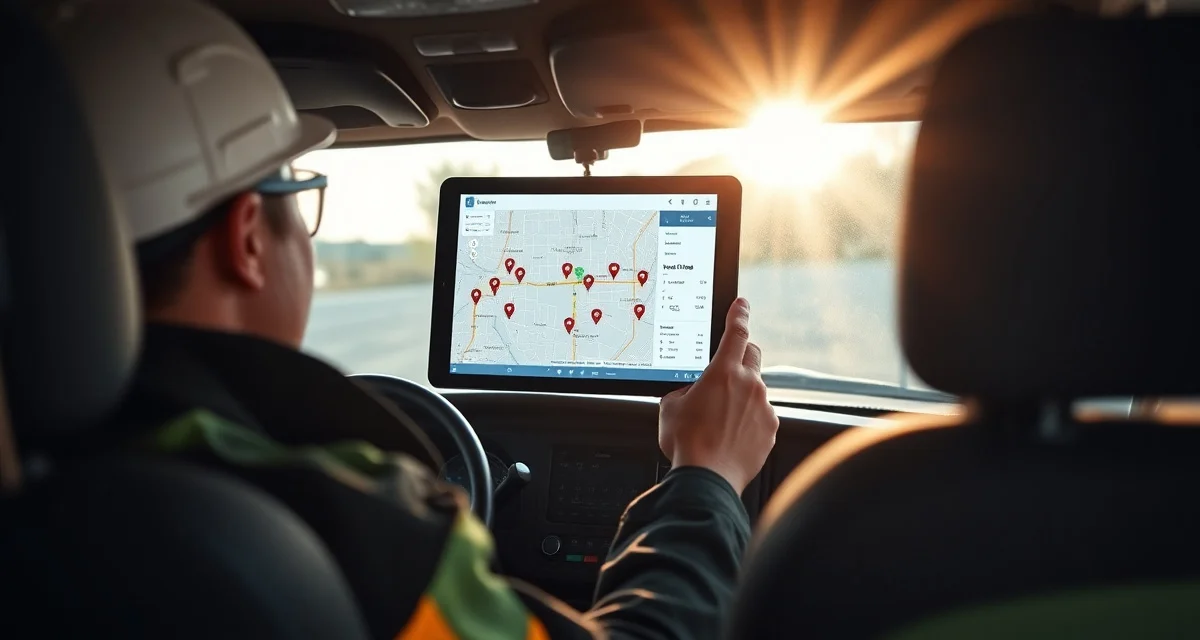
Best GPS Tracking for Installers in 2026
GPS tracking for installers shows you where every crew and vehicle is in real time, verifies job site arrivals and departures, and provides data to optimize routes - so you can schedule more installs per day with less wasted drive time. An untracked install crew wastes 45-90 minutes daily on inefficient routing, and you have no way to verify if they spent 3 hours at a job or 5.
TL;DR
- Verizon Connect leads for fleet GPS with the deepest reporting and route history
- Samsara offers the best combined GPS + dash cam solution for install trucks
- GPS tracking saves 45-90 minutes per crew per day in reduced drive time
- Route verification data helps you give customers accurate "on my way" ETAs
- Fuel savings of $150-$400/month per vehicle from reduced idle time and better routing
- Labor accountability improves when crews know their locations are tracked
- Budget $25-$50/vehicle/mo for GPS tracking hardware and software
Evaluation Criteria
| Factor | Weight | What We Measured |
|---|---|---|
| Real-time tracking accuracy | 25% | Location updates, geofencing, live map |
| Route optimization | 25% | Drive time reduction, daily route planning |
| Reporting & verification | 20% | Job site time, route history, idle time |
| Ease of use | 15% | Setup, daily use, mobile experience |
| Pricing | 15% | Cost per vehicle, contract terms |
1. Verizon Connect - Best for Fleet Management
Verizon Connect is the most established fleet GPS platform, used by service companies of all sizes. For fabrication shops with 3+ install vehicles, it provides the deepest tracking and reporting capabilities.
Calculate your material waste savings
See exactly how much slab material and money you could save with optimized cutting layouts.
Try the free Waste CalculatorPricing: $25-$45/vehicle/mo (hardware may be additional or included with contract) Free Trial: Demo available
Key Features
- Real-Time Map: See every vehicle's location on a live map with 30-second updates.
- Geofencing: Set virtual boundaries around job sites, your shop, and supply yards. Get alerts when vehicles enter or leave.
- Route Replay: Review any vehicle's complete route history for any date.
- Idle Time Alerts: Get notified when a vehicle idles for extended periods.
Pros
- Most comprehensive fleet management platform
- Excellent reporting and analytics
- Strong geofencing features
- Large support team and reliable service
Cons
- Contracts often require 3-year commitment
- Hardware installation needed per vehicle
- Cost per vehicle adds up for larger fleets
- Interface can feel complex for basic needs
Best for: Shops with 5+ install vehicles that need detailed fleet management and reporting.
2. Samsara - Best for GPS + Dash Cam Combo
Samsara combines GPS tracking with AI-powered dash cams, giving you crew location plus video documentation. For install crews transporting expensive stone countertops, having dash cam footage of the drive can prove valuable for insurance and liability.
Pricing: $33-$45/vehicle/mo Free Trial: Demo available
Key Features
- GPS + Dash Cam: Track location while recording forward and cabin video.
- AI Safety Alerts: Detects harsh braking, speeding, and distracted driving.
- Proof of Delivery: Time-stamped photos and GPS confirmation of job site arrival.
- Driver Scorecards: Rate drivers on safety behaviors with performance trends.
Pros
- GPS and video in one platform
- AI safety detection prevents accidents
- Proof of delivery for dispute resolution
- Driver behavior improves with scorecards
Cons
- Higher cost than GPS-only solutions
- Dash cam installation adds complexity
- Some drivers resist video monitoring
- Monthly cost increases with camera features
Best for: Shops concerned about driving safety, insurance costs, and delivery documentation.
3. GPS Trackit - Best for Small Fleets
GPS Trackit offers straightforward vehicle tracking without the complexity of enterprise platforms. For shops with 2-5 install vehicles, it provides the essentials at a competitive price.
Pricing: $22-$35/vehicle/mo Free Trial: 14-day trial
Key Features
- Simple Tracking: Real-time location with breadcrumb trail history.
- Speed Alerts: Set maximum speed thresholds and receive alerts for violations.
- After-Hours Alerts: Know if vehicles are used outside business hours.
- Monthly Reports: Automated reports on mileage, stops, and idle time.
Pros
- Simple setup and daily use
- Competitive pricing for small fleets
- Month-to-month contracts available
- Good mobile app for quick checks
Cons
- Limited route optimization
- Basic reporting compared to Verizon Connect
- Fewer integrations
- Support hours are limited
Best for: Small shops (2-5 vehicles) wanting basic GPS tracking without enterprise complexity.
4. Fleet Complete - Best for Route Optimization
Fleet Complete combines GPS tracking with strong route optimization, helping you plan efficient daily routes for multiple install crews covering a wide service area.
Pricing: $30-$50/vehicle/mo Free Trial: Demo available
Key Features
- Route Optimization: Input daily install addresses and get the most efficient sequence and route.
- Live Traffic: Adjust routes based on real-time traffic conditions.
- Dispatch Board: Assign jobs to the nearest available crew.
- Fuel Tracking: Monitor fuel usage and identify waste.
Pros
- Strong route planning features
- Traffic-aware routing saves time
- Dispatch by proximity reduces drive time
- Fuel monitoring identifies waste
Cons
- Higher price point for optimization features
- Requires daily route planning discipline
- Setup and training take 1-2 weeks
- Contract lengths vary
Best for: Shops with crews covering a service area of 50+ miles where route optimization has the highest impact.
5. Azuga - Best for Driver Safety
Azuga focuses on driver safety scoring and rewards, which can reduce insurance premiums and vehicle wear. For shops with younger or multiple drivers, the safety focus pays off.
Pricing: $25-$35/vehicle/mo Free Trial: 14-day trial
Key Features
- Safety Scoring: Score drivers on speeding, hard braking, rapid acceleration, and cornering.
- Rewards Program: Gamified safety scores with gift card rewards for safe driving.
- Insurance Integration: Share safety data with insurance companies for potential premium reductions.
- Maintenance Alerts: Track vehicle maintenance schedules based on mileage and engine diagnostics.
Pros
- Safety gamification motivates better driving
- Potential insurance premium reductions (5-15%)
- Maintenance tracking prevents breakdowns
- Affordable pricing
Cons
- Route optimization is limited
- Smaller company than Verizon Connect or Samsara
- Safety focus may not be the primary need
- Limited dispatch features
Best for: Shops wanting to reduce insurance costs and improve driving behavior.
6. Google Maps Timeline - Best Free Option
Google Maps Timeline (built into every Android phone and available on iPhone with Google Maps) tracks location history for free. It's not a fleet management tool, but it gives basic location history.
Pricing: Free Free Trial: N/A
Key Features
- Location History: Automatic tracking of where the phone has been throughout the day.
- Timeline View: See routes traveled with timestamps.
- Sharing: Workers can share their real-time location with the office.
- No Hardware: Uses the phone they already carry.
Pros
- Completely free
- No hardware to install
- Already on most phones
- Simple to start using immediately
Cons
- Relies on workers keeping location sharing on
- No fleet management features
- No geofencing or alerts
- No reporting or analytics
- Privacy concerns with personal phones
Best for: Shops with 1-2 crews that want basic location verification without any investment.
7. Linxup - Best for Plug-and-Play Hardware
Linxup uses OBD-II plug-in devices that install in seconds - literally plug into the diagnostic port under the dashboard. No professional installation, no wiring, no drilling.
Pricing: $20-$30/vehicle/mo Free Trial: Available with hardware purchase
Key Features
- Plug-and-Play: Device plugs into OBD-II port in 10 seconds.
- Real-Time Tracking: Location updates every 30 seconds.
- Engine Diagnostics: Read check engine codes and vehicle health data.
- Geofencing: Set virtual boundaries with entry/exit alerts.
Pros
- Easiest installation (10 seconds, no tools)
- No long-term contracts
- Engine diagnostic data included
- Low monthly cost
Cons
- OBD-II port location means it could be unplugged
- Limited route optimization
- Basic reporting compared to enterprise solutions
- Vehicle must have OBD-II port (1996+ vehicles)
Best for: Shops wanting the fastest possible GPS setup with no installation hassle.
Comparison Table
| GPS Solution | Price/Vehicle | Contract | Dash Cam | Route Optimization | Install Ease |
|---|---|---|---|---|---|
| Verizon Connect | $25-$45/mo | 3-year typical | Optional | Yes | Professional |
| Samsara | $33-$45/mo | Varies | Included | Yes | Professional |
| GPS Trackit | $22-$35/mo | Month-to-month | No | Basic | Self-install |
| Fleet Complete | $30-$50/mo | Varies | Optional | Advanced | Professional |
| Azuga | $25-$35/mo | Varies | Optional | Basic | OBD-II plug-in |
| Google Timeline | Free | None | No | No | None needed |
| Linxup | $20-$30/mo | No contract | No | Basic | OBD-II plug-in |
The ROI of GPS Tracking for Installers
Time Savings
Route optimization saves 45-90 minutes per crew per day. For a crew earning $50-$70/hour (loaded cost), that's $37-$105/day saved per crew. Monthly: $740-$2,100 per crew.
Fuel Savings
Reduced driving miles plus less idle time saves $150-$400/month per vehicle. A typical install truck burning $4/gallon that reduces daily miles by 15 saves roughly $200/month.
Accountability Improvement
Crews that know they're tracked arrive on time, stay on schedule, and minimize unauthorized stops. Shops report 10-20% improvement in installs-per-crew-per-day after implementing GPS tracking.
Customer Communication
Real-time location data enables accurate "Your installer is 15 minutes away" messages. This reduces missed appointments and improves customer satisfaction.
Insurance Potential
Some insurance companies offer 5-15% fleet premium discounts for GPS-tracked vehicles with safety monitoring. On a $5,000/year fleet policy, that's $250-$750 saved annually.
Implementation Tips
Communicate with Your Team
Don't install GPS secretly. Tell crews that tracking helps with routing, customer ETAs, and scheduling. Transparency builds trust; secret tracking destroys it.
Start with Route Optimization
The easiest win is route planning. Before investing in full fleet management, use basic GPS data to identify routing inefficiencies.
Set Realistic Geofences
Make geofences around job sites large enough (500-foot radius) to account for parking locations. Too-tight geofences generate false alerts.
Review Data Weekly
GPS generates enormous amounts of data. Focus on weekly summaries: total miles driven, idle time, average stops per day, and late arrivals. Don't try to monitor every minute.
FAQ
Is GPS tracking legal for company vehicles?
Yes, in all 50 US states, employers can track company-owned vehicles. If employees use personal vehicles, you typically need their consent. Consult local labor laws for specific requirements.
How do installers feel about GPS tracking?
Initial resistance is common. Most accept it within 2-4 weeks when they see it used for route optimization and customer ETAs rather than surveillance. Communicate the benefits clearly.
Does GPS tracking work in areas with poor cell coverage?
Most GPS devices store location data locally and upload when coverage returns. Real-time tracking requires cell coverage, but route history is preserved regardless.
How accurate is GPS tracking?
Modern GPS is accurate to 10-30 feet. For job site arrival verification, this is more than sufficient.
Can GPS tracking reduce my insurance premiums?
Potentially. Some commercial auto insurers offer 5-15% discounts for GPS-monitored fleets. Ask your insurance broker about telematics discount programs.
How long should I keep GPS data?
Most platforms store 1-3 years of history. For dispute resolution and insurance purposes, keeping at least 12 months of data is advisable.
Can GPS tracking integrate with my scheduling software?
Some GPS platforms (Verizon Connect, Fleet Complete) integrate with field service schedulers. Others require manual coordination or Zapier-type connections.
What happens if a GPS device loses power?
Hardwired units draw from the vehicle battery and only lose tracking if disconnected. OBD-II plug-ins can be accidentally unplugged. Battery-powered trackers last 1-4 weeks per charge.
Should I track installers or vehicles?
Track vehicles. Vehicle tracking is legally cleaner, provides maintenance data, and doesn't raise personal phone tracking concerns. Vehicle tracking stops when the workday ends.
How do I choose between GPS-only and GPS + dash cam?
GPS-only if your primary need is location and routing. GPS + dash cam if you transport expensive materials (theft/damage documentation), have safety concerns, or want insurance evidence protection.
Track Your Crews, Optimize Your Routes
While SlabWise manages your fabrication workflow from quote to install, GPS tracking complements it by optimizing the field side of your operation. Start with SlabWise's 14-day free trial to manage the inside, then add GPS to manage the outside.
Start Your Free SlabWise Trial →
Try These Free Tools
- Cost Calculator -- Get instant countertop cost estimates by material, edge profile, and square footage.
- Compare Materials -- Side-by-side material comparison with pricing, durability, and maintenance ratings.
- Edge Profile Selector -- Browse edge profiles with cost impact and visual previews.
Sources & Further Reading
-
National Kitchen & Bath Association - 2026 Kitchen Design Trends and Budget-Friendly Materials
-
Natural Stone Institute - Affordable Natural Stone Countertop Options for Homeowners
-
Remodeling Magazine - Cost vs. Value Report: Kitchen Countertop Materials 2026