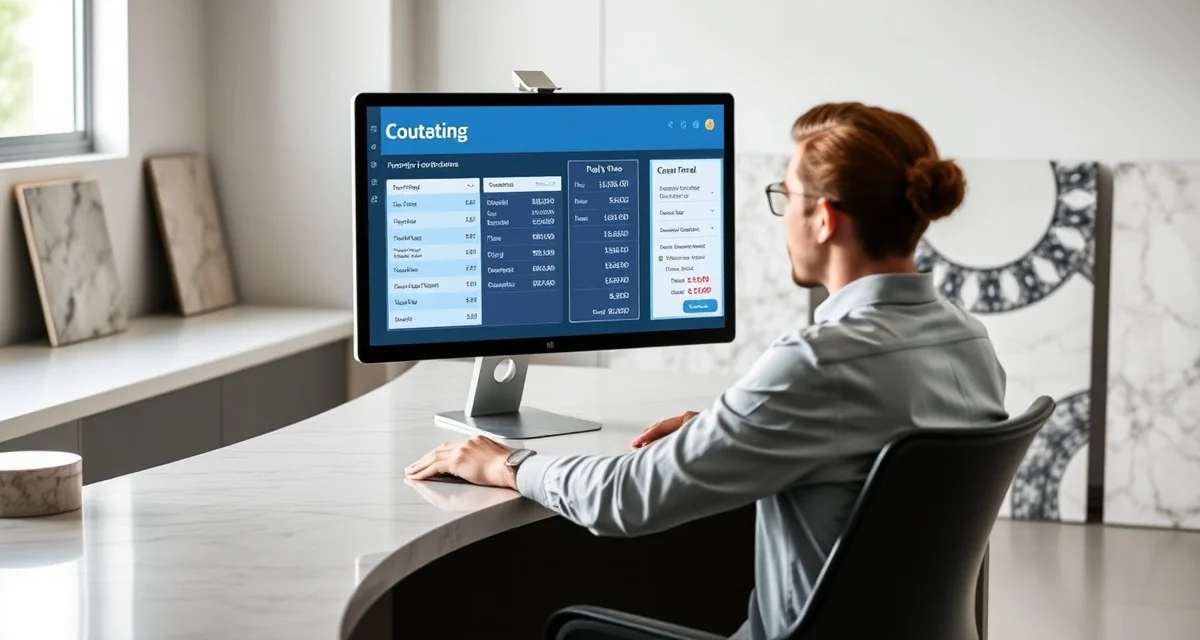
Speed Up Quoting
Quick Definition
Speed quoting in countertop fabrication means generating accurate price estimates in minutes instead of the typical 15-20 minute manual process. By using software that pulls material pricing, edge profiles, cutout costs, and square footage calculations automatically, fabricators can respond to leads before they call the next shop.
TL;DR
- Most countertop shops take 15-20 minutes to build a single quote manually
- SlabWise's Quick Quote feature drops that to about 3 minutes per quote
- Faster quoting means you respond to leads first - and the first response wins 35-50% of the time
- Automated pricing pulls from your actual slab inventory, so quotes are accurate from the start
- Shops using Quick Quote report closing 15-25% more jobs without adding sales staff
- Integration with the Customer Portal means quotes go directly to the homeowner's dashboard
- Standard plan starts at $199/month with a 14-day free trial
The Real Cost of Slow Quoting
Every fabrication shop owner knows the drill. A homeowner calls or submits a form. Someone on your team has to pull up material pricing, calculate square footage from a rough sketch or room dimensions, add edge profiles, figure out the cutout charges for sinks and cooktops, and build a presentable quote.
Calculate your material waste savings
See exactly how much slab material and money you could save with optimized cutting layouts.
Try the free Waste CalculatorThat takes 15-20 minutes when things go smoothly. When you need to look up a specific slab price, check availability, or call back to clarify dimensions, it stretches to 30 minutes or more.
Meanwhile, that homeowner has already submitted the same request to two or three other shops.
Here's the problem in numbers:
| Scenario | Time to Quote | Close Rate | Monthly Jobs (from 100 leads) |
|---|---|---|---|
| Manual quoting (20 min each) | Same day or next day | 15-20% | 15-20 |
| Quick Quote (3 min each) | Within 1 hour | 25-35% | 25-35 |
| No quoting system (email back and forth) | 2-3 days | 8-12% | 8-12 |
The math is blunt: speed wins. A study by the National Association of Home Builders found that the first contractor to respond to a homeowner inquiry gets the job 35-50% of the time, regardless of pricing differences of up to 10%.
How SlabWise Quick Quote Works
Quick Quote isn't a generic calculator. It's tied directly to your shop's actual data - your slab inventory, your pricing tiers, your edge profile costs, and your installation rates.
Step-by-Step Process
1. Enter the basics. Counter type (kitchen, bath, island, bar top), approximate dimensions, and material preference. This takes about 30 seconds.
2. System pulls pricing. SlabWise checks your current slab inventory and pricing. If the customer wants Calacatta quartz, it knows what you have in stock and what it costs - not some generic industry average.
3. Add options. Edge profiles, number of cutouts (sink, cooktop, faucet holes), backsplash, and any custom work. Each option has pre-set pricing that you control.
4. Generate and send. One click produces a branded PDF quote that can go directly to the customer via email, SMS, or through the Customer Portal. Total time: roughly 3 minutes.
What Makes This Different from a Spreadsheet
Plenty of shops use Excel or Google Sheets for quoting. It works - until it doesn't. Common spreadsheet problems:
- Outdated pricing. Someone forgot to update the granite pricing after the distributor raised rates. Now you're quoting $2/sqft below cost.
- Formula errors. One wrong cell reference and your 45-sqft kitchen quote calculates as 450 sqft.
- No version control. Which version of the quote sheet has the current edge profile pricing? The one on the shared drive? Mike's laptop? The printout on the shop wall?
- No customer record. That quote you emailed three weeks ago? Good luck finding it when the customer calls back.
SlabWise eliminates all of these because pricing lives in one place, updates propagate immediately, and every quote is saved and linked to the customer record.
The Speed-to-Close Connection
Let's talk about what happens when you can quote in 3 minutes instead of 20.
Morning scenario, manual process:
- 8:00 AM - Lead comes in from website form
- 8:30 AM - Office manager sees it, starts building quote
- 8:50 AM - Quote done, emails it to homeowner
- 9:15 AM - Homeowner has already gotten two other quotes and scheduled a template with one of them
Morning scenario, Quick Quote:
- 8:00 AM - Lead comes in from website form
- 8:05 AM - Office manager opens Quick Quote, enters details
- 8:08 AM - Quote sent to homeowner's email and Customer Portal
- 8:10 AM - Homeowner sees the quote, replies with questions
- 8:15 AM - Your team answers the questions. You're now the frontrunner.
That 40-minute difference is the gap between winning and losing the job.
Dollar Impact for a Mid-Size Shop
Consider a shop that gets 80 leads per month:
| Metric | Manual Quoting | Quick Quote |
|---|---|---|
| Leads per month | 80 | 80 |
| Quotes sent within 1 hour | 20 (25%) | 72 (90%) |
| Close rate on fast quotes | 30% | 30% |
| Close rate on slow quotes | 15% | 15% |
| Jobs closed | 21 | 23 + fast-response bonus |
| Average job value | $4,500 | $4,500 |
| Monthly revenue | $94,500 | $103,500+ |
| Revenue difference | - | $9,000+/month |
Even a conservative 2-3 extra jobs per month from faster response times covers SlabWise's subscription cost many times over.
Accuracy Matters as Much as Speed
A fast quote that's wrong is worse than a slow quote that's right. Inaccurate quotes lead to one of two bad outcomes:
-
You quoted too low. Now you either eat the cost difference or have an awkward conversation with the homeowner about why the final price is higher. Both damage your reputation and margins.
-
You quoted too high. You lose the job to a competitor who priced it correctly.
SlabWise addresses accuracy in several ways:
- Real-time inventory pricing - Quotes reflect what you actually paid for the slab, not a generic price list
- Built-in waste factor - The system adds your configured waste percentage automatically, so you're not eating material cost on off-cuts
- Template verification link - Once a quote is accepted and you template the job, SlabWise's 3-layer template verification checks the actual measurements against the quote dimensions. If there's a significant discrepancy, the system flags it before fabrication starts.
- Historical accuracy tracking - Over time, you can see how your quotes compare to final invoices. If you're consistently 8% under on kitchen islands, you'll know.
How Quick Quote Compares to Competitors
| Feature | SlabWise Quick Quote | Moraware | ActionFlow | EasyStoneShop |
|---|---|---|---|---|
| Time to generate quote | ~3 minutes | 8-12 minutes | 10-15 minutes | 5-8 minutes |
| Tied to slab inventory | Yes | Partial | No | No |
| Branded PDF output | Yes | Yes | Yes | Basic |
| Customer portal delivery | Yes | No | Limited | No |
| Quote-to-template tracking | Yes | Partial | No | No |
| Pricing | $199-$349/mo | $200-$400/mo | $200-$350/mo | $150/mo |
Moraware is the most established player with 2,600+ users, and their quoting tools are solid for shops that are already deep in their platform. But the quote-to-portal-to-template pipeline is where SlabWise pulls ahead - it's one connected flow instead of separate modules.
Setting Up Quick Quote
The setup process for Quick Quote involves three main steps:
1. Enter Your Pricing (30-45 minutes)
Input your material costs per square foot for each stone type and color you stock. Set your markup percentages. Enter your edge profile pricing, cutout charges, and installation rates.
2. Configure Your Quote Template (15 minutes)
Upload your logo, choose your color scheme, set your terms and conditions, and configure the line items that appear on every quote.
3. Test It (10 minutes)
Build a few test quotes for recent jobs and compare them to the quotes you actually sent. Adjust any pricing that looks off.
Total setup: about an hour. After that, every quote is a 3-minute task.
Tips for Getting the Most from Fast Quoting
Set a response time goal. Tell your team that every lead gets a quote within 60 minutes during business hours. Track it. Celebrate when you hit it consistently.
Use the Customer Portal. Don't just email quotes - send them through the portal so the customer can compare options, ask questions, and accept directly. This creates a record and keeps the conversation organized.
Follow up on open quotes. SlabWise shows you which quotes have been viewed and which haven't. If a quote sits unopened for 48 hours, that's your cue to make a quick phone call.
Review your close rates monthly. Quick Quote's reporting shows your quote-to-close ratio by material type, job size, and lead source. Use this data to focus your marketing spend on the channels that produce the best-converting leads.
Update your pricing regularly. Block 15 minutes every Monday to update any material costs that have changed. Stale pricing kills margins.
How is the 3-minute quote time calculated?
That's the average time from opening Quick Quote to sending a finished estimate, based on data from shops using the tool. Complex jobs with unusual configurations may take 5-7 minutes.
Can I create quotes on my phone?
Yes. SlabWise is fully web-based and works on any device with a browser. The interface is optimized for both desktop and mobile.
Does Quick Quote handle multi-room jobs?
Yes. You can add multiple areas (kitchen, two bathrooms, laundry room) to a single quote with separate line items and a combined total.
Can customers accept quotes online?
Yes. Through the Customer Portal, customers can review, ask questions, and accept quotes with an electronic signature.
What about custom or unusual materials?
You can add custom line items to any quote for materials not in your standard inventory. Set a one-time price and description, and it appears on the quote like any other item.
Does it calculate overages and waste?
Yes. You configure your waste percentage (typically 10-15% for stone), and the system adds it to every quote automatically.
Can I offer tiered pricing on the same quote?
Yes. You can present "good, better, best" options showing different material grades at different price points. This is one of the highest-converting quote formats in the industry.
What if I need to revise a quote?
Open the original, make changes, and resend. The customer sees the updated version in their portal, and both versions are saved in the job history.
How does this connect to the rest of SlabWise?
Once a quote is accepted, it becomes a job. That job flows through template scheduling, slab nesting, fabrication tracking, and installation scheduling - all in the same system.
Is there a limit on quotes per month?
No. Unlimited quotes on both Standard and Enterprise plans.
Can I import my existing price list?
Yes. CSV import is supported for bulk pricing uploads. Most shops have their pricing loaded within 30 minutes.
Do I need to enter square footage manually?
You enter dimensions (length x width for each section), and the system calculates square footage, adds waste factor, and prices it out. For templated jobs, dimensions can come directly from your digital template files.
Stop Losing Jobs to Slower Quotes
Every hour between a customer's request and your response is an hour they're talking to your competitor. SlabWise Quick Quote puts accurate, professional estimates in front of homeowners in minutes - not hours or days.
Start your 14-day free trial → No credit card required. Build your first quote in under 5 minutes.
Try These Free Tools
- Cost Calculator -- Get instant countertop cost estimates by material, edge profile, and square footage.
- Compare Materials -- Side-by-side material comparison with pricing, durability, and maintenance ratings.
- Edge Profile Selector -- Browse edge profiles with cost impact and visual previews.
Sources & Further Reading
- Natural Stone Institute - Sales and Marketing Resources
- International Surface Fabricators Association - Business Development Tools
- National Kitchen & Bath Association - Sales Training and Education
- Remodeling Magazine - Countertop Sales Strategies
Internal Links
- Automate Customer Updates - Keep customers informed without phone calls
- Track Slab Inventory - Accurate inventory means accurate quotes
- Countertop Software FAQ - Common questions about fabrication software
- Pricing FAQ - Full breakdown of SlabWise plans
- ActionFlow Review 2026 - How ActionFlow's quoting compares