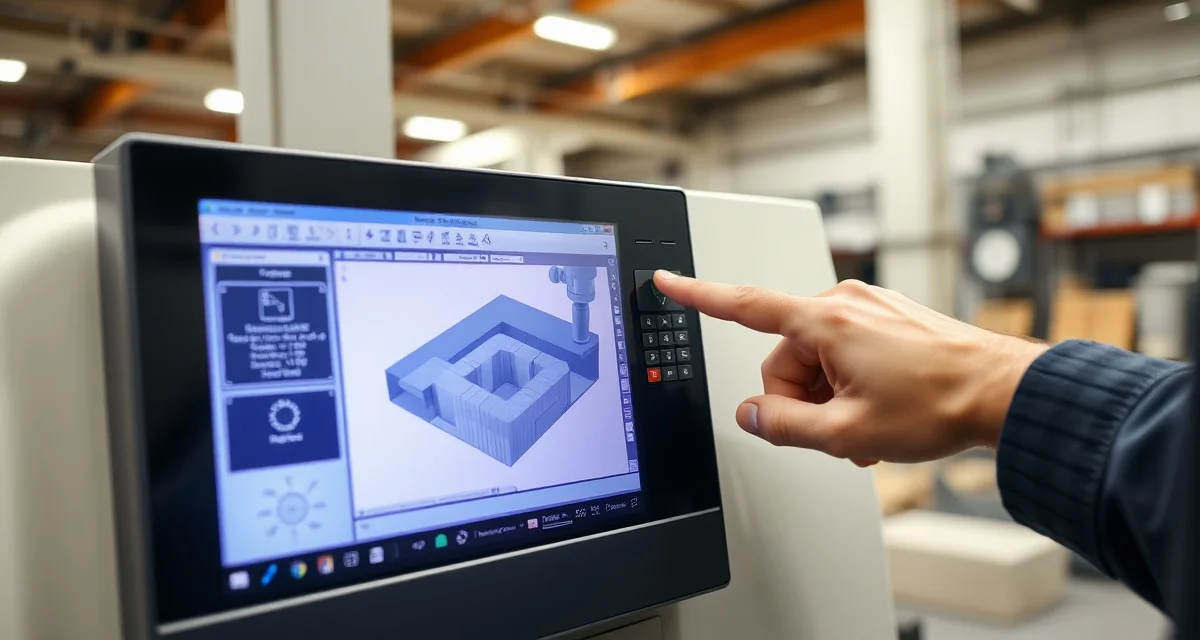
DXF Errors Causing Delays? How to Catch File Problems Before They Hit the CNC
DXF file errors delay 8-12% of countertop production jobs - sometimes by hours, sometimes by days - because the problems aren't discovered until the CNC operator loads the program and something doesn't look right, at which point the machine sits idle while someone tracks down the templater, opens the original file, and tries to figure out what went wrong. These aren't dramatic failures. They're small, technical issues - unclosed polylines, incorrect layer assignments, misscaled dimensions, duplicate entities - that waste 30-90 minutes per occurrence and stack up to 15-30 hours of lost production time per month.
TL;DR
- DXF errors affect 8-12% of jobs and cause 30-90 minutes of delay per incident
- The most common errors: unclosed polylines (30%), wrong scale/units (20%), duplicate entities (15%), missing layers (15%)
- Monthly production time lost to DXF issues: 15-30 hours for a mid-size shop
- CNC operators spend more time fixing DXF files than running programs on error days
- Automated DXF validation catches 90%+ of file errors before they reach the shop floor
- Pre-production file checks add 2-3 minutes per job but save 30-90 minutes when they catch an error
- The root cause is usually the template-to-DXF export process, not the template itself
What DXF Errors Actually Cost
DXF errors don't grab attention like a cracked slab or a missed installation. They're a slow leak - small enough to ignore individually, expensive in aggregate.
Calculate your material waste savings
See exactly how much slab material and money you could save with optimized cutting layouts.
Try the free Waste CalculatorCost Per DXF Error Incident
| Cost Component | Time/Value |
|---|---|
| CNC idle time while error is identified | 15-30 minutes |
| CNC operator troubleshooting time | 15-30 minutes |
| Templater/programmer correction time | 10-20 minutes |
| Re-loading and verifying corrected file | 5-10 minutes |
| Total time per incident | 45-90 minutes |
| Cost at $75-$100/hour loaded shop rate | $56-$150 |
Monthly Aggregate Impact
| Metric | Conservative | Moderate | High |
|---|---|---|---|
| Jobs affected per month | 8 | 12 | 18 |
| Average delay per incident | 45 min | 60 min | 90 min |
| Total hours lost per month | 6 | 12 | 27 |
| Monthly cost (at $85/hr) | $510 | $1,020 | $2,295 |
| Annual cost | $6,120 | $12,240 | $27,540 |
Beyond direct costs, DXF errors create schedule disruptions. When a CNC machine sits idle for 60 minutes because of a file error, every job behind it in the queue shifts later. On a busy day, one DXF error in the morning can push the final job of the day into tomorrow.
The Hidden Frustration Factor
CNC operators are skilled technicians who want to be cutting stone, not debugging file errors. Persistent DXF issues create friction between the shop floor and the templating team, erode morale, and can contribute to operator turnover. Good CNC operators are hard to find - losing one because they're frustrated with file quality is an expensive outcome.
The 8 Most Common DXF Errors in Fabrication
Not all DXF errors are the same. Some are trivial (and quickly fixed), while others require the file to be completely regenerated.
1. Unclosed Polylines (30% of all DXF errors)
The most frequent error. A polyline that represents a countertop piece, sink cutout, or edge profile has a gap - sometimes as small as 0.001 inches. The CNC software can't generate a tool path from an open shape, so the operator has to manually close the polyline or send the file back for correction.
Common cause: The digital templating software's export function doesn't always clean up endpoints when converting measurements to DXF format. Small rounding errors during export create micro-gaps.
2. Wrong Scale or Unit Mismatch (20% of errors)
The DXF file was created in millimeters but the CNC expects inches, or vice versa. A 25-inch countertop section appears as 25 millimeters (about 1 inch) on screen. The operator catches it immediately, but correcting the scale requires reprocessing the file.
Common cause: Different software packages default to different unit systems. A template created in Proliner (metric) exported to DXF and imported into a CNC running in imperial needs a unit conversion that sometimes gets skipped.
3. Duplicate Entities (15% of errors)
Two identical lines, arcs, or polylines stacked on top of each other. Visually invisible, but they cause the CNC to make two passes over the same cut - doubling machining time and potentially damaging the blade or the stone.
Common cause: Copy-paste operations during template editing, or repeated DXF exports that append rather than overwrite entities.
4. Missing or Incorrect Layers (15% of errors)
DXF files use layers to distinguish between different types of geometry: cut paths on one layer, edge profiles on another, sink cutouts on a third. When layers are missing, misnamed, or have entities on the wrong layer, the CNC software either ignores geometry it should cut or cuts geometry it should ignore.
Common cause: Non-standardized layer naming conventions between the templating team and the CNC programmer. What one person calls "SINK_CUTOUT" another calls "Cutout_Sink."
5. Overlapping or Intersecting Geometry (8% of errors)
Two separate pieces share a cut line, or a sink cutout extends beyond the countertop boundary. The CNC software can't determine the correct tool path at the intersection point.
Common cause: Template adjustments that move a piece without moving its associated cutouts, or nesting changes that don't account for geometry overlap.
6. Arc Approximation Issues (5% of errors)
Curved edges (like a radius corner or a curved island) are sometimes represented as a series of short line segments rather than true arcs. The CNC follows the segmented path, producing a faceted edge instead of a smooth curve.
Common cause: Software export settings that convert arcs to polyline segments with too few points. The templating software shows a smooth curve, but the exported DXF is actually a polygon.
7. Incorrect Origin Point (4% of errors)
The DXF origin (0,0 coordinate) is in the wrong location relative to the geometry. This affects the CNC's reference point for positioning the slab and can cause the tool path to start cutting in the wrong location.
Common cause: Template files that weren't cleaned up before export, with geometry placed far from the origin due to accumulated edits and moves.
8. Text and Dimension Entities in Cut Layers (3% of errors)
Annotation text, dimension lines, or notes that were added for human reference end up on the cut path layer. The CNC interprets them as geometry and attempts to cut letter shapes or dimension arrows into the stone.
Common cause: Templates that serve dual purpose (reference drawing and CNC input) without proper layer separation.
Building a DXF Quality System
Eliminating DXF errors requires standardization at three levels: file creation, file validation, and file handoff.
Level 1: Standardize DXF Export Settings
Create a documented DXF export standard that every templater follows:
| Setting | Standard Value |
|---|---|
| Units | Inches (or mm - pick one and enforce it) |
| Arc precision | Minimum 72 segments per circle |
| Polyline closure tolerance | 0.0001 inches |
| Layer naming convention | ALL_CAPS, underscore-separated |
| Required layers | CUTPATH, EDGE_PROFILE, SINK_CUTOUT, SEAM, REFERENCE |
| Origin point | Lower-left corner of bounding box |
| Text and dimensions | REFERENCE layer only (never on CUTPATH) |
Print this standard, laminate it, and place it at every templating workstation. Review compliance quarterly.
Level 2: Automated Pre-Production Validation
Add an automated DXF validation step between template completion and CNC programming. The validator checks every file against your standards before it reaches the shop floor.
What automated validation catches:
- Unclosed polylines (auto-close if gap < tolerance, flag if gap > tolerance)
- Unit/scale verification (file units match expected units)
- Duplicate entity detection (remove or flag duplicates)
- Layer name validation (entities on expected layers)
- Origin point check (geometry near 0,0)
- Text on cut layers (flag for removal)
- Minimum arc segment count (flag under-segmented curves)
What it doesn't catch:
- Incorrect dimensions (a 24-inch piece that should be 25 inches)
- Wrong sink model cutout (correct format, wrong specs)
- Aesthetic issues (seam placement, vein direction)
Automated validation handles the technical file integrity issues. Dimensional accuracy still requires template verification (a separate but complementary process).
Level 3: Standardized File Handoff
Establish a clear handoff process between templating and production:
- Templater completes DXF export using standard settings
- Automated validator checks the file (pass/fail with specific error report)
- If fail: templater corrects issues and re-exports
- If pass: file enters the production queue with a "validated" status
- CNC operator loads the file with confidence that basic format issues are resolved
This process adds 2-3 minutes per file but eliminates the 30-90 minute delays that unvalidated files cause on the shop floor.
Measuring DXF Quality Over Time
Track these metrics to monitor file quality improvement:
Key DXF Quality Metrics
| Metric | Starting Benchmark | 30-Day Target | 90-Day Target |
|---|---|---|---|
| DXF error rate (% of files with issues) | 8-12% | 4-6% | 1-3% |
| Average delay per error | 45-90 min | 15-30 min | 5-15 min |
| Monthly production hours lost to DXF | 15-30 hrs | 5-10 hrs | 1-3 hrs |
| Files requiring CNC-side correction | 8-12% | 2-4% | Under 1% |
Error Trend Analysis
Log every DXF error with its type, originating templater, and the software used. After 30 days, patterns become visible:
- Is one error type dominant? Standardize that specific export setting.
- Is one templater producing most errors? Provide targeted training on export procedures.
- Is one software version causing issues? Update or replace it.
- Are errors clustered on certain job types? Complex layouts (islands, multi-piece) may need additional validation rules.
What is a DXF file in countertop fabrication?
A DXF (Drawing Exchange Format) file is the standard file format used to transfer countertop template measurements from digital templating systems to CNC machines. The file contains the geometric shapes (polylines, arcs, lines) that define cut paths, edge profiles, and sink cutouts. It's the digital blueprint that tells the CNC exactly where and how to cut.
How common are DXF errors in countertop fabrication?
DXF errors affect approximately 8-12% of production files in shops without automated validation. Shops with standardized export procedures and validation tools reduce this rate to 1-3%. The most common error type is unclosed polylines, accounting for about 30% of all file issues.
Can the CNC operator fix DXF errors on the shop floor?
Many CNC operators can fix simple DXF errors (closing a polyline, removing duplicates) using the machine's built-in CAM software. However, this takes 15-30 minutes per fix and isn't scalable. It also means your most expensive equipment - the CNC machine - sits idle while the operator does file editing instead of cutting stone.
What causes DXF files to have unclosed polylines?
Unclosed polylines typically result from rounding errors during the template-to-DXF export process. Digital templating devices capture measurements with high precision, but the export function must convert those measurements to polyline endpoints. Small gaps (0.001-0.01 inches) can appear at connection points, especially at curve-to-line transitions.
Should I use DWG or DXF format for CNC programming?
DXF is the industry standard for countertop fabrication CNC machines. While DWG (AutoCAD's native format) contains more features, most CNC software reads DXF more reliably. DXF is also a more open format, reducing compatibility issues between different templating systems and CNC brands.
How do I standardize DXF files across multiple templaters?
Create a written DXF export standard that specifies units, layer names, closure tolerances, arc precision, and origin point requirements. Implement automated validation that checks every file against this standard before it enters production. The validation tool enforces consistency regardless of who created the file.
Can AI catch DXF errors that automated validation misses?
AI-powered template verification goes beyond basic file validation by analyzing the design intent - not just the file format. It can identify dimensionally valid but practically wrong files, like a sink cutout that's formatted correctly but specifies the wrong model. Combining automated DXF validation with AI template verification catches nearly all error types.
How much does it cost to implement DXF validation?
Basic DXF validation tools are included in many fabrication management platforms at no additional cost. Standalone DXF checkers range from free (open-source tools) to $50-$100/month for fabrication-specific validators. The cost is negligible compared to the $6,000-$27,000 annual cost of unvalidated DXF errors.
What is the relationship between DXF errors and remakes?
DXF errors that aren't caught before cutting can lead directly to remakes. A file with the wrong scale produces a piece that's the wrong size. Incorrect layer assignments can cause the CNC to skip a sink cutout. While most DXF errors are caught before cutting (causing delays rather than remakes), approximately 5-8% slip through to fabrication and result in material waste.
How long does automated DXF validation take per file?
Automated validation typically takes 5-15 seconds per file. The validator reads the DXF, checks all parameters against the standard, and produces a pass/fail result with a detailed error report. Files that pass move directly to the production queue. Files that fail go back to the templater with specific correction instructions.
Stop Losing Production Time to DXF Errors
Calculate how much DXF errors are costing your shop. Use our free Production Delay Calculator to input your monthly job volume, estimated error rate, and average delay per incident. See the annual cost and the savings from automated validation.
[Try the Production Delay Calculator →]
SlabWise includes automated DXF validation as part of its AI Template Verification system. Every file is checked for unclosed polylines, unit mismatches, duplicate entities, and layer issues before it reaches your CNC. Start your 14-day free trial today.
Try These Free Tools
- Photo to Template -- Snap a photo of an existing countertop and get an AI-generated DXF template.
- Template Compare -- Upload two templates and see every dimension change highlighted instantly.
- AI Template Verification -- Cross-check your template against manufacturer specs before cutting.
Sources & Further Reading
-
Natural Stone Institute - Sealant and Adhesive Applications for Natural Stone
-
National Kitchen & Bath Association - Countertop Installation Best Practices
-
ASTM International - Standard Practice for Installation of Caulking Compounds
-
International Surface Fabricators Association - Fabrication Standards and Troubleshooting