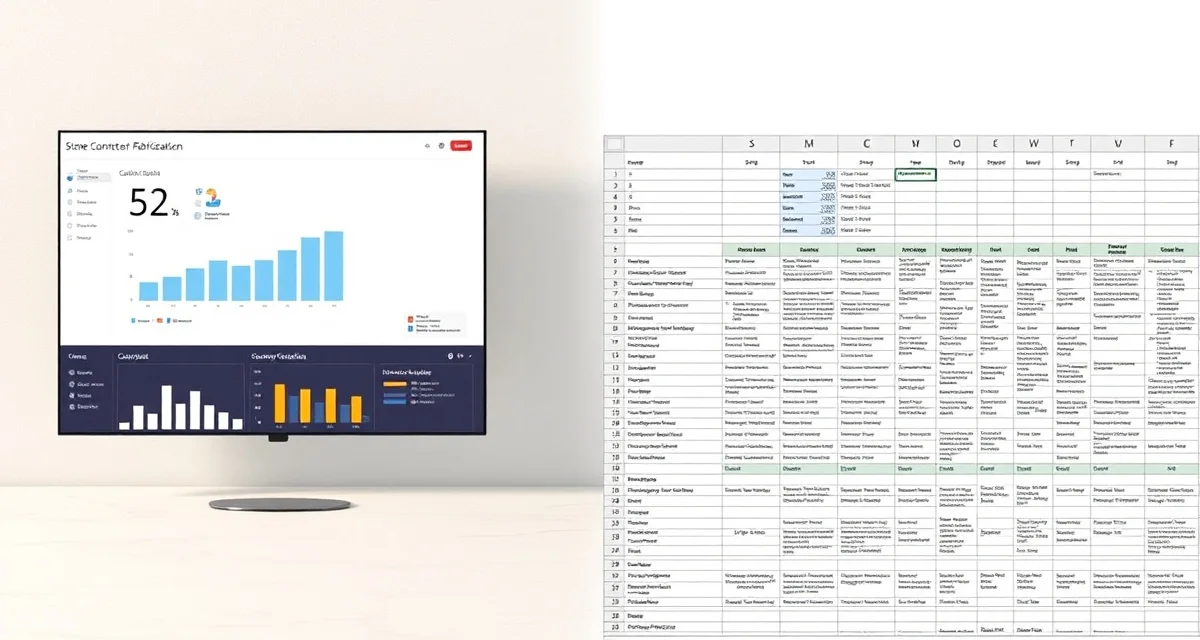
What This Comparison Covers
Google Sheets is the most common "software" in countertop fabrication shops. It's free, collaborative, and accessible from any device. Thousands of fabricators manage their entire operation - quotes, job tracking, scheduling, inventory - across a collection of shared Google Sheets. This comparison is specifically about Google Sheets (not Excel or generic spreadsheets) and why the features that make it popular for basic collaboration aren't enough for a growing fabrication business.
TL;DR
- Google Sheets is free and collaborative, but it has zero fabrication-specific features
- SlabWise ($199/mo) adds AI template verification, slab nesting, 3-minute quoting, and a customer portal
- Google Sheets can't prevent the 2-4 monthly remakes that cost $1,500-$4,000 each
- Collaborative editing helps, but 3 people editing the same job sheet creates version conflicts and overwritten data
- Fabricators using Google Sheets spend 15-25 hours/month on manual tasks that SlabWise automates
- The "free" price tag hides $5,000-$20,000/month in remakes, waste, and inefficiency
- Shops processing 20+ jobs/month consistently outgrow Google Sheets within 6-12 months
Why Google Sheets Is the Default
Google Sheets wins adoption for three reasons that are hard to argue with:
Calculate your material waste savings
See exactly how much slab material and money you could save with optimized cutting layouts.
Try the free Waste CalculatorIt's free. For a shop watching every dollar, $0/month beats $199/month. No credit card, no subscription, no commitment.
It's familiar. Everyone knows how to use a spreadsheet. No training, no onboarding, no learning curve. Open a sheet, type in cells, share the link.
It's collaborative. Unlike Excel files sitting on someone's desktop, Google Sheets lets your office manager, shop foreman, and installers all see and edit the same data from anywhere.
These are real advantages. For a new shop doing 5-10 jobs per month, Google Sheets is a reasonable starting point. The question isn't whether to start with Google Sheets - it's when to stop.
The Six Ways Google Sheets Fails Growing Shops
1. No Error Prevention
Google Sheets accepts whatever you type. If you enter "63.5" when the actual dimension is "65.3," the spreadsheet doesn't care. If you write "ogee" in the edge column when the customer ordered "eased," no warning appears. If you assign the same slab to two different jobs, the sheet doesn't flag the conflict.
These errors become remakes. The industry average is 2-4 remakes per month, each costing $1,500-$4,000.
SlabWise's AI Template Verification catches dimensional errors, cutout mistakes, and edge mismatches before they reach fabrication. The AI doesn't get tired, doesn't rush, and doesn't make typos.
2. No Material Optimization
You can list your slabs in a Google Sheet: slab number, material, dimensions, cost. But you can't tell the sheet to figure out the optimal way to cut 12 kitchen pieces from 4 slabs. That calculation - piece arrangement across multiple slabs for minimum waste - is a combinatorial optimization problem that spreadsheets simply can't solve.
SlabWise's AI Slab Nesting (Enterprise) considers every piece from every active job and optimizes placement for 10-15% better yield than manual layout.
3. Collaboration Creates Chaos at Scale
Google Sheets' collaborative editing works for 2-3 people updating different parts of a sheet. When your office manager is updating job status, your estimator is adding new quotes, and your shop foreman is checking schedules - all in the same 200-row sheet - things break. Cells get overwritten. Formulas get corrupted. Someone accidentally deletes a row and nobody notices until the job is lost.
SlabWise manages concurrent access with role-based permissions. Everyone sees real-time data appropriate to their role without the ability to accidentally destroy each other's work.
4. No Customer Self-Service
You can't share a Google Sheet with a homeowner and expect them to find their row, understand the status codes, and leave without breaking something. Every customer who wants a status update calls you.
SlabWise's Customer Portal gives each customer a login to their own project status. No shared spreadsheets. No risk of customers seeing other customers' data. Just their project, their dates, their progress.
5. No Automated Quoting
Building a countertop quote in Google Sheets means creating formulas for material cost per square foot, edge pricing per linear foot, cutout charges, installation rates, and tax calculations. These formulas break when someone accidentally edits a cell. They don't update when material prices change unless you remember to change them. And they take 15-20 minutes per quote to complete.
SlabWise's Quick Quote generates accurate, formatted quotes in about 3 minutes from your centrally maintained pricing tables.
6. No Workflow Enforcement
A Google Sheet can list the stages of a job: quoted, template scheduled, template complete, in fabrication, ready for install, installed. But it can't enforce the sequence. Nothing stops someone from marking a job "ready for install" before the template is verified. Nothing prevents scheduling an installation before fabrication is complete.
SlabWise manages workflow stages with dependencies. Fabrication can't start before the template is verified. Installation can't be scheduled before fabrication is marked complete.
Feature Comparison
| Capability | Google Sheets ($0) | SlabWise ($199/mo) |
|---|---|---|
| Job Tracking | Manual rows | Real-time dashboard |
| Quoting | Manual formulas (15-20 min) | AI Quick Quote (~3 min) |
| Template Verification | None | 3-layer AI check |
| Slab Nesting | None | AI-optimized (Enterprise) |
| Customer Portal | None (can't share safely) | Built-in self-service |
| Scheduling | Date columns | Integrated calendar |
| Error Prevention | None | AI-powered |
| Workflow Enforcement | None | Stage dependencies |
| Remnant Matching | Manual lookups | AI-powered |
| Multi-User Access | Collaborative (conflict-prone) | Role-based (conflict-free) |
| Mobile Access | Google Sheets app | Full mobile interface |
| Reporting | Manual chart building | Automated analytics |
| Data Integrity | Formula-dependent | System-enforced |
| Backup | Google Drive | Automatic cloud |
What "Free" Actually Costs
Time Investment
A shop doing 30 jobs/month on Google Sheets:
| Task | Monthly Hours on Sheets | Monthly Hours on SlabWise |
|---|---|---|
| Job data entry and updates | 8-10 | 2-3 |
| Quote building and formatting | 9-12 | 1.5-2 |
| Schedule management | 6-8 | 2-3 |
| Customer status calls | 30-40 | 10-12 |
| Slab inventory updates | 3-5 | 1 |
| Report generation | 4-6 | 0.5-1 |
| Fixing broken formulas/data | 2-4 | 0 |
| Total | 62-85 hours | 17-22 hours |
That's 40-63 hours per month of labor you're donating to a free tool. At $30/hour, Google Sheets costs you $1,200-$1,890 per month in labor alone.
Error Costs
| Error Type | Monthly Impact |
|---|---|
| Remakes from uncaught errors | $3,000-$16,000 |
| Material waste from manual layouts | $1,500-$10,000 |
| Lost leads from slow quoting | $2,000-$6,000 |
| Scheduling conflicts | $500-$2,000 |
| Total hidden costs | $7,000-$34,000/month |
Google Sheets isn't free. It's the most expensive tool in your shop.
Real-World Scenario: The Google Sheets Wall
The shop: 7 employees in Austin, Texas. 40 jobs/month. Master Google Sheet has grown to 14 tabs, 2,000+ rows, and takes 10 seconds to load. Three people edit it simultaneously.
The daily Google Sheets experience:
- Morning: Shop foreman opens the sheet to check today's schedule. Sees yesterday's data because the office manager hasn't updated yet.
- 9:30 AM: Estimator builds a quote in the "Quotes" tab. A formula references a material cost cell that someone accidentally changed last week. The quote is $400 under actual cost.
- 11:00 AM: Office manager updates 6 job statuses. The sheet lags and overwrites 2 of the foreman's notes.
- 1:00 PM: Customer calls about their kitchen status. Office manager scrolls through 200 rows to find it, puts the customer on hold for 3 minutes. "It looks like... fabrication? Let me check with the shop."
- 3:00 PM: Template comes back from a job. Numbers get entered manually. A dimension transposition goes unnoticed. Next week's remake: $3,200.
Yearly cost of Google Sheets: $0 subscription + $38,400 remakes + $18,000 material waste + $21,600 labor overhead = $78,000
After switching to SlabWise ($199/month, $2,388/year):
- Dashboard loads instantly with current data for all 40 jobs
- Quick Quote uses correct, centrally managed pricing - no broken formulas
- Multi-user access with role-based permissions - no overwrites
- Customer portal answers status questions - 70% fewer calls
- AI Template Verification catches the dimension transposition - $3,200 saved
- Annual cost: $2,388 subscription - significant reduction in remakes, waste, and labor
The Transition: Easier Than You Think
Moving from Google Sheets to SlabWise is straightforward because Google Sheets data exports easily:
- Export your data. Download your customer contacts, material pricing, and active jobs as CSV files from Google Sheets.
- Start the 14-day trial. Upload your CSVs to SlabWise. Set up your pricing tables.
- Enter new jobs in SlabWise only. Don't maintain two systems. That's the trap that keeps shops stuck on spreadsheets.
- Keep sheets as read-only archive. Historical data stays in Google Sheets for reference. New work lives in SlabWise.
- Give your team 3-5 days. The learning curve is reasonable because the concepts (jobs, quotes, schedules) are the same. The tools are just better.
Can't I just build a better Google Sheet?
You can improve formulas and add structure, but you can't add AI template verification, material nesting optimization, or a customer portal to a spreadsheet. The limitations are fundamental, not organizational.
What about Google Apps Script for automation?
You can automate some spreadsheet tasks with Apps Script, but you're building custom software at that point. The development and maintenance cost of custom scripts usually exceeds the cost of purpose-built software.
Is SlabWise hard to learn for people who've only used Google Sheets?
The transition takes 3-5 days. The concepts are familiar - jobs, customers, quotes, schedules. The interface is different but the ideas are the same. Most teams say it's easier than expected.
Will I lose my Google Sheets data?
No. Your Google Sheets remain exactly where they are. You can reference historical data anytime. You're adding a new system for new work, not deleting your old system.
What if I only do 15 jobs per month?
At 15 jobs/month, the AI template verification is still valuable if you have any remakes. One prevented $2,000 remake covers the monthly subscription. The customer portal and quick quoting add additional value.
Can my accountant still see the numbers?
SlabWise provides reporting and data export. Enterprise plan connects to QuickBooks via API. Your accountant gets more accurate data than Google Sheets provided.
Is the mobile experience better than the Google Sheets app?
SlabWise's mobile interface is designed for fabrication workflows: checking job status, viewing schedules, and accessing the dashboard. The Google Sheets mobile app works but navigating a 14-tab, 2,000-row spreadsheet on a phone is difficult.
What about Google Sheets' sharing and commenting features?
SlabWise handles team communication through the platform - job notes, status updates, and portal messaging. The commenting workflow is different but more structured than spreadsheet cell comments.
Do I need internet access for SlabWise?
Yes, SlabWise is cloud-based and requires internet access. Google Sheets can work offline in limited mode. For shops with unreliable internet, discuss offline capabilities during the trial.
Can I still use Google Sheets for non-fabrication tasks?
Of course. Use Google Sheets for budgets, employee schedules, or anything else that fits. The recommendation is to move fabrication management to a purpose-built tool, not to abandon spreadsheets entirely.
Your Business Has Outgrown Your Spreadsheet
There's no shame in starting with Google Sheets. There is a cost in staying with them. Every month, your free spreadsheet silently costs you thousands in remakes, wasted material, lost time, and missed opportunities.
Start your 14-day free trial at SlabWise.com - no credit card required. Import your Google Sheets data in minutes. Build your first AI-powered quote, run a template through verification, and see the customer portal. The gap between "free" and "purpose-built" becomes obvious immediately.
[Start Your 14-Day Free Trial →]
Try These Free Tools
- Photo to Template -- Snap a photo of an existing countertop and get an AI-generated DXF template.
- Template Compare -- Upload two templates and see every dimension change highlighted instantly.
- AI Template Verification -- Cross-check your template against manufacturer specs before cutting.
Sources & Further Reading
-
International Surface Fabricators Association - Digital Fabrication Technology Standards
-
Natural Stone Institute - Fabrication Software Implementation Guidelines
-
National Kitchen & Bath Association - Large Scale Fabrication Best Practices
-
Marble Institute of America - Production Management Systems for Stone Fabricators